For families comparing kids’ instant print cameras, the HiMont 1080p HD Black is my best overall pick for its balance of printing and digital camera features, while the GREENKINDER Blue stands out for its three paper rolls and selfie video features. The CAMCLID Dinosaur Case model is another strong option for children who want video and a playful protective case. Across this group, the main tradeoff is between ready-to-print supplies and extras such as video, memory cards, and larger screens. I’d also check what comes in the box, since the included paper and storage differ. Read on for the full breakdown and recommendations by buyer type.

Get baby and family essentials delivered free — and shop member deals
- Fast, free delivery on millions of items
- Access to Prime Big Deal Days deals on October 6–7
- Prime Video, Amazon Music and more included
Complete the kit


Key Takeaways
- HiMont’s 1080p HD model is my best overall choice because its listed features cover both instant prints and digital photos without focusing on a single niche extra.
- GREENKINDER is the standout for print supplies: its listing includes three paper rolls and a 32GB card, a useful combination for children likely to print often.
- CAMCLID puts playfulness and video together with a dinosaur case, 1080p video, a 2.4-inch screen, and a 32GB card.
- Dylanto’s 2.4-inch-screen Purple model is a screen-first option, while the separate Pink and Blue listings offer color choices; compare each listing’s included accessories before choosing.
- ESOXOFFORE appears in four variants, so color and listed bundle details distinguish them more than the brand name alone; the Pink listing specifically names a 32GB card.
| HiMont Kids Instant Print Camera, 1080p HD, Black |  | Best for Creative Print Play | Printing technology: Ink-free thermal | Printing modes: Dot matrix and grayscale | Photo resolution: 12 MP | VIEW LATEST PRICE | See Our Full Breakdown |
| Kids Instant Print Camera with 32GB SD Card |  | Best for Feature Variety | Screen: 2.4 inches | Video resolution: 1080p | Digital zoom: 10x | VIEW LATEST PRICE | See Our Full Breakdown |
| GREENKINDER Kids Instant Print Camera with 32GB Card, 3 Paper Rolls, and Selfie Video Features (Blue) |  | Best for Selfies | Print type: Black-and-white thermal printing | Screen: 2 inches | Video resolution: 1080p | VIEW LATEST PRICE | See Our Full Breakdown |
| ESOXOFFORE Instant Print Camera for Kids, Purple |  | Best for Frequent Printing | Screen: 2.4 inches | Video resolution and format: 1920 × 1080; MP4 | Photo format: JPEG | VIEW LATEST PRICE | See Our Full Breakdown |
| Dylanto Kids Instant Print Camera with 2.4-Inch Screen, Purple |  | Best for a Larger Battery | Screen: 2.4 inches | Photo sensor and still resolution: CMOS, 1/4-inch; 1 MP | Video resolution: 1080p | VIEW LATEST PRICE | See Our Full Breakdown |
| CAMCLID Kids Instant Print Camera with 1080p Video, 2.4-Inch Screen, 32GB Card and Dinosaur Case |  | Best for Dinosaur Fans | Photo resolution: 12 MP | Video resolution: 1080p | Screen size: 2.4 inches | VIEW LATEST PRICE | See Our Full Breakdown |
| Kids Instant Print Digital Camera, 1080p, Pink |  | Best for Ready-to-Print Starter Supplies | Photo resolution: 8 MP | Video resolution: 1080p | Screen size: 2.4 inches | VIEW LATEST PRICE | See Our Full Breakdown |
| ESOXOFFORE Kids Camera Instant Print – Blue |  | Best for Quick Prints and Simple Carrying | Screen size: 2.4 inches | Video resolution: 1080p | Battery life: 4.5 hours | VIEW LATEST PRICE | See Our Full Breakdown |
| ESOXOFFORE Kids Instant Print Camera with 1080p Video, Black |  | Best for Shooting Modes | Print type: Black-and-white instant thermal | Print capacity: Up to 372 photos with 3 paper rolls | Video resolution: 1080p | VIEW LATEST PRICE | See Our Full Breakdown |
| ESOXOFFORE Instant Print Camera for Kids, Pink, with 32GB SD Card |  | Best for Digital Storage | Screen size: 2.4 inches | Video resolution: 1080p | Printing: Black-and-white; about one second per print | VIEW LATEST PRICE | See Our Full Breakdown |
| Kids Instant Print Camera, 1080p HD, Pink | 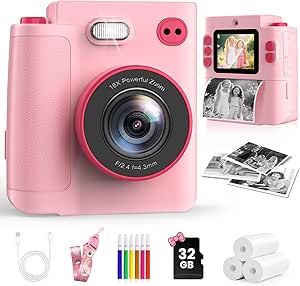 | Best for Digital Keepsakes | Recommended age: 3–12 years | Video resolution: 1080p | Sensor / effective still resolution: 30 MP sensor / 0.3 MP effective still resolution | VIEW LATEST PRICE | See Our Full Breakdown |
| Gofunly HD Instant Print Camera for Kids |  | Best for Simple First Prints | Recommended age: 3–12 years | Photo resolution: 32 MP | Video resolution: 1080p | VIEW LATEST PRICE | See Our Full Breakdown |
| Dylanto Kids Instant Print Camera, 1080p Video, Pink |  | Best for Longer Outings | Photo resolution: 12 MP | Video resolution: 1080p | Display: 2.4-inch LCD | VIEW LATEST PRICE | See Our Full Breakdown |
| Dylanto Kids Instant Print Camera, 1080P – Blue (Ages 3‑12) |  | Best for Indoor Snapshots | Recommended age: 3–12 years | Photo resolution: 12 MP | Video resolution: 1080p | VIEW LATEST PRICE | See Our Full Breakdown |
| kids instant print camera | Video resolution | Digital zoom | Battery life | Printing |
|---|---|---|---|---|
| HiMont Kids Instant Print Came | 1080p | — | Up to 4 hours | — |
| Kids Instant Print Camera with | 1080p | 10x | Up to 4–5 hours | Black-and-white thermal printing |
| GREENKINDER Kids Instant Print | 1080p | 10x | — | — |
| ESOXOFFORE Instant Print Camer | — | 16× | 4–5 hours | Black-and-white thermal prints |
| Dylanto Kids Instant Print Cam | 1080p | 16× | 3–4 hours of continuous photo taking or music playback | — |
| CAMCLID Kids Instant Print Cam | 1080p | — | — | Inkless black-and-white |
| Kids Instant Print Digital Cam | 1080p | 16× | — | — |
| ESOXOFFORE Kids Camera Instant | 1080p | 16× | 4.5 hours | — |
| ESOXOFFORE Kids Instant Print | 1080p | 16× | 4–5 hours | — |
| ESOXOFFORE Instant Print Camer | 1080p | 16× | 4–5 hours | Black-and-white; about one second per print |
| Kids Instant Print Camera | 1080p | — | — | Ink-free thermal; black-and-white prints |
| Gofunly HD Instant Print Camer | 1080p | — | Up to 3 hours | Black-and-white thermal printing |
| Dylanto Kids Instant Print Cam | 1080p | 16x | 3–4 hours | Black-and-white thermal printing |
| Dylanto Kids Instant Print Cam | 1080p | 16x | — | — |
More Details on Our Top Picks
HiMont Kids Instant Print Camera, 1080p HD, Black
The HiMont is a strong fit for children who want to do more than press a button and collect prints. Its dot matrix and grayscale modes, cartoon effects, and included color pens give kids ways to personalize ink-free thermal photos after printing. Compared with the Kids Instant Print Camera with 32GB SD Card, which emphasizes digital zoom and time-lapse, HiMont leans more toward hands-on decorating and adds 12 MP still photos. It also records 1080p video and comes ready with a memory card and three paper rolls. The tradeoff is a four-hour stated battery limit, shorter than the up-to-4–5 hours listed for that alternative, and it is not water resistant. Its age range is broad, but younger kids will still need care around the paper and pens.
Pros:- Ink-free thermal printing avoids ink cartridges or toner.
- Dot matrix and grayscale modes plus color pens support creative print projects.
- Includes a 32 GB memory card and three rolls of paper.
- Captures 12 MP photos and 1080p video.
Cons:- Battery life is rated for up to four hours, less than some alternatives in this group.
- Not water resistant.
- Creative print options may matter less to children who mainly want digital photos.
Best for: Children who enjoy decorating their prints and want one camera for thermal photos, color stills, and 1080p video.
Not ideal for: Families seeking longer stated battery life or a camera for poolside and outdoor wet-weather use; it is not water resistant.
- Printing technology:Ink-free thermal
- Printing modes:Dot matrix and grayscale
- Photo resolution:12 MP
- Video resolution:1080p
- Screen:2.4 inches
- Memory card:32 GB
- Battery life:Up to 4 hours
- Included accessories:3 rolls of printing paper and color pens
- Weight:0.43 kg
Our verdict“Choose the HiMont for a child who wants to decorate thermal prints as well as take photos and videos.”
Kids Instant Print Camera with 32GB SD Card
This purple camera suits kids who like switching between shooting styles rather than focusing only on instant prints. Alongside black-and-white thermal printing, it captures color photos and 1080p video, with filters, frames, mirror effects, digital zoom, and time-lapse. That gives it a broader set of camera effects than the more print-craft-oriented HiMont Kids Instant Print Camera, though HiMont adds color pens and dot matrix printing modes. A 32GB SD card and three paper rolls mean it can be used for saved media and prints from the start. The main compromise is inherent to this style of camera: prints are monochrome, even though saved photos are in color. Its stated battery life reaches up to 4–5 hours, but it is not water resistant.
Pros:- Captures color photos and 1080p video in addition to thermal prints.
- Includes digital zoom, filters, frames, mirror effects, and time-lapse.
- Comes with a 32GB SD card and three rolls of print paper.
- Stated battery life is up to 4–5 hours.
Cons:- Printed images are black and white.
- Not water resistant.
- The listing gives battery capacity but not a specific charging connection.
Best for: Kids who want to try filters, frames, time-lapse, and digital photos as well as make quick monochrome prints.
Not ideal for: Children who expect prints to show color, or families needing a camera that can handle wet conditions.
- Screen:2.4 inches
- Video resolution:1080p
- Digital zoom:10x
- Battery capacity:1000 mAh
- Battery life:Up to 4–5 hours
- Included memory card:32GB SD card
- Photo and video formats:JPEG and MP4
- Printing:Black-and-white thermal printing
- Included print paper:3 rolls
Our verdict“Pick this model for a child who will make use of its varied shooting effects, but skip it if color printing is a requirement.”
GREENKINDER Kids Instant Print Camera with 32GB Card, 3 Paper Rolls, and Selfie Video Features (Blue)
The GREENKINDER’s defining feature is its 180-degree rotating lens, which makes it easier for kids to frame selfies and video without guessing what is in shot. It pairs that flexibility with 1080p video, color digital photos, and black-and-white thermal prints. Compared with the Kids Instant Print Camera with 32GB SD Card, it has a smaller 2-inch screen, but the rotating lens gives it a clearer selfie-focused advantage. The included 32GB card, three paper rolls, stickers, and colored pencils make it a ready-to-use activity set, and USB-C charging is convenient for compatible household cables. Its stated battery life is 3–4 hours, below the longer upper estimate for the purple alternative, and it is not water resistant. Prints remain monochrome.
Pros:- 180-degree rotating lens supports selfie framing.
- Captures color photos and 1080p video while printing thermally.
- Includes a 32GB card, three paper rolls, stickers, and colored pencils.
- Uses USB Type-C charging.
Cons:- Thermal prints are black and white.
- Battery life is listed as 3–4 hours.
- The 2-inch screen is smaller than the 2.4-inch screens on several alternatives.
Best for: Kids who like taking selfies or recording themselves and want included materials for decorating their prints.
Not ideal for: Families prioritizing a larger screen or longer stated battery life, and children who want color hard-copy prints.
- Print type:Black-and-white thermal printing
- Screen:2 inches
- Video resolution:1080p
- Lens rotation:180 degrees
- Digital zoom:10x
- Battery capacity and life:1000 mAh; 3–4 hours
- Included storage:32GB card
- Included print paper:3 rolls; up to 180 photos
- Charging:USB Type-C
Our verdict“Choose the GREENKINDER for a selfie-loving child who values a rotating lens and a generous creative-accessory bundle.”
ESOXOFFORE Instant Print Camera for Kids, Purple
For a child likely to print often, the ESOXOFFORE’s stated paper supply is its clearest advantage: the included three rolls are listed for up to 372 photos. Prints take about one second, while color photos are saved to an SD card and video records at 1080p. Compared with the GREENKINDER Kids Instant Print Camera, this model has a larger 2.4-inch screen and a 16× digital zoom rather than a 2-inch screen and 10× zoom; GREENKINDER, however, offers a rotating selfie lens. The shock-resistant shell and USB-C charging add practical appeal for kid handling, but the camera is still not water resistant. Like the other thermal-print options here, it produces monochrome paper photos, so its stronger case is print volume and handling features, not color output.
Pros:- Included paper is listed for up to 372 photos.
- Prints black-and-white photos in about one second.
- Saves color photos and records 1080p video.
- Has a shock-resistant shell, 2.4-inch screen, and USB-C charging.
Cons:- Printed photos are black and white.
- Not water resistant.
- The 16× digital zoom is not optical zoom.
Best for: Kids who expect to print lots of snapshots and families who value a shock-resistant shell and larger screen.
Not ideal for: Children who need color prints, or families looking for a water-resistant camera or selfie-specific rotating lens.
- Screen:2.4 inches
- Video resolution and format:1920 × 1080; MP4
- Photo format:JPEG
- Digital zoom:16×
- Printing:Black-and-white thermal prints
- Paper capacity:Up to 372 photos
- Battery life:4–5 hours
- Charging:USB Type-C
- Included accessories:SD card, USB-C cable, lanyard, and 3 rolls of printing paper
Our verdict“Choose this ESOXOFFORE if print capacity and a more drop-conscious shell matter more than color prints or selfie framing.”
Dylanto Kids Instant Print Camera with 2.4-Inch Screen, Purple
The Dylanto stands out for its 2000 mAh battery capacity, the largest stated capacity among these five options, though its listed continuous-use estimate is still 3–4 hours. It prints black-and-white images on BPA-free thermal paper and saves color photos, with 1080p video, games, filters, and music playback for extra ways to use it. Compared with the ESOXOFFORE Instant Print Camera for Kids, it offers the same 2.4-inch screen and 16× digital zoom but lists a 2000 mAh battery; ESOXOFFORE instead specifies paper capacity of up to 372 photos and a shock-resistant shell. Dylanto’s 32GB card and three rolls get kids started, while its 1 MP still resolution is a modest specification for saved photos. It is also not water resistant.
Pros:- 2000 mAh battery capacity is higher than the other listed options in this batch.
- Captures color photos and 1080p video while printing monochrome images.
- Includes a 32GB memory card and three paper rolls.
- Offers games, filters, music playback, and USB Type-C charging.
Cons:- Still-photo resolution is listed as 1 MP.
- Battery life is stated as 3–4 hours despite the larger capacity.
- Not water resistant.
Best for: Families who want a camera with a larger stated battery capacity, USB-C charging, and both print and digital activities.
Not ideal for: Buyers focused on high-resolution saved photos, water resistance, or a longer stated continuous-use time.
- Screen:2.4 inches
- Photo sensor and still resolution:CMOS, 1/4-inch; 1 MP
- Video resolution:1080p
- Digital zoom:16×
- Battery capacity:2000 mAh
- Battery life:3–4 hours of continuous photo taking or music playback
- Memory card:32 GB
- Included printing paper:3 rolls
- Charging connection:USB Type-C
Our verdict“Pick the Dylanto for its larger stated battery capacity and mix of print and digital activities, not for high-resolution saved photos.”
CAMCLID Kids Instant Print Camera with 1080p Video, 2.4-Inch Screen, 32GB Card and Dinosaur Case
The dinosaur-shaped protective case gives this CAMCLID a clear appeal for young kids who want a camera that looks like a toy and can handle everyday handling. Its 32GB card provides substantially more stated storage than the 1GB card included with the blue ESOXOFFORE model, while 12 MP photo capture and 1080p video give kids digital images to keep alongside the instant prints. Those prints are inkless and black-and-white, so it shares the paper-refill limitation of the other thermal models here rather than offering color keepsakes. The tradeoff is portability: at 400 g, it is heavier than a simple pocket-size toy, and its roughly 3–4-hour battery estimate is shorter than the 4–5 hours listed for the ESOXOFFORE options. I’d choose it for the case and included storage, not for longer outings.
Pros:- Dinosaur-shaped case adds a distinctive protective cover.
- Includes a 32GB storage card and print paper.
- Captures 12 MP photos and 1080p video.
- Inkless printing avoids printer ink cartridges.
Cons:- Prints are black-and-white only.
- Approximate 3–4-hour battery life is shorter than the 4–5 hours listed for several ESOXOFFORE models.
- At 400 g, it may feel heavy for smaller children to carry.
Best for: Young dinosaur enthusiasts who want an easy-to-recognize protective case, included storage, and both instant prints and digital video.
Not ideal for: Kids who need a lightweight camera for long outings or families who want color prints and longer battery life.
- Photo resolution:12 MP
- Video resolution:1080p
- Screen size:2.4 inches
- Included storage:32GB card
- Battery capacity:1000 mAh
- Approximate battery life:3–4 hours
- Printing:Inkless black-and-white
- Weight:400 g
Our verdict“Choose the CAMCLID for a dinosaur-loving child who values the protective case and generous included storage more than low weight or longer battery runtime.”
Kids Instant Print Digital Camera, 1080p, Pink
This pink camera is a practical starter choice for a child who is likely to print often: its three included paper rolls are listed as enough for approximately 372 prints, and the silicone case, strap, and pre-inserted memory card help reduce setup friction. The simple controls and built-in games suit younger users who want more than a camera but may not need advanced shooting modes. Compared with the black ESOXOFFORE model, it is less feature-rich on paper—the black model lists time-lapse, continuous shooting, and a flash—but this one gives buyers a clearly stated paper supply and protective case. Its 8 MP photos are also lower resolution than the CAMCLID’s 12 MP. Like all the thermal-print picks here, it produces monochrome keepsakes, and the paper will need replacing once the included rolls run out.
Pros:- Three paper rolls are listed for approximately 372 prints.
- Includes a silicone protective case and neck strap.
- Pre-inserted memory card reduces initial setup.
- Offers 1080p video, creative effects, and simple built-in games.
Cons:- Thermal prints are black-and-white only.
- Its 8 MP photo resolution is lower than the CAMCLID’s 12 MP.
- The included paper supply runs out and must be replenished.
Best for: Parents buying a first instant-print camera for a child who needs simple controls, a protective case, and a useful paper supply in the box.
Not ideal for: Families prioritizing higher-resolution photos or extra shooting modes such as time-lapse and continuous shooting.
- Photo resolution:8 MP
- Video resolution:1080p
- Screen size:2.4 inches
- Print type:Black-and-white thermal
- Print size:10 × 5.7 cm (4 × 2.2 inches)
- Included paper:3 rolls; approximately 372 prints
- Battery capacity:1000 mAh
- Digital zoom:16×
Our verdict“Pick this pink model as a straightforward first camera when easy setup and a substantial starter paper supply matter more than higher photo resolution or advanced modes.”
ESOXOFFORE Kids Camera Instant Print – Blue
The blue ESOXOFFORE makes its case through one-second thermal prints, a shock-proof shell, and USB Type-C charging—useful traits for a child who wants a quick physical souvenir without waiting around. It also packs 15 scene filters and 16 stickers, giving kids ways to personalize shots before printing. Against the pink ESOXOFFORE with a 32GB card, though, its included 1GB SD card offers much less stated storage for saving color photos and video. Its listed 4.5-hour battery life is a useful middle ground, but this model’s description does not specify a paper-roll quantity, unlike the pink ESOXOFFORE’s three rolls. The prints remain black-and-white, and the shell is not water-resistant, so rainy-day or splash-heavy play is a poor fit.
Pros:- Produces black-and-white thermal prints in about one second.
- Shock-proof shell is suited to everyday bumps and drops.
- Includes 15 scene filters and 16 stickers.
- USB Type-C charging and listed 4.5-hour battery life support portable use.
Cons:- The included 1GB SD card offers less stated storage than the pink ESOXOFFORE’s 32GB card.
- Prints are black-and-white; color images are digital only.
- Not water-resistant, limiting use around rain and splashes.
Best for: Children who want fast monochrome prints, playful filters, and a shock-protected camera for ordinary dry-weather outings.
Not ideal for: Families who need ample included digital storage, a specified paper bundle, or a camera for wet outdoor play.
- Screen size:2.4 inches
- Video resolution:1080p
- Battery life:4.5 hours
- Print type:Thermal black-and-white
- Included storage:1GB SD card
- Charging port:USB Type-C
- Digital zoom:16×
- Continuous shooting:30 fps
Our verdict“Choose this blue ESOXOFFORE for fast prints and a protective shell, but select the pink ESOXOFFORE if included storage and paper quantity matter more.”
ESOXOFFORE Kids Instant Print Camera with 1080p Video, Black
For kids who want to experiment beyond point-and-print snapshots, this black ESOXOFFORE stands out with time-lapse, continuous shooting, and flash alongside its filters and stickers. The included three paper rolls are listed for up to 372 prints, while an SD card lets children save color images digitally instead of printing every shot. Compared with the blue ESOXOFFORE, it offers a more clearly specified paper bundle and a broader set of shooting modes; compared with the pink ESOXOFFORE, it adds named modes such as time-lapse. Its shockproof shell and lanyard suit portable use, but protection does not extend to water: the camera is explicitly not water-resistant. Printing stays black-and-white, so its creative range is mainly in how kids shoot and decorate images, not in print color.
Pros:- Offers time-lapse and continuous shooting in addition to standard capture.
- Includes three paper rolls for up to 372 prints.
- SD card supports saving color photos digitally.
- Shockproof shell and included lanyard suit portable use.
Cons:- Instant prints are black-and-white only.
- Not water-resistant.
- The listed feature set may be more involved than a young beginner needs.
Best for: Curious kids who want to try time-lapse and continuous shooting, save color photos digitally, and carry a camera with a lanyard.
Not ideal for: Families seeking color prints or a water-resistant camera for beach, pool, or rainy-day use.
- Print type:Black-and-white instant thermal
- Print capacity:Up to 372 photos with 3 paper rolls
- Video resolution:1080p
- Screen size:2.4 inches
- Digital zoom:16×
- Battery life:4–5 hours
- Charging:USB Type-C
- Shooting modes:Scene filters, time-lapse, continuous shooting
- Water resistance:Not water-resistant
Our verdict“Choose the black ESOXOFFORE when shooting modes matter more than simplicity, while accepting monochrome prints and no protection from water.”
ESOXOFFORE Instant Print Camera for Kids, Pink, with 32GB SD Card
This pink ESOXOFFORE is the strongest fit here for families who want kids to keep plenty of digital photos and video: it includes a 32GB SD card, compared with the 1GB card listed for the blue ESOXOFFORE. It pairs that storage with three paper rolls for up to 372 prints, so a child can choose which moments to print and save the rest in color digitally. USB Type-C charging and a stated 4–5-hour battery life make it better suited to longer outings than the CAMCLID, whose estimate is 3–4 hours. The tradeoffs are familiar for this camera type: thermal prints are black-and-white, and it is not water-resistant. Its many extras—games, music, filters, and stickers—add play options but may be unnecessary for a child who wants only a basic camera.
Pros:- Includes a 32GB SD card for saving digital images and video.
- Three paper rolls are listed for up to 372 prints.
- USB Type-C charging and 4–5-hour battery life suit longer outings.
- Adds filters, stickers, games, and music playback.
Cons:- Instant prints are black-and-white only.
- Not water-resistant.
- The games and media features may distract children who want a basic camera.
Best for: Families who want substantial included digital storage for color photos and video, plus enough paper for frequent instant prints.
Not ideal for: Buyers seeking color hard-copy prints, water resistance, or a simple camera without extra entertainment features.
- Screen size:2.4 inches
- Video resolution:1080p
- Printing:Black-and-white; about one second per print
- Included storage:32GB SD card
- Included paper:3 rolls; up to 372 photos
- Battery life:4–5 hours
- Charging:USB Type-C
- Digital zoom:16×
- Water resistance:Not water-resistant
Our verdict“Pick this pink ESOXOFFORE if generous included digital storage and a large starter paper supply are your priorities, and monochrome prints are acceptable.”
Kids Instant Print Camera, 1080p HD, Pink
This pink model suits families who want a child to print a few photos while keeping color versions for later. Its included 32GB SD card stores digital JPEGs, a useful difference from the Gofunly HD Instant Print Camera, whose listed package focuses on printed photos and colored pens. The three paper rolls provide up to 372 prints, and USB-C charging plus a carrying strap make it easier to pack for outings. There are also video, filters, stickers, games, and several shooting modes, giving kids activities beyond printing. The tradeoff is that prints are black and white only, while the listed effective still resolution is just 0.3 MP despite a 30 MP sensor specification. It is also not water resistant, so it needs care around spills.
Pros:- Prints black-and-white photos quickly while saving color photos digitally
- Includes a 32GB SD card and three rolls of paper, listed for up to 372 prints
- Adds 1080p video, filters, stickers, games, and multiple shooting modes
- USB-C charging and a carrying strap support travel and everyday use
Cons:- Printed photos are monochrome
- Effective still resolution is listed as 0.3 MP despite the 30 MP sensor specification
- Not water resistant
Best for: Families who want children to print monochrome snapshots and save digital color photos and videos on an included memory card.
Not ideal for: Buyers who want color prints, water resistance, or clearly specified high-resolution still images.
- Recommended age:3–12 years
- Video resolution:1080p
- Sensor / effective still resolution:30 MP sensor / 0.3 MP effective still resolution
- Screen:2 inches; 480 × 640 display resolution
- Printing:Ink-free thermal; black-and-white prints
- Included storage:32GB SD card
- Included paper:3 rolls; up to 372 prints
- Battery and charging:Lithium-ion; 2–3 hours; USB Type-C
- Weight:4.8 ounces
Our verdict“Choose this pink camera if digital color keepsakes matter as much as instant black-and-white prints, but skip it if print color or image-resolution clarity is a priority.”
Gofunly HD Instant Print Camera for Kids
The Gofunly is a straightforward starter choice for a child whose main goal is to take a photo, print it, and decorate it. Its icon-based interface keeps the basic experience simple, while the included colored pens and three paper rolls turn monochrome printing into a small craft activity. Compared with the Kids Instant Print Camera, 1080p HD, Pink, it lists a larger 3-inch screen, which gives little photographers more room to frame shots. Both save families from buying ink because they use thermal printing. This model’s limits are easier to see in its simpler feature set: there’s no camera flash, and the listing does not specify an included memory card or extra creative modes. Prints are black and white, so it is less suited to children expecting colorful physical photos.
Pros:- Icon-based interface is suited to young children learning camera controls
- Three rolls of thermal paper and colored pens support immediate print-and-decorate play
- Larger 3-inch screen than the 2-inch display on the Kids Instant Print Camera, 1080p HD, Pink
- Rechargeable battery is listed for up to 3 hours of use
Cons:- No camera flash is listed
- Printed photos are black and white
- Included memory card or other digital storage is not specified
Best for: Young first-time photographers who need simple controls and enjoy coloring or decorating their printed snapshots.
Not ideal for: Families whose children often take pictures in dim settings, want a flash, or need confirmed included digital storage.
- Recommended age:3–12 years
- Photo resolution:32 MP
- Video resolution:1080p
- Screen size:3 inches
- Printing:Black-and-white thermal printing
- Battery:1000 mAh rechargeable lithium polymer
- Battery life:Up to 3 hours
- Connectivity:USB
- Included accessories:3 rolls of thermal paper and colored pens
Our verdict“Pick the Gofunly for a simple, hands-on first camera with supplies for decorating prints, but choose another model if flash or included storage matters.”
Dylanto Kids Instant Print Camera, 1080p Video, Pink
For children who will switch between photos, video, and games during a day out, this Dylanto’s 2000 mAh battery is a useful advantage: its listed 3–4 hours of use exceeds the up-to-3-hour figure for the Gofunly HD Instant Print Camera for Kids. The 32GB memory card and three paper rolls also give kids room for digital captures and a supply of instant prints straight from the box. Compared with the Kids Instant Print Camera, 1080p HD, Pink, this model lists a clearer 12 MP photo resolution without the conflicting 30 MP sensor and 0.3 MP effective resolution figures. It still prints only in black and white, and the stated battery span is not a guarantee of uninterrupted use, especially when printing and video add activity.
Pros:- Listed 2000 mAh battery and 3–4 hours of use offer a longer stated span than the Gofunly
- Includes a 32GB memory card and three rolls of printing paper
- Combines 1080p video with filters, games, and music playback
- Shock-resistant soft plastic shell is suited to child use
Cons:- Prints are black and white only
- Battery life is listed as a 3–4-hour range rather than a specific continuous-use figure
- No flash specification is provided
Best for: Families seeking a pink camera with included digital storage and a longer listed battery-use range for outings.
Not ideal for: Buyers who expect color prints or want a camera with a specified flash or larger screen.
- Photo resolution:12 MP
- Video resolution:1080p
- Display:2.4-inch LCD
- Digital zoom:16x
- Battery:2000 mAh
- Battery life:3–4 hours
- Printing:Black-and-white thermal printing
- Included storage and paper:32GB memory card and 3 rolls
- Connectivity and color:USB-C; pink
Our verdict“Choose this Dylanto for its listed battery capacity and ready-to-use storage and paper bundle, provided monochrome prints suit your child.”
Dylanto Kids Instant Print Camera, 1080P – Blue (Ages 3‑12)
This blue Dylanto makes the most sense for kids who will use their camera indoors, where its built-in flash can help with dimmer scenes. That feature sets it apart from the pink Dylanto Kids Instant Print Camera, which does not list a flash. Both models include a 32GB card, three rolls of paper, and the same general mix of digital capture and monochrome thermal printing; the blue version also lists a light 38 g weight and shock-proof shell for little hands and everyday carrying. Games, music playback, and creative filters add play options, but they do not change the core print tradeoff: physical photos are black and white. The listed 3–4-hour battery span may also limit a full day of frequent shooting and printing.
Pros:- Built-in flash is listed, unlike on the pink Dylanto model
- Includes a 32GB memory card, three paper rolls, lanyard, and USB-C charger
- Shock-proof plastic shell and listed 38 g weight suit young users carrying it around
- Games, music playback, and creative filters provide activities beyond printing
Cons:- Printed photos are black and white only
- Battery life is listed as 3–4 hours of continuous use
- Digital storage relies on the included 32GB card
Best for: Children who take indoor snapshots and would benefit from a built-in flash, with a parent who wants the memory card and paper included.
Not ideal for: Kids seeking color prints or families who need a camera specified for a full day of continuous use.
- Recommended age:3–12 years
- Photo resolution:12 MP
- Video resolution:1080p
- Screen size:2.4 inches
- Flash:Built-in
- Battery capacity and life:2000 mAh; 3–4 hours
- Digital zoom:16x
- Included storage and paper:32GB memory card and 3 rolls
- Weight and charging:38 g; USB Type-C
Our verdict“Choose the blue Dylanto if your child needs a flash for indoor photos and you want paper and storage included, but not for color printing or long continuous sessions.”
How We Picked
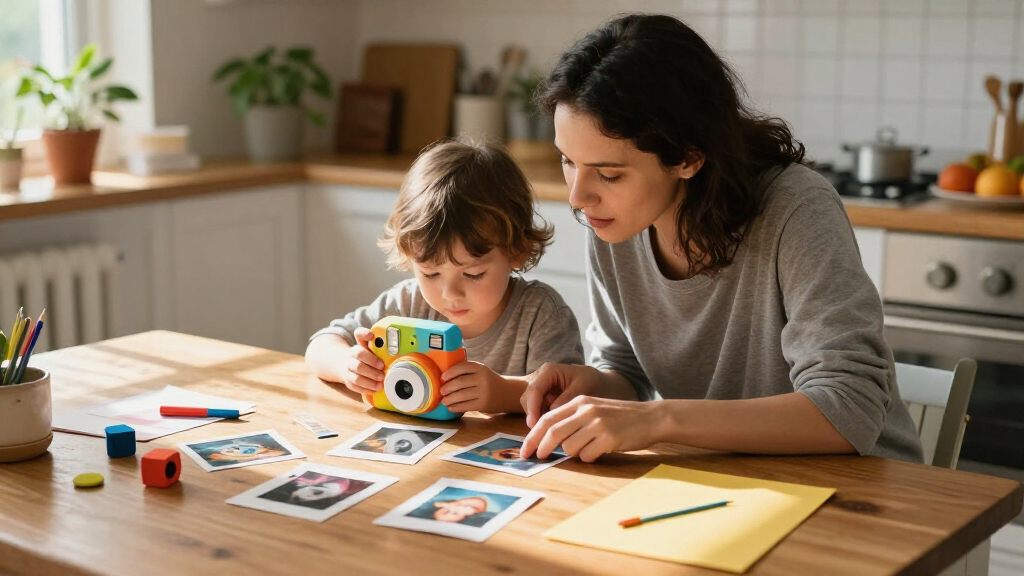
I compared the 14 listed cameras as children’s instant print devices, giving weight to the features that affect day-to-day use: whether a listing names included paper or a memory card, whether it adds video, and whether it specifies a screen or protective case. I also treated clear bundle details as useful because extra paper and storage can shape how soon a family needs replacements. Names and listed features provide a basis for comparison, but they do not establish print quality, durability, battery life, or ease of operation.
The ranking favors options with a balanced set of relevant details, then gives distinct roles to models with a clear advantage for a particular buyer, such as extra paper, video, or a themed case. Similar variants are grouped by what their listings specify, rather than treated as entirely different camera designs. Where a product name gives little information about its bundle, I rank it as a more cautious choice and recommend checking the current listing for the contents.
| kids instant print camera | Printing |
|---|---|
| HiMont Kids Instant Print Came | — |
| Kids Instant Print Camera with | Black-and-white thermal printing |
| GREENKINDER Kids Instant Print | — |
| ESOXOFFORE Instant Print Camer | Black-and-white thermal prints |
| Dylanto Kids Instant Print Cam | — |
| CAMCLID Kids Instant Print Cam | Inkless black-and-white |
| Kids Instant Print Digital Cam | — |
| ESOXOFFORE Kids Camera Instant | — |
| ESOXOFFORE Kids Instant Print | — |
| ESOXOFFORE Instant Print Camer | Black-and-white; about one second per print |
| Kids Instant Print Camera | Ink-free thermal; black-and-white prints |
| Gofunly HD Instant Print Camer | Black-and-white thermal printing |
| Dylanto Kids Instant Print Cam | Black-and-white thermal printing |
| Dylanto Kids Instant Print Cam | — |
Factors to Consider When Choosing Kids Instant Print Cameras
Before choosing, I’d match the camera to how your child will use the prints and digital features. Bundle contents and ongoing paper needs can matter as much as the camera’s headline specs.
Check the paper supply before comparing camera extras
Instant printing turns paper into a recurring part of use, so check how many rolls are included and whether replacement rolls are easy to identify. A bundle with several rolls, such as GREENKINDER’s listed three, can give a child more room to experiment before the first reorder. A camera listing that mentions a memory card but says little about paper may leave you with storage for digital photos and few prints to make. Avoid assuming every bundle includes the same supplies just because the cameras look similar. If your child tends to print every shot, supply details should carry more weight than a bonus filter or video mode.
Decide whether video and digital storage will get real use
Video and a memory card extend a camera beyond paper prints, but they also add features a younger child may ignore. A 32GB card can hold digital photos and clips, while printed copies remain a separate, limited resource. Think about whether your child enjoys reviewing photos on a screen or recording short clips, or mostly wants the immediate print. If the camera will be used on trips, confirm how files transfer to a computer or phone before relying on the card as a keepsake archive. A simpler feature set can be the better fit when the main goal is hands-on printing.
Treat screen size as a usability clue, not a guarantee
A listed 2.4-inch screen gives a child space to review images, but screen size alone cannot tell you how clear the display is or how easy its menus are to use. Look for photos of the controls and check whether the camera has straightforward buttons suited to your child’s age. A busy menu can slow down a child who mainly wants to snap and print. If possible, check the listing for dimensions and weight as well, since a larger screen may come with a camera that is less comfortable for small hands. Adult help may be useful at first for settings and file management.
Choose protection based on where the camera will go
A themed case, like CAMCLID’s dinosaur design, may make the camera more appealing and could help it feel like a child’s own device. The name alone does not confirm how much impact protection the case provides, so inspect listing photos and descriptions for materials and coverage. For everyday use at home, a basic form may be enough; for travel or outings, a secure grip and protection around the screen and print slot matter more. Check whether a strap or carrying case is included instead of assuming one comes with the camera. Give more weight to documented protection than to a decorative design.
Match the feature mix to the child’s age and attention
For a first camera, a clear path from taking a photo to printing it may be more useful than a long list of modes. Younger children may need an adult to load paper, charge the device, or move digital files, regardless of the age range in a product title. Older children may enjoy video, filters, and saving images for later. Check the manufacturer’s age guidance and the listing’s instructions, then consider how much setup you are willing to handle. Choosing only by an advertised age span can overlook differences in patience, hand size, and interest in digital features.
Check ongoing needs before you commit to a bundle
Look up the camera’s charging method, battery details, supported paper type, and instructions for replacing a roll. These practical details affect whether the camera is ready for an outing and whether supplies can be replenished later. A larger included bundle may suit a child who prints frequently, while a smaller one can make sense if printing is an occasional activity. Confirm the exact contents on the current listing because color variants can have different named accessories. When an important detail is absent, treat it as unknown rather than assuming the most generous bundle applies.
Frequently Asked Questions
Which camera in this roundup is the best choice if my child wants to print a lot?
I’d start with the GREENKINDER Blue because its listing names three paper rolls along with a 32GB card, making its supply bundle especially clear. More included paper can support more early printing, though it does not tell you how much replacement paper costs or how easy it is to find. Check the paper format and refill instructions before buying. If those details are unclear, the bundle advantage may not last once the included rolls run out.
Should I choose a camera with a memory card or one with extra paper?
Choose extra paper if your child mainly wants physical prints and you want more supplies ready to use. A memory card makes more sense if saving digital photos and video matters to your family. Some listings offer both, including GREENKINDER and CAMCLID, but the included paper quantities and card details still differ. Neither feature replaces the other: a card stores files, while paper is needed for prints. Think about which activity your child repeats most before treating one bundle as the better deal.
Are the several ESOXOFFORE cameras different enough to compare separately?
The roundup includes four ESOXOFFORE listings with different colors or named features, including a Pink version that lists a 32GB card and a Black version that names 1080p video. Those details can help narrow the choice, but the product names alone do not establish differences in print performance or build. Compare the exact listing pages for included paper, memory card, controls, and compatible refills. If the bundle details match, choose by color and the features your child will actually use rather than assuming one variant is a newer or better camera.
Does a 1080p video label mean the printed photos will look sharper?
No. The 1080p label describes a video feature, not the detail or appearance of printed photos. The roundup includes several models with 1080p in their names, but that specification does not establish print resolution, contrast, or paper quality. Check the listing for print-specific information and sample images if photo appearance is a priority. If you care more about keepsake prints than clips, paper supply and print details should guide the decision.
What should I check if I’m buying an instant print camera as a first camera?
Look for clear controls, manageable size, and instructions that explain loading paper and starting a print. Product names may mention age ranges or screens, but those details do not tell you how much setup a child can manage independently. A parent may need to charge the camera, replace paper, or help transfer digital files. For a younger child, a straightforward print process and a bundle with paper can be more useful than extra video modes. Check the exact contents and manufacturer guidance before ordering.
Conclusion
Best overall: I’d choose the HiMont 1080p HD Black for a balanced set of listed camera features. Best value in practical supplies: GREENKINDER Blue stands out for its three paper rolls and 32GB card. Best for beginners: I’d favor a model with clearly listed paper and simple controls, then verify the instructions; GREENKINDER’s named supplies make it a sensible place to start. Best for a child who wants video and a playful case: CAMCLID combines 1080p video, a 2.4-inch screen, a 32GB card, and a dinosaur case. Best premium-style feature mix: CAMCLID is the most clearly specified feature-rich pick here, though the listings do not establish premium build quality. If color is the deciding factor, compare the Dylanto and ESOXOFFORE variants by their exact included supplies before choosing.
Halloween Picks
halloween
As an affiliate, we earn on qualifying purchases.