
When shopping for a kid’s school laptop, focus on a durable device with enough processing power—aim for at least an Intel Core i3 or AMD Ryzen 3 and 8GB of RAM for smooth multitasking. Look for long battery life, a 11-14 inch Full HD screen, and solid connectivity options like Wi-Fi 6 and Bluetooth. Prioritize security features and consider budget options that balance cost and longevity. Keep exploring to learn more about choosing the perfect device.
Key Takeaways
- Opt for a processor like Intel Core i3 or AMD Ryzen 3 with at least 8GB RAM for smooth multitasking.
- Choose a durable, spill-resistant laptop with impact-resistant features and reinforced corners.
- Ensure at least 11-14 inch Full HD screens for portability and clear visuals during study sessions.
- Prioritize long battery life (8-10 hours) and reliable Wi-Fi (Wi-Fi 5 or 6) for uninterrupted remote learning.
- Consider budget-friendly options with essential security, parental controls, and compatibility with educational apps.

UKELALA Green Wired Headphones for Boys Portable On Ear Youth Headphones for School Airplane Travel Lightweight Portable Compatible with Pad Computer Laptop for Adults Student Children Girls Kids
- Hi-Fi Stereo Sound: Clear, dynamic audio with dual 40mm drivers
- Comfortable & Lightweight: Soft earmuffs, over-ear design, breathable, long-wear comfort
- Portable & Foldable: Compact design for travel, commuting, and workouts
As an affiliate, we earn on qualifying purchases.
As an affiliate, we earn on qualifying purchases.
What Are the Most Important Specs for Kids’ School Laptops?

When choosing a laptop for kids’ school use, the most important specs focus on performance, durability, and usability. You want a device that runs smoothly with enough processing power for educational apps and browsing, but also one built to withstand daily bumps and spills. Parental controls are essential, allowing you to set limits on screen time, filter content, and manage app access—giving you peace of mind. Software compatibility is also key; ensure the laptop supports the educational programs and platforms your child needs without hassle. A user-friendly interface helps your kid navigate easily, fostering independence while keeping safety features in place. Additionally, understanding the ethical implications of data collection can help you make more informed choices about the privacy and security features of the device. Considering the durability of the device, such as drop-resistant features, can further ensure it lasts throughout your child’s school years. Incorporating privacy protections into your decision can also guide you in selecting a device that respects your child’s digital security. Being aware of robust security measures can help protect your child’s personal information from potential threats. For added peace of mind, look for laptops that include anti-theft features to prevent unauthorized access or loss. By prioritizing these specs, you ensure the laptop is both practical and secure for your child’s learning journey.
How Much Should You Budget for a Kid’s Educational Laptop?

Setting a budget for your kid’s educational laptop involves considering different price ranges and what they offer. You want a device that balances cost with features to guarantee it’s a good long-term investment. By understanding your options, you can choose a laptop that fits your budget without sacrificing quality. Additionally, researching essential features for school can help ensure the device meets your child’s educational needs effectively. It’s also helpful to compare free floating options that might provide the necessary functionality at a lower cost. Recognizing the importance of device durability can further guide your purchasing decision to select a laptop that withstands daily use by children. Moreover, understanding battery life is crucial to ensure the device can last through long school days and homework sessions. Being aware of cost-effective options allows you to find a balance between affordability and performance, ensuring you make a well-informed purchase.
Budget Range Options
Finding the right budget for a kid’s educational laptop depends on your priorities and your child’s needs. You can find options across various price points, so set a realistic budget. Consider these ranges:
- Budget ($200-$400): Basic models with parental controls and essential software compatibility, ideal for younger kids or light use.
- Mid-Range ($400-$700): Better build quality, more storage, and enhanced parental controls for safer browsing.
- Premium ($700-$1,000): Higher performance, longer battery life, and robust software compatibility for more intensive tasks.
- High-End ($1,000+): Top specs, advanced parental controls, and future-proof features for serious students.
Balancing cost with features ensures you get a device that supports your child’s educational needs without overspending. Additionally, considering battery management and durability can help make a more informed choice. Investing in quality components can also extend the device’s lifespan and performance over time, reducing the need for frequent replacements.
Long-Term Investment Value
Investing in a kid’s educational laptop is about more than just the initial purchase price; it’s about choosing a device that offers long-term value. You want hardware that’s durable enough to withstand daily use, especially if your child is rough on gadgets. Look for laptops with sturdy construction and reliable components to avoid frequent repairs or replacements. Additionally, software compatibility is essential—ensure the device can run essential educational apps and updates over several years. A well-chosen laptop might cost more upfront but pays off by lasting through multiple school years without becoming obsolete. Prioritizing hardware durability and software flexibility helps you make a smart investment that supports your child’s learning journey and minimizes future expenses. Incorporating home appliance durability principles can help you evaluate the quality and longevity of the device’s build. Furthermore, paying attention to long-term performance ensures the device remains functional and relevant as your child’s educational needs evolve. Considering upgradability options can also extend the usable lifespan of the laptop by allowing hardware enhancements over time. Additionally, selecting a model with proven reliability and durability can significantly reduce the likelihood of issues during critical school periods.
Balancing Cost and Features
Determining how much to spend on a kid’s educational laptop involves balancing your budget with the features that support your child’s learning needs. To do this effectively, consider these key factors:
- Set a realistic budget that covers essential features without overspending.
- Prioritize laptops with robust parental controls to monitor and restrict content.
- Make certain the device offers good software compatibility for educational apps and tools.
- Look for models that balance affordability with durability and performance.
Which Processor and RAM Are Best for School Tasks?
When choosing a laptop for school, you’ll want a processor that’s quick enough to handle your tasks without hindering performance. Aim for at least 8GB of RAM to smoothly run multiple applications at once. This guarantees your device can keep up with multitasking and everyday schoolwork effectively. Additionally, consider the wall surface finishes that best complement your workspace to create an environment conducive to focus and productivity. For optimal performance and durability, selecting the right hardware specifications is essential to support your academic needs.
Processor Speed and Power
Have you ever wondered which processor and amount of RAM are best for your child’s school tasks? The right specs guarantee smooth performance for assignments, gaming, and even graphic design projects. Here’s what to look for:
- A quad-core or higher processor, like Intel i5 or AMD Ryzen 5, provides enough power for multitasking.
- At least 8GB of RAM helps with gaming performance and running design software without lag.
- Faster processors improve load times and responsiveness during intense tasks.
- For graphic design, prioritize processors with integrated or dedicated graphics cards to handle visuals smoothly.
- Incorporating efficient cooling systems in laptops can help maintain performance during heavy workloads, especially when using high-performance processors and RAM.
Choosing a processor with enough power assures your kid can handle school tasks and creative projects efficiently.
Minimum RAM Requirements
For smooth schoolwork and multitasking, your child’s laptop should have a minimum of 8GB of RAM. This guarantees it can handle different learning styles, whether your child prefers visual, auditory, or kinesthetic methods, without lag. Adequate RAM helps run multiple applications simultaneously, like note-taking tools, research browsers, and educational software. It also supports smooth video calls and online learning platforms. When choosing a device, consider parental controls to manage screen time and restrict access to distracting sites. Having sufficient RAM ensures the laptop remains responsive as your child progresses through various assignments and projects. Additionally, choosing a device with essential floating gear can enhance the learning experience by providing versatile tools for interactive lessons. Ensuring compatibility with hardware components helps maintain overall device performance and longevity. Optimizing system memory is crucial for future-proofing your child’s device and accommodating increasing software demands, ultimately supporting a more efficient and safe learning environment. Incorporating performance cookies can also help monitor how well the device handles multitasking and resource allocation, ensuring optimal operation over time. Moreover, selecting a laptop with professional-grade hardware can provide additional durability and reliability for everyday school use.
Multitasking Capabilities
To guarantee your child’s laptop can handle multiple school tasks simultaneously, selecting the right processor and RAM is essential. A faster processor ensures smooth multitasking and good software compatibility, especially when running various educational apps or video conferencing tools. Adequate RAM allows your kid to switch effortlessly between tasks without lag, improving overall productivity. Consider these points:
- Aim for at least an Intel Core i3 or AMD Ryzen 3 processor for reliable performance.
- Opt for 8GB of RAM for seamless multitasking and better software compatibility.
- For gaming performance during break time, look for integrated or dedicated graphics.
- Ensure the laptop’s processor and RAM support future software updates and school programs.
- Regularly updating the hardware components can help maintain optimal performance and accommodate evolving educational needs.
This combo helps balance schoolwork, light gaming, and multiple applications without slowing down.
How Long Should Battery Life Be for a Child’s Laptop?

When choosing a laptop for a child, battery life is a crucial factor to take into account. You want a device with enough battery longevity to last through school hours, homework, and breaks without frequent recharging. The ideal battery life depends on usage patterns; if your child uses the laptop mainly at school or on the go, aim for at least 8-10 hours of battery life. For lighter use at home, 6-8 hours may suffice. Keep in mind that intensive tasks like video editing or gaming can drain the battery faster, so consider a slightly larger capacity if your child’s activities are demanding. Overall, selecting a laptop with a battery that matches your child’s daily routines ensures they stay connected and productive without interruptions.
What Screen Size and Resolution Are Ideal for Kids?

Choosing the right screen size and resolution for a child’s laptop is essential to guarantee comfortable use and minimize eye strain. A suitable display size balances portability and usability, making it easier for kids to work and play. Higher screen clarity ensures sharp images and text, reducing eye fatigue. Here are some tips to consider:
- Opt for a display size between 11 to 14 inches for portability without sacrificing visibility.
- Look for a resolution of at least 1920×1080 (Full HD) for clear, crisp images.
- Bigger screens (15 inches or more) can be comfortable but may reduce portability.
- Prioritize screens with good display size and resolution to keep your kid’s eyes safe and ensure they can focus easily.
Choosing the right combination promotes a better learning experience and comfortable screen time.
How Durable Should a Kids’ Laptop Be for Daily Use?
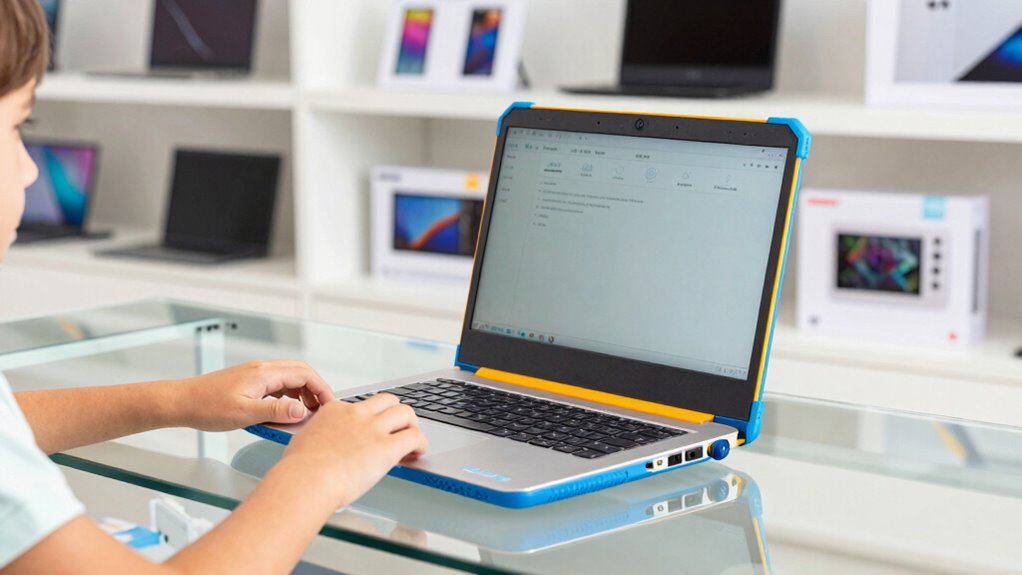
When choosing a kids’ laptop, you should consider impact resistance features that can handle accidental drops and bumps. Durability is key to ensuring the device lasts through daily use without constant repairs. Think about long-term wearability to get the best value and reliability for your child’s needs.
Impact Resistance Features
Since kids can be surprisingly rough on their devices, a laptop designed for daily use needs to withstand drops, bumps, and accidental spills. Impact resistance is vital to guarantee your child’s device stays functional despite rough handling. Look for laptops with features that enhance drop protection, such as reinforced corners or rubberized edges. Here are four key aspects to consider:
- Shock-absorbing bumpers around the casing
- Reinforced hinges to prevent damage from opening and closing
- Spill-resistant keyboards to protect internal components
- Drop protection ratings, like MIL-STD-810G, indicating durability standards
Prioritizing impact resistance helps your kid’s laptop survive everyday accidents, keeping it safe and reliable for school tasks.
Long-Term Wearability
A kid’s laptop needs to withstand daily wear and tear to stay reliable over time. Case studies reveal that durability varies considerably across brands, so it’s essential to compare options carefully. Look for laptops with reinforced hinges, spill-resistant keyboards, and sturdy chassis materials like rubber or reinforced plastic. Brand comparisons often show that models designed specifically for kids, such as those from durable-oriented brands, tend to offer better long-term wearability. Avoid flimsy builds that may crack or break easily, especially if your child is rough with gadgets. Investing in a laptop with proven durability ensures it will last through school years, reducing the need for frequent replacements. Prioritize long-term wearability to make your purchase both cost-effective and reliable for daily use.
Which Operating System Is Best for Kids’ School Laptops?

Choosing the right operating system for kids’ school laptops can make a significant difference in their learning experience. You want an OS that offers strong parental controls and broad software compatibility to keep your child safe and to contemplate they can access necessary apps. Here are some options to consider:
Choosing the right OS ensures safety, access to essential apps, and a smooth learning experience for kids.
- Windows – Known for extensive software compatibility and customizable parental controls.
- macOS – Offers robust security features, easy-to-use parental controls, and seamless integration with Apple devices.
- Chrome OS – Simple, fast, and highly secure, with built-in parental controls and access to Google’s educational tools.
- Linux – Free, customizable, and lightweight, but may require some tech knowledge for setup and parental controls.
Pick an OS that balances safety, functionality, and ease of use for your child’s educational needs.
What Connectivity Features Are Essential for Remote Learning?

What connectivity features are essential for remote learning? Reliable wireless connectivity is vital to prevent disruptions during classes. Your child’s laptop should support fast Wi-Fi standards like 802.11ac or ax for seamless video calls and file sharing. Bluetooth compatibility is also important for connecting wireless accessories such as headphones or keyboards. Here’s a quick overview:
| Feature | Benefit | Recommendations |
|---|---|---|
| Wireless Wi-Fi | Stable internet connection for streaming and browsing | Wi-Fi 5 (802.11ac) or Wi-Fi 6 (802.11ax) |
| Bluetooth | Connects peripherals easily | Bluetooth 4.0 or higher |
| Ethernet Port | Backup option for wired internet | Optional but useful for stability |
Ensure these features are integrated to support uninterrupted remote learning sessions.
How Much Storage Do Kids’ Laptops Need for School Files?
Since kids often save school projects, notes, and multimedia files directly on their laptops, having enough storage guarantees they won’t run out of space during the school year. Most laptops come with 128GB to 256GB of internal storage, which is usually sufficient for basic files. However, if your child works with large media files or numerous projects, consider these options:
Kids often save school files directly on laptops; ensure ample storage with cloud, external drives, or expandable options.
- Use cloud storage services like Google Drive or Dropbox for easy access and backup.
- Invest in external drives for additional space and quick file transfers.
- Opt for laptops with expandable storage options if possible.
- Regularly clean out unnecessary files to keep storage manageable.
Balancing internal storage with cloud and external solutions helps make certain your kid has enough room for everything they need for school.
What Extra Features Help Boost Your Child’s Learning?
Adding extra features to a kid’s laptop can considerably enhance their learning experience by making it more interactive, engaging, and tailored to their needs. Parental controls are essential, allowing you to monitor screen time, filter content, and set usage limits, ensuring a safe online environment. Learning apps also play a crucial role, offering educational games, quizzes, and tutorials that make studying fun and effective. Look for a device that supports a variety of age-appropriate apps that align with your child’s interests and school requirements. Additionally, features like a touchscreen or stylus can boost creativity and hands-on learning. These tools not only support academic growth but also help develop important skills, making the laptop a valuable educational resource.
Frequently Asked Questions
Are Gaming Laptops Suitable for Kids’ School Work?
Gaming laptops can handle school work, but they’re not ideal. Their gaming performance is first-rate, which is great for gaming, but it can mean a heavier, more expensive machine. Plus, their battery life often suffers due to powerful components, so your kid might need to stay near outlets. For school tasks, a lighter, more efficient laptop with longer battery life usually works better and is easier for kids to carry around.
Do Kids’ Laptops Need Specialized Security Features?
Yes, kids’ laptops should have specialized security features. You want to enable parental controls to restrict inappropriate content and manage screen time. Privacy protection is essential for safeguarding their personal information online. Look for devices that offer robust security options, including secure login and data encryption. These features help you monitor usage and keep your child safe while they focus on their schoolwork.
Is a Touchscreen Necessary for Educational Laptops?
Think of a touchscreen as a magic window, making learning feel more engaging. While it’s not essential, a touchscreen can enhance interaction with educational software and make tasks easier for kids. If you choose one, verify it’s compatible with parental controls to monitor usage. Ultimately, it’s about what sparks your child’s curiosity and keeps them focused, so consider their learning style when deciding if a touchscreen is worth the extra feature.
How Important Is Weight and Portability for School Laptops?
Weight and portability are quite important when choosing a school laptop. A lightweight design makes it easier for your kid to carry it around classrooms, library, or home without strain. The portability importance can’t be overstated, especially if they need to move between different learning environments. A compact, easy-to-carry device helps your child stay organized and focused, ensuring they can access necessary resources wherever they go.
Can Used or Refurbished Laptops Be Reliable for School?
A penny saved is a penny earned, so used or refurbished laptops can be reliable if you choose wisely. Look for reputable brands with strong reputations, check warranty options, and verify the device’s condition. If you do your homework, you’ll find quality options that meet school needs without breaking the bank. Just make sure to buy from trusted sellers, so your kid’s tech stays dependable throughout the school year.
Conclusion
So, while you chase the perfect specs for your child’s school laptop, remember that sometimes the best feature is simply not losing it in the first week. With all the focus on screens, storage, and speed, don’t forget that a little patience and guidance can turn any device into a powerful learning tool. After all, in the end, it’s not just the specs that matter—it’s the kid behind the keyboard.