
To set effective parenting filters and content controls on social media, start by exploring built-in privacy settings to restrict who can see your child’s activity and limit interactions. Use content filtering tools to block inappropriate keywords and mature content, and consider parental control apps that monitor activity and set time limits. Regularly review privacy settings and have open discussions about online safety. Continuing with these tips will help you create a safer digital environment and foster responsible use.
Key Takeaways
- Utilize built-in social media privacy settings to restrict who can view and interact with your child’s content.
- Implement parental control tools and content filters to block inappropriate websites and mature content.
- Set time limits for social media usage to promote healthy online habits and prevent overuse.
- Regularly review friend lists, activity logs, and privacy settings to ensure ongoing safety and control.
- Educate children about digital literacy and responsible online behavior to complement technical content controls.

In today’s digital age, social media offers endless opportunities for connection and learning, but it also exposes children to inappropriate content and online risks. As a parent, it’s vital to equip your kids with digital literacy skills so they can navigate these platforms safely. Digital literacy isn’t just about knowing how to use social media; it involves understanding how to interpret content, recognize misinformation, and behave responsibly online. Teaching your children about digital literacy helps them become aware of what’s appropriate to share and how to critically evaluate the information they encounter.
Equipping kids with digital literacy helps them navigate social media safely and responsibly online.
Alongside digital literacy, managing privacy settings is one of the most effective ways to protect your child’s online experience. Privacy settings give you control over what information your child shares and who can see it. Many social media platforms offer customizable privacy options that allow you to restrict access to personal details, control who can comment or send messages, and limit the visibility of posts. Regularly reviewing and adjusting these settings guarantees your child’s profile remains as secure as possible. It’s also important to explain to your children why privacy matters and how these settings help keep them safe from cyberbullying, predators, and unwanted content.
Implementing content controls is another essential step. Most social media platforms include parental controls or content filtering options that help restrict access to inappropriate material. These controls can block certain keywords, filter out mature content, or prevent your child from visiting unsafe websites. Using these tools allows you to create a safer online environment tailored to your child’s age and maturity level. It’s equally important to have open conversations about online boundaries and expectations, so your children understand the reasons behind these filters and feel comfortable discussing anything they find upsetting or confusing.
Additionally, monitoring your child’s online activity doesn’t mean invading their privacy but rather guiding them towards responsible usage. You can set time limits, review their friend lists, or check their activity logs to stay informed without being overly intrusive. Building trust through ongoing dialogue encourages your children to come to you if they encounter something troubling. Remember, the goal of using filters and controls isn’t to spy but to foster a safe space where your child can learn, explore, and grow confidently in the digital world. Being aware of Self Watering Plant Pots and their functionalities can serve as a helpful analogy for understanding how digital controls work to nurture safe online habits. By combining digital literacy education with practical privacy settings and content controls, you help your children develop healthier online habits and protect them from potential harms.
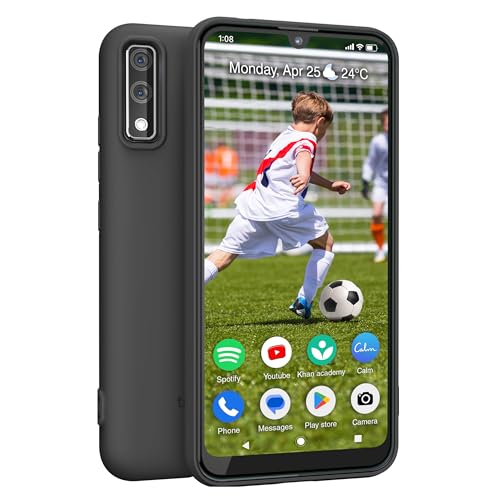
Teracube Thrive Kids Smart Phone – Safe Android Phone for Kids & Teens with Parental Controls, Block/Limit Social Media and Internet, GPS, Talk & Text, Spam Blocker (Monthly Plan Required)
📱 All-in-One Smartphone for Kids & Teens: Kids phone for 7–16, the Teracube Thrive is the perfect first…
As an affiliate, we earn on qualifying purchases.
As an affiliate, we earn on qualifying purchases.
Frequently Asked Questions
Can Filters Be Bypassed by Tech-Savvy Children?
Yes, tech-savvy children can sometimes bypass filters through filter hacking, especially if they’re determined and knowledgeable about tech. They might find ways to disable or manipulate content controls, so it’s essential for you to stay vigilant. Regularly update filters, use advanced parental control tools, and have open conversations with your kids about safe online behavior. This proactive approach helps reduce the chances of them bypassing your safeguards.
How Often Should Parental Controls Be Updated?
You should update parental controls regularly to stay ahead of evolving online threats. The filter update frequency depends on how quickly new content appears, but aim for at least once a month. While some controls have long-lasting effectiveness, others need frequent adjustments to guarantee ongoing protection. Staying proactive helps maintain parental control longevity, preventing tech-savvy kids from bypassing filters and keeping your child’s online experience safe and appropriate.
Are There Costs Associated With Advanced Filtering Tools?
Yes, advanced filtering tools often come with costs, but they usually offer better filter reliability and more extensive features. You might pay a subscription fee for enhanced privacy controls and more accurate content filtering. Keep in mind, though, that some tools may raise privacy concerns, so it’s crucial to choose options that balance effective filtering with your child’s privacy. Investing in quality tools can better safeguard your child online.
How Do Filters Impact a Child’s Online Learning?
Did you know that 87% of parents believe filters improve their child’s online safety? Filters can positively impact your child’s online learning by promoting digital literacy and reducing exposure to inappropriate content. However, overly strict filters might hinder access to valuable educational resources. To maximize filter effectiveness, involve your child in setting boundaries, ensuring they learn responsible internet use while exploring educational content confidently.
Can Filters Be Customized for Different Age Groups?
Yes, filters can be customized for different age groups. You have access to a variety of age-appropriate filters and customization options that allow you to tailor content restrictions based on your child’s maturity level. By adjusting these settings, you guarantee your child receives suitable content while exploring social media safely. This customization helps you promote a balanced online experience, giving your child the freedom to learn and interact within safe boundaries.

Phone Lens – Mirror Effect Clip, Portable Smartphone Photography Accessory | Creative Camera Tool for Content Creation Travel Outdoor Artistic Video Photo Social Media Use
Adaptable Rotation Design: Delivers 360 smooth rotation with adaptable angle adjustments, fulfilling diverse photography needs and enabling flexible…
As an affiliate, we earn on qualifying purchases.
As an affiliate, we earn on qualifying purchases.
Conclusion
By using parenting filters and content controls, you can be the lighthouse guiding your child safely through the stormy seas of social media. These tools act as a shield, protecting them from harmful content while allowing healthy exploration. Remember, you’re the captain steering their digital journey—setting boundaries helps them navigate confidently and safely. With your guidance, they’ll learn to surf the waves of social media, staying afloat and secure in their online world.
The Teen's Guide to Social Media… & Mobile Devices: 21 Tips to Wise Posting in an Insecure World
As an affiliate, we earn on qualifying purchases.
As an affiliate, we earn on qualifying purchases.

Bark Phone – Safest Phone for Kids & Teens – Monitor Texts, Social Media, and More – Tamper Proof Parental Controls – GPS Tracking – Unlimited Talk/Text A16
ACTIVATION REQUIRED: After purchase, users will select a monthly data plan. Starter plan: $29/mo. Wi-Fi only: $39/mo. 4GB:…
As an affiliate, we earn on qualifying purchases.
As an affiliate, we earn on qualifying purchases.