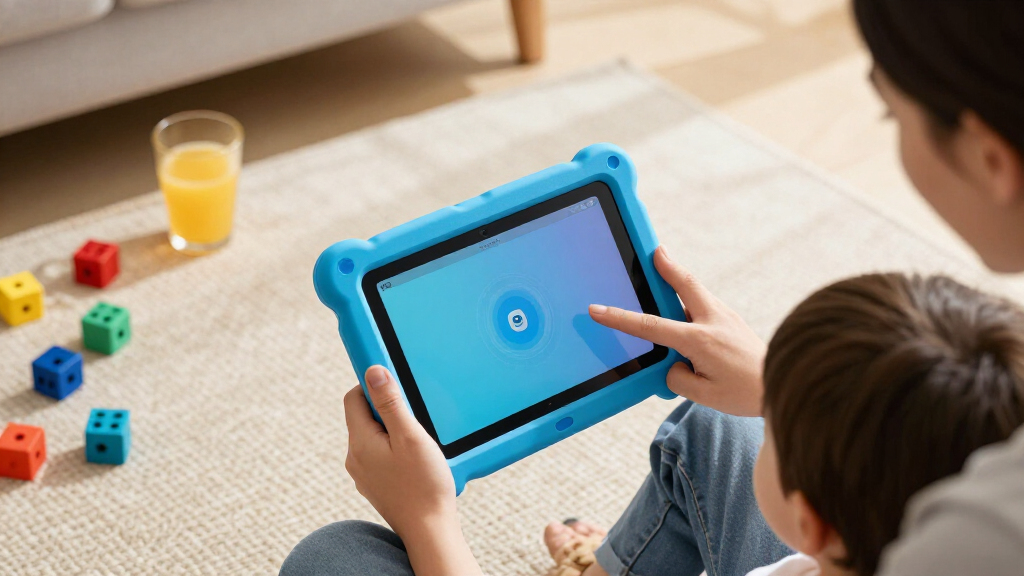

Amazon Fire tablets for kids come in two families — the small, inexpensive Fire 7 Kids line for ages 3–7, and the sharper, faster Fire HD 8 Kids and Kids Pro tablets that grow with older children — and the right pick depends mostly on your child’s age and how much storage and screen quality you need. The Fire HD 8 Kids Tablet (Ages 3–7, 64GB, 2024 Release) stands out as the best overall choice, pairing an HD display and four times the storage of the Fire 7 with the same rugged kid-proof case. For tight budgets, the Fire 7 Kids Tablet covers the basics, while the Fire HD 8 Kids Pro suits ages 6–12 who want a browser, apps, and a less babyish design. The main tradeoff in this category is price versus longevity: cheaper 7-inch models feel their age sooner, while HD models cost more but last through elementary school. Read on for the full breakdown.

Turn the school run and nap time into listening time
- Thousands of audiobooks, podcasts and originals
- Listen on your phone, tablet or Echo — also offline
- Cancel anytime
Complete the kit


Key Takeaways
- Storage was the biggest differentiator in this lineup: every amazon.com/dp/B0BLBM9GB8?tag=oneboredmommy.com-20&ascsubtag=dc-1083869″ target=”_blank” rel=”nofollow sponsored noopener”>amazon.com/dp/B0CVDZ7WYW?tag=oneboredmommy.com-20&ascsubtag=dc-1083869″ target=”_blank” rel=”nofollow sponsored noopener”>amazon.com/dp/B0D38GBHCS?tag=oneboredmommy.com-20&ascsubtag=dc-1083869″ target=”_blank” rel=”nofollow sponsored noopener”>amazon.com/dp/B0CVDNM64T?tag=oneboredmommy.com-20&ascsubtag=dc-1083869″ target=”_blank” rel=”nofollow sponsored noopener”>amazon.com/dp/B0BLBLRLJB?tag=oneboredmommy.com-20&ascsubtag=dc-1083869″ target=”_blank” rel=”nofollow sponsored noopener”>amazon.com/dp/B0CVDTKNVZ?tag=oneboredmommy.com-20&ascsubtag=dc-1083869″ target=”_blank” rel=”nofollow sponsored noopener”>Fire 7 Kids tablet ships with only 16 GB (32 GB on one variant), while the HD 8 models include 64 GB — a real constraint once videos and apps pile up.
- Age labeling matters more than hardware specs: the Kids line (ages 3–7) has a simplified, parent-controlled interface, while Kids Pro (ages 6–12) adds a web browser and a more mature look, so buying by your child’s actual age beats chasing specs.
- Several entries in this roundup are near-identical (duplicate Fire 7 and HD 8 Kids Pro listings differing only by color or included subscription), which means the deciding factors are bundle contents and case color, not performance.
- The two adult tablets in the list — Fire HD 8 and Fire HD 10 — lack the kid-proof case, warranty, and amazon.com/dp/B0C8C2NZMQ?tag=oneboredmommy.com-20&ascsubtag=dc-1083869″ target=”_blank” rel=”nofollow sponsored noopener”>amazon.com/dp/B0C8BZDJCT?tag=oneboredmommy.com-20&ascsubtag=dc-1083869″ target=”_blank” rel=”nofollow sponsored noopener”>Amazon Kids+ subscription, so they only make sense for older, careful kids or budget-savvy parents willing to add parental controls manually.
- The Fire HD 8 Kids (2024) won best overall because it hits the sweet spot of HD display, 64 GB storage, rugged case, and age-appropriate software without stepping up to the Fire HD 10’s larger, heavier size.
| Amazon Fire 7 Kids Tablet, 7-inch, 16 GB, Red, Ages 3-7 |  | Best Budget Starter Tablet | Screen: 7-inch touchscreen, 1024 x 600, IPS | Storage: 16 GB, expandable to 1 TB via microSD | Processor: Quad-core 2.0 GHz | VIEW LATEST PRICE | See Our Full Breakdown |
| Amazon Fire 7 Kids Tablet (Ages 3-7), 16 GB, Blue with Kid-Proof Case |  | Best Lightweight Pick for Small Hands | Display: 7-inch IPS, 1024 x 600 at 171 ppi | Storage: 16 GB (9.5 GB usable), expandable to 1 TB | RAM: 2 GB | VIEW LATEST PRICE | See Our Full Breakdown |
| Amazon Fire HD 8 Kids Tablet, Ages 3-7, 64GB, Blue (2024 Release) |  | Best Overall | Display: 8-inch HD IPS, 1280 x 800 at 189 ppi | Storage: 64 GB (54 GB usable), expandable to 1 TB | RAM: 4 GB | VIEW LATEST PRICE | See Our Full Breakdown |
| Fire HD 8 Kids Tablet (2024 Release), Ages 3-7, 4GB RAM, 64GB, Blue |  | Best Long-Term Value | Display: 8-inch HD touchscreen, 1280 x 800, 189 ppi | Storage: 64 GB, expandable up to 1 TB via microSD | RAM: 4 GB | VIEW LATEST PRICE | See Our Full Breakdown |
| Amazon Fire 7 Kids Tablet (Ages 3-7), 16 GB, Blue, with Kid-Proof Case and 1-Year Amazon Kids+ Subscription | | Best Gift Pick | Display: 7-inch IPS, 1024 x 600 at 171 ppi | Storage: 16 GB (9.5 GB usable), expandable to 1 TB | RAM: 2 GB | VIEW LATEST PRICE | See Our Full Breakdown |
| Amazon Fire HD 8 Kids Pro Tablet, Ages 6-12, 8-inch HD Display, 64GB, Hello Teal |  | Best for Older Kids | Age Range: 6-12 years | Display: 8-inch HD | Storage: 64 GB (expandable up to 1 TB) | VIEW LATEST PRICE | See Our Full Breakdown |
| Amazon Fire HD 8 Kids Pro Tablet, Ages 6-12, 8″ HD Display, 64GB, Hello Teal, 2024 Release | | Best Value Kids Pro | Age Range: 6-12 years | Display: 8-inch HD | Storage: 64 GB (expandable up to 1 TB) | VIEW LATEST PRICE | See Our Full Breakdown |
| Amazon Fire HD 8 Tablet, 8″ HD Display, 4GB RAM, 64GB, Black |  | Best Shared Family Tablet | Display: 8-inch HD | RAM: 4 GB | Storage: 64 GB (expandable up to 1 TB) | VIEW LATEST PRICE | See Our Full Breakdown |
| Amazon Fire 7 Kids Tablet, 7-Inch, 32GB, Red |  | Best for Young Kids | Age Range: 3-7 years | Display: 7 inches | Storage: 32 GB (expandable up to 1 TB) | VIEW LATEST PRICE | See Our Full Breakdown |
| Amazon Fire HD 10 Tablet, 10.1″ Full HD Display, 4 GB RAM, 32 GB, Black |  | Best Big-Screen Pick | Display: 10.1-inch 1080p Full HD | RAM: 4 GB | Storage: 32 GB (expandable up to 1 TB) | VIEW LATEST PRICE | See Our Full Breakdown |
| Amazon Fire tablets for kid | Storage | Battery Life | Display | RAM |
|---|---|---|---|---|
| Amazon Fire 7 Kids Tablet | 16 GB, expandable to 1 TB via microSD | Up to 10 hours | — | — |
| Amazon Fire 7 Kids Tablet | 16 GB (9.5 GB usable), expandable to 1 TB | Up to 10 hours | 7-inch IPS, 1024 x 600 at 171 ppi | 2 GB |
| Amazon Fire HD 8 Kids Tablet | 64 GB (54 GB usable), expandable to 1 TB | Up to 13 hours | 8-inch HD IPS, 1280 x 800 at 189 ppi | 4 GB |
| Fire HD 8 Kids Tablet | 64 GB, expandable up to 1 TB via microSD | Up to 13 hours | 8-inch HD touchscreen, 1280 x 800, 189 ppi | 4 GB |
| Amazon Fire 7 Kids Tablet | 16 GB (9.5 GB usable), expandable to 1 TB | Up to 10 hours | 7-inch IPS, 1024 x 600 at 171 ppi | 2 GB |
| Amazon Fire HD 8 Kids Pro Tabl | 64 GB (expandable up to 1 TB) | Up to 13 hours | 8-inch HD | Up to 4 GB |
| Amazon Fire HD 8 Kids Pro Tabl | 64 GB (expandable up to 1 TB) | Up to 13 hours | 8-inch HD | Up to 4 GB |
| Amazon Fire HD 8 Tablet | 64 GB (expandable up to 1 TB) | Up to 13 hours | 8-inch HD | 4 GB |
| Amazon Fire 7 Kids Tablet | 32 GB (expandable up to 1 TB) | Up to 10 hours | 7 inches | 2 GB |
| Amazon Fire HD 10 Tablet | 32 GB (expandable up to 1 TB) | Up to 13 hours | 10.1-inch 1080p Full HD | 4 GB |
More Details on Our Top Picks
Amazon Fire 7 Kids Tablet, 7-inch, 16 GB, Red, Ages 3-7
This Fire 7 Kids tablet in Red is the most affordable entry point into Amazon’s kids lineup, and it covers the basics well: a chunky kid-proof case, a 2-year worry-free replacement guarantee, and six months of Amazon Kids+ content out of the box. For a first tablet given to a preschooler, that guarantee matters more than raw specs — if it shatters on the kitchen floor, Amazon replaces it. Compared with the Fire HD 8 Kids, though, the compromises show: the screen is smaller and less sharp, the battery tops out at 10 hours instead of 13, and 16 GB of storage fills up fast once videos are downloaded for travel. The quad-core chip handles kids’ apps fine but will feel sluggish next to the hexa-core HD 8. This pick makes the most sense for families testing whether a young child is ready for a tablet at all, without spending much to find out.
Pros:- 2-year worry-free guarantee replaces the tablet free if it breaks
- Six months of Amazon Kids+ included with ad-free books, games, and shows
- Kid-proof case designed for small hands and hard drops
- Expandable storage up to 1 TB via microSD
- Light and small enough for young children to carry
Cons:- Amazon Kids+ auto-renews as a paid subscription after six months unless canceled
- Only about 9.5 GB of the 16 GB is usable, so a microSD card is nearly mandatory
- 7-inch, lower-resolution screen is noticeably less pleasant than the Fire HD 8 Kids
Best for: Parents buying a first tablet for a 3-5 year old who want the lowest commitment and maximum breakage protection
Not ideal for: Families who plan to load lots of downloaded videos or keep the tablet for years — the small screen and 16 GB storage run out quickly
- Screen:7-inch touchscreen, 1024 x 600, IPS
- Storage:16 GB, expandable to 1 TB via microSD
- Processor:Quad-core 2.0 GHz
- Battery Life:Up to 10 hours
- Recommended Age:3-7 years
- Included Subscription:6 months Amazon Kids+
- Warranty:2-year worry-free guarantee
Our verdict“A low-risk first tablet for very young kids where breakage protection and price matter more than screen quality.”
Amazon Fire 7 Kids Tablet (Ages 3-7), 16 GB, Blue with Kid-Proof Case
At 15.1 ounces, this blue Fire 7 Kids is one of the lightest options in the roundup, and that weight difference is real for a four-year-old clutching it in the car seat. Like the red Fire 7 Kids variant, it pairs the rugged case and 2-year worry-free guarantee with six months of Amazon Kids+, plus parental controls that let you approve third-party apps like Netflix and Disney+ — a flexibility the kid-only content library doesn’t always make obvious. The tradeoffs mirror its sibling: a 1024 x 600 display that looks dated next to the Fire HD 8 Kids’ sharper 1280 x 800 panel, and only 9.5 GB of usable storage. Where the HD 8 pulls ahead is stamina and screen real estate for video; where this model wins is portability and a smaller grip for little hands. It’s better suited to short sessions and younger kids than to movie-length screen time.
Pros:- Lightest kids design in the lineup at 15.1 ounces with case
- Parental controls allow adding apps like Netflix and Disney+ beyond Amazon content
- USB-C charging and a 3.5 mm headphone jack for wired headphones
- 2-year worry-free guarantee covers drops and spills
Cons:- Low-resolution 1024 x 600 display is the weakest screen in the roundup
- Only 9.5 GB of usable internal storage before adding a microSD card
- Amazon Kids+ auto-renews as a monthly paid subscription after six months
Best for: Parents of small children (3-5) who want a light, compact tablet for car rides and short sessions
Not ideal for: Kids who watch long videos or play graphics-heavy apps — the low-res screen and slower charging become frustrating
- Display:7-inch IPS, 1024 x 600 at 171 ppi
- Storage:16 GB (9.5 GB usable), expandable to 1 TB
- RAM:2 GB
- Battery Life:Up to 10 hours
- Weight:15.1 oz (429 g)
- Included Subscription:6 months Amazon Kids+
- Warranty:2-year worry-free guarantee
Our verdict“The right choice when portability for a small child outweighs screen quality and battery life.”
Amazon Fire HD 8 Kids Tablet, Ages 3-7, 64GB, Blue (2024 Release)
The 2024 Fire HD 8 Kids is the pick I’d point most families toward, because it fixes the two biggest complaints about the 7-inch models: storage and screen. With 64 GB internal (54 GB usable), you won’t be shopping for a microSD card in month two, and the 8-inch 1280 x 800 HD display makes video from the included six months of Amazon Kids+ actually enjoyable. Add 13 hours of battery, 4 GB of RAM, and a hexa-core processor, and it handles the animated apps that make the quad-core Fire 7 stutter. The Kid-Proof Case doubles as a stand and handle, which the 7-inch case doesn’t do as gracefully. It’s not flawless — the 2 MP camera is token, the included 5W charger takes nearly five hours, and there’s no Wi-Fi 6. But for the ages 3-7 window, nothing else in this lineup balances durability, performance, and content this well.
Pros:- 64 GB of storage means no forced microSD purchase for most families
- 13-hour battery comfortably covers long flights and road trips
- Kid-Proof Case with built-in stand and handle
- Sharper HD display and faster processor than the Fire 7 Kids models
Cons:- Slow charging — nearly 5 hours with the included 5W adapter; faster chargers cost extra
- 2 MP cameras are barely usable for video calls
- Amazon Kids+ auto-renews as a paid subscription after six months
Best for: Families who want one tablet to last through the full 3-7 age range without storage or performance regrets
Not ideal for: Buyers hoping for a shared family device — the kid-focused case, software, and camera limits make it a poor all-rounder
- Display:8-inch HD IPS, 1280 x 800 at 189 ppi
- Storage:64 GB (54 GB usable), expandable to 1 TB
- RAM:4 GB
- Processor:Hexa-core 2.0 GHz
- Battery Life:Up to 13 hours
- Included Subscription:6 months Amazon Kids+
- Warranty:2-year worry-free guarantee
Our verdict“The best-balanced kids tablet here — worth the step up from the 7-inch models for the screen, storage, and battery alone.”
Fire HD 8 Kids Tablet (2024 Release), Ages 3-7, 4GB RAM, 64GB, Blue
This Fire HD 8 Kids bundle plays a simple, smart trick: it ships with a full year of Amazon Kids+ instead of the six months included with the standard HD 8 Kids and Fire 7 Kids packages. Since the subscription renews as a paid monthly plan after the trial, twelve months of covered content means a year without surprise charges — the single biggest hidden cost in Amazon’s kids ecosystem. Hardware-wise it’s the same machine as the other 2024 HD 8 Kids: hexa-core processor, 4 GB RAM, 64 GB storage, 13-hour battery, and the case with stand and handle, all under the 2-year worry-free guarantee. Compared with the Fire 7 Kids, the sharper 8-inch screen and doubled memory make a genuine difference in how smoothly kids’ apps run. The same gripes apply: sluggish 5W charging and a token 2 MP camera. If your child will actually use Kids+ content daily, this version pays for the difference itself.
Pros:- Full 1-year Amazon Kids+ subscription included
- Same strong hardware as the HD 8 Kids: hexa-core chip, 4 GB RAM, 64 GB storage
- 13-hour battery life for travel days
- Kid-proof case with 2-year worry-free guarantee
Cons:- Subscription auto-renews at full price after the first year
- Charging takes several hours on the included 5W adapter
- Kid-locked software design limits use as a general family tablet
Best for: Families committed to the Amazon Kids+ content library who want a full year of access bundled in, not six months
Not ideal for: Parents who plan to cancel Kids+ immediately or sideload their own content — the longer bundle is wasted money
- Display:8-inch HD touchscreen, 1280 x 800, 189 ppi
- Storage:64 GB, expandable up to 1 TB via microSD
- RAM:4 GB
- Processor:Hexa-core 2.0 GHz
- Battery Life:Up to 13 hours
- Included Subscription:1 year Amazon Kids+
- Warranty:2-year worry-free guarantee
Our verdict“The smartest bundle for households that know they’ll use Amazon Kids+ all year — the extra six months of content is the whole story.”
Amazon Fire 7 Kids Tablet (Ages 3-7), 16 GB, Blue, with Kid-Proof Case and 1-Year Amazon Kids+ Subscription
If you’re buying a tablet as a birthday or holiday gift, this Fire 7 Kids bundle solves the most common post-gift problem: nothing extra to buy or set up beyond Wi-Fi. It pairs the compact 7-inch hardware with a full year of Amazon Kids+, so the recipient gets twelve months of Disney, Nickelodeon, and PBS Kids content with no renewal reminder until much later. Measured against the 1-year Fire HD 8 Kids bundle, the calculus is clear — you give up the bigger HD screen, the hexa-core speed, and three hours of battery, but you get a lighter tablet that’s easier for small hands to hold. Grandparents and relatives who won’t be around to manage subscriptions will appreciate that the content question is settled for a year. The compromises are inherited from the platform: the 1024 x 600 display is basic, and 9.5 GB of usable storage means a microSD card eventually enters the picture. Acceptable tradeoffs for a young child’s first device.
Pros:- 1-year Amazon Kids+ subscription from day one — no content costs for twelve months
- Light, small form factor ideal for preschoolers
- 2-year worry-free guarantee handles inevitable drops
- Full parental control suite with educational goals and time limits
Cons:- Low-resolution 1024 x 600 display looks dated compared with the HD 8 models
- Only 9.5 GB of usable storage before expansion is needed
- Subscription bills monthly automatically once the included year ends
Best for: Grandparents and gift-givers who want a complete, ready-to-go present with a year of content included
Not ideal for: Kids over about 6 who will outgrow the small low-res screen — the HD 8 Kids Pro suits that stage better
- Display:7-inch IPS, 1024 x 600 at 171 ppi
- Storage:16 GB (9.5 GB usable), expandable to 1 TB
- RAM:2 GB
- Battery Life:Up to 10 hours
- Weight:15.1 oz (429 g)
- Included Subscription:1 year Amazon Kids+
- Warranty:2-year worry-free guarantee
Our verdict“A complete out-of-the-box gift for a young child, as long as you accept the smallest screen in the lineup.”
Amazon Fire HD 8 Kids Pro Tablet, Ages 6-12, 8-inch HD Display, 64GB, Hello Teal
The Kids Pro line is where Amazon’s kid tablets grow up, and this HD 8 version strikes the best balance for the 6-12 crowd. Unlike the Fire 7 Kids Tablet, which is aimed at ages 3-7 and locked down tight, the Kids Pro opens up filtered web browsing and voice/video calls to parent-approved contacts — features that matter once kids start needing to research school projects or call grandparents. Compared with the 2024 release of the same tablet, this version bundles a full year of Amazon Kids+ instead of six months, which stretches the value across more months of reading and games. The slim case is intentionally lighter than the chunky Kid-Proof case on the HD 8 Kids, a tradeoff: easier for a 10-year-old to carry, less armor for a careless 6-year-old.
Pros:- Full year of Amazon Kids+ included — double the subscription length of the 2024 Kids Pro release
- Safe web browsing and voice/video calls to approved contacts give older kids independence
- Up to 13 hours of battery life covers school days and road trips
- 2-year worry-free guarantee replaces broken tablets no questions asked
Cons:- Amazon Kids+ auto-renews after the first year at full subscription cost
- Slim case offers less drop protection than the bulky Kid-Proof case on the younger-kid models
- microSD expansion for large offline libraries is sold separately
Best for: Parents of kids ages 8-12 who want a tablet that loosens the reins with safe browsing and approved contacts
Not ideal for: Younger children under 6 — the slimmer case and open web features are designed for kids who’ve outgrown the toddler-tier Fire 7 Kids
- Age Range:6-12 years
- Display:8-inch HD
- Storage:64 GB (expandable up to 1 TB)
- RAM:Up to 4 GB
- Processor:Hexa-core
- Battery Life:Up to 13 hours
- Parental Controls:Activity review, purchase approvals, safe web browsing
- Warranty:2-year worry-free guarantee
Our verdict“This is the pick for families whose kids have outgrown locked-down toddler tablets but aren’t ready for an unsupervised device.”
Amazon Fire HD 8 Kids Pro Tablet, Ages 6-12, 8″ HD Display, 64GB, Hello Teal, 2024 Release
The 2024 Kids Pro is essentially the same machine as the earlier HD 8 Kids Pro — same hexa-core chip, same 13-hour battery, same 64GB of storage — so the real decision is what comes in the box. Here the subscription drops to six months of Amazon Kids+ rather than a full year, which makes this the smarter buy if your child already has a library of downloaded content or you plan to cancel the service anyway. If you’re starting from zero with a new reader, the year-long subscription on the other Kids Pro model likely outweighs any upfront savings. Like the Fire 7 Kids, it carries the 2-year worry-free guarantee, but it adds the older-kid extras the Fire 7 lacks: filtered browsing, video calls, and a bigger, sharper 8-inch screen for movies and comics.
Pros:- Identical hardware to the standard Kids Pro at typically a lower entry point
- Safe web browsing and approved-contact video calling for ages 6-12
- Up to 13 hours of battery and 64GB storage with 1TB expansion headroom
- 2-year worry-free guarantee covers typical kid-inflicted damage
Cons:- Only six months of Amazon Kids+ versus a full year on the non-2024 Kids Pro bundle
- Same slim case as the other Kids Pro — less rugged than the Fire 7 Kids’ bumper case
- microSD card for expansion sold separately
Best for: Budget-conscious parents of kids who already have content or don’t plan to keep Amazon Kids+ long-term
Not ideal for: Families relying on Amazon Kids+ for most of their child’s content — the shorter subscription means renewal costs arrive twice as fast
- Age Range:6-12 years
- Display:8-inch HD
- Storage:64 GB (expandable up to 1 TB)
- RAM:Up to 4 GB
- Battery Life:Up to 13 hours
- Included Subscription:6-month Amazon Kids+
- Calling:Voice and video calls over Wi-Fi
- Release Year:2024
Our verdict“A sensible choice when you want Kids Pro hardware without paying for a year of content you won’t use.”
Amazon Fire HD 8 Tablet, 8″ HD Display, 4GB RAM, 64GB, Black
This is the grown-up Fire HD 8, and it earns a spot here for a specific reason: it’s the cheapest way to put a capable tablet in a household where a shared device makes more sense than a dedicated kids unit. It shares the exact 8-inch HD screen, hexa-core processor, and 13-hour battery of the Kids Pro models, but skips the case, subscription, and worry-free guarantee. That’s the tradeoff in plain terms — you save money upfront and gain flexibility through Amazon’s free Amazon Kids parental controls, but a shattered screen is your problem, not Amazon’s. Compared with the Fire 7 Kids, it’s faster and better for video, but it demands more setup vigilance from parents since the kid guardrails aren’t pre-configured. And unlike iPads, there’s no Google Play support, so app selection runs through the Amazon Appstore.
Pros:- Same core hardware as the Kids Pro at a lower entry cost
- Free Amazon Kids profiles let you add robust parental controls without a subscription
- Thin, light, durable design travels well for school and trips
- 64GB of storage plus 1TB expansion for family-wide content
Cons:- No kid-proof case, Kids+ subscription, or worry-free guarantee included
- No Google Play support limits the app library to the Amazon Appstore
- Parental controls require DIY setup rather than working out of the box
Best for: Families wanting one tablet that kids and adults share, with parental controls set up manually via free Amazon Kids profiles
Not ideal for: Parents who want zero setup and guaranteed damage replacement — without the kid bundle, a broken screen isn’t covered
- Display:8-inch HD
- RAM:4 GB
- Storage:64 GB (expandable up to 1 TB)
- Processor:Hexa-core
- Battery Life:Up to 13 hours
- Rear Camera:5 MP
- Voice Assistant:Alexa
Our verdict“Best suited to households where one tablet serves everyone and parents don’t mind configuring the guardrails themselves.”
Amazon Fire 7 Kids Tablet, 7-Inch, 32GB, Red
For the 3-7 crowd, this Fire 7 Kids nails the formula little kids actually need: a chunky Kid-Proof case with a built-in stand, a full year of Amazon Kids+, and a 2-year worry-free guarantee that covers the inevitable drops off the couch. It doubles the storage of the 16GB Fire 7 Kids models elsewhere in this lineup, which matters once you start downloading offline videos for car rides. Where the Kids Pro models push toward independence with web browsing and video calls, this one stays firmly locked down — age filters, time limits, and educational goals are the whole point here. The tradeoffs are real, though: the 7-inch screen and quad-core chip feel dated next to the HD 8 models, and 10 hours of battery runs out faster on long travel days.
Pros:- Kid-Proof case with built-in stand survives real toddler treatment
- Parental controls include age filters, time limits, and educational goals
- 32GB of storage — double the 16GB Fire 7 Kids variants in this guide
- One full year of ad-free Amazon Kids+ content included
Cons:- 7-inch screen and quad-core processor lag well behind the HD 8 Kids models
- 10-hour battery is the shortest in this lineup
- 32GB fills fast with video, so a microSD card becomes almost mandatory
Best for: Parents of preschoolers and early elementary kids who want maximum durability and strict content limits
Not ideal for: Kids over 7 or families expecting long-term use — the smaller screen, slower processor, and younger content ceiling invite an upgrade within a couple of years
- Age Range:3-7 years
- Display:7 inches
- Storage:32 GB (expandable up to 1 TB)
- RAM:2 GB
- Processor:Quad-core
- Battery Life:Up to 10 hours
- Included:Kid-Proof case, 1-year Amazon Kids+
- Warranty:2-year worry-free guarantee
Our verdict“The right first tablet for young kids — durable, locked down, and simple — as long as you accept it’ll be outgrown.”
Amazon Fire HD 10 Tablet, 10.1″ Full HD Display, 4 GB RAM, 32 GB, Black
When screen size drives the decision, the Fire HD 10 plays in a different league than everything else here. Its 10.1-inch 1080p Full HD display is dramatically sharper than the HD 8’s lower-resolution panel, which shows up in everything from movie night to graphic novels to video calls with relatives. The octa-core processor is the fastest in this roundup — a real difference if your kid plays demanding games or you plan to share the device for light productivity, where the optional stylus support with 4,096 pressure levels comes into play. But this is an adult tablet, not a kids bundle: compared with the Fire HD 8 Kids Pro, you give up the case, the subscription, and the worry-free guarantee, and you’re starting from 32GB of storage — half the Kids Pro’s — so budget for a microSD card early.
Pros:- Sharpest display in this lineup — 1080p Full HD on a 10.1-inch panel
- Octa-core processor handles games and multitasking better than any HD 8 model
- 13-hour battery and strengthened aluminosilicate glass add durability
- Optional stylus support opens up drawing and note-taking for older kids
Cons:- 32GB of base storage is the smallest here relative to screen size — expansion is nearly required
- No case, Kids+ subscription, or worry-free guarantee included
- Amazon-centric ecosystem with lock-screen ads may annoy some families
Best for: Families prioritizing streaming, gaming, and shared use on the biggest, sharpest screen Amazon offers
Not ideal for: Younger or rough-handling kids — with no included case or worry-free guarantee, damage risk sits entirely with the buyer
- Display:10.1-inch 1080p Full HD
- RAM:4 GB
- Storage:32 GB (expandable up to 1 TB)
- Processor:Octa-core
- Battery Life:Up to 13 hours
- Front Camera:5 MP
- Stylus Support:Made for Amazon Stylus Pen (sold separately), 4096 pressure levels
Our verdict“The choice for bigger kids and shared family use where picture quality and performance outweigh kid-bundle extras.”
How We Picked
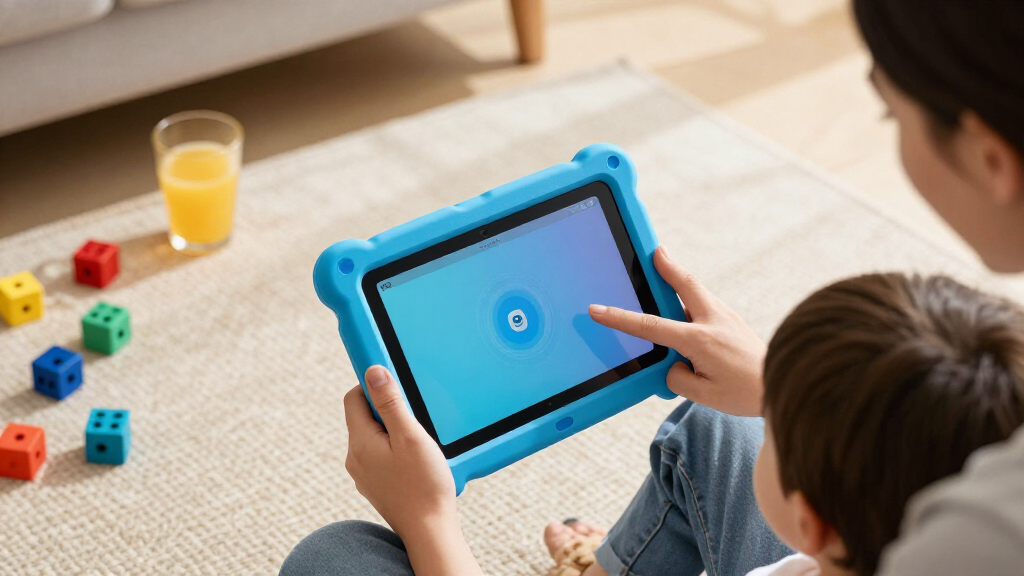
My ranking logic for Amazon Fire tablets for kids starts with age fit, because Amazon designs these devices around two distinct audiences. The standard Kids editions (ages 3–7) lock down the experience with curated content and no browser, while Kids Pro (ages 6–12) opens things up. I ranked each tablet against the age group it’s actually built for, then weighed storage capacity, display quality, durability features, and included extras like the kid-proof case and Amazon Kids+ subscription.
From there, value determined the final order. Two tablets with identical hardware were separated by what’s in the box — a bundled Kids+ subscription or case color can tip the balance. Adult Fire tablets were judged on a different curve: they only earn a spot for older kids where the bigger screen matters more than the kid-specific software. Durability was treated as a hard requirement for younger children, since a naked tablet in a 5-year-old’s hands rarely survives a year.
| Amazon Fire tablets for kid | Processor | Battery Life |
|---|---|---|
| Amazon Fire 7 Kids Tablet | Quad-core 2.0 GHz | Up to 10 hours |
| Amazon Fire 7 Kids Tablet | — | Up to 10 hours |
| Amazon Fire HD 8 Kids Tablet | Hexa-core 2.0 GHz | Up to 13 hours |
| Fire HD 8 Kids Tablet | Hexa-core 2.0 GHz | Up to 13 hours |
| Amazon Fire 7 Kids Tablet | — | Up to 10 hours |
| Amazon Fire HD 8 Kids Pro Tabl | Hexa-core | Up to 13 hours |
| Amazon Fire HD 8 Kids Pro Tabl | — | Up to 13 hours |
| Amazon Fire HD 8 Tablet | Hexa-core | Up to 13 hours |
| Amazon Fire 7 Kids Tablet | Quad-core | Up to 10 hours |
| Amazon Fire HD 10 Tablet | Octa-core | Up to 13 hours |
Factors to Consider When Choosing Amazon Fire Tablets For Kids
Before choosing a Fire tablet for your child, a few bigger-picture decisions will shape whether the device delights or disappoints. These factors go beyond individual product specs and address how these tablets fit into family life.
Match the Tablet to the Age Band, Not Just the Price
The single most common mistake I see is buying a Kids Pro model for a 4-year-old or a babyish Kids tablet for a 10-year-old. The ages 3–7 tablets present a simplified, app-tile interface with no web browser, which is exactly right for pre-readers but frustrating for a fourth grader. Kids Pro models introduce a browser with parental filters and a slimmer case that looks less like a toy. If your child is near the boundary between bands, buy up — a 6-year-old on the older end will outgrow the 3–7 interface within a year. Age fit affects daily usability far more than a storage bump ever will.
Storage Fills Up Faster Than You Expect
A 16 GB tablet sounds fine until you realize the operating system consumes a chunk of it and downloaded videos for car trips eat the rest. Amazon Kids+ content can be downloaded for offline viewing, and kids hoard it — this is why the 64 GB HD 8 models earn their premium over the 16 GB Fire 7. A microSD card can expand any of these tablets, but adding one is an extra purchase and a small hassle younger kids can’t manage themselves. If you travel or have limited home Wi-Fi, prioritize onboard storage. If the tablet lives on your couch with strong Wi-Fi and streaming, 16 GB is a defensible compromise.
The Case, Warranty, and Subscription Are Half the Value
What separates a kids edition from a regular Fire tablet isn’t just software — it’s the bundle. The kid-proof case, the two-year worry-free replacement guarantee, and a year of Amazon Kids+ together represent a large share of what you’re paying for. Parents who buy a standard Fire HD 8 or HD 10 to save money must buy a case separately, set up parental controls manually, and forgo the replacement guarantee. That math can still work for a careful teenager, but it rarely works for a 6-year-old. Look closely at which bundles include the Kids+ subscription, since not every listing in this category does.
Screen Size Versus Small Hands
The jump from a 7-inch to an 8-inch display sounds trivial, but it changes the reading, drawing, and video experience noticeably. The HD 8’s sharper display makes books and streamed shows easier on young eyes, while the Fire 7’s lower-resolution screen is adequate for short sessions but visibly softer. The 10.1-inch Fire HD 10 offers the best viewing experience in this lineup, yet it’s heavier and unwieldy for small hands — I’d reserve it for kids over ten or for shared family use. A tablet a child can’t comfortably hold is a tablet they’ll drop. Weight and grip deserve as much thought as resolution.
Plan for the Second and Third Year
Fire tablets slow down as they age — more apps, more downloads, more updates. The 2024 HD 8 releases with 4 GB of RAM will hold up longer than the older Fire 7 hardware, which is why I ranked them higher despite the price gap. Also think about hand-me-down potential: an HD 8 Kids tablet bought for a 5-year-old can serve a younger sibling after a factory reset, while the Kids Pro transitions more gracefully into a tween’s first device. Buying the cheapest option often means buying twice. Spend for the hardware that lasts one to two extra years and the total cost of ownership often drops.
Understand What Parental Controls Actually Do
Amazon’s parental dashboard lets you set daily screen-time limits, educational goals (like requiring reading before videos), content filters by age, and per-app approvals. The kids editions arrive preconfigured with sensible defaults, which is a genuine advantage over setting up a standard tablet yourself. However, no parental system is set-and-forget: as kids get older, they’ll request more apps and browser access through the Kids Pro models, and managing those requests becomes part of the routine. If you want minimal ongoing management, the ages 3–7 tablets demand the least attention. If you want teachable control for an older child, Kids Pro’s graduated permissions are the better tool.
Frequently Asked Questions
What’s the difference between Fire Kids and Fire Kids Pro tablets?
The standard Kids editions target ages 3–7 and present a fully curated, closed environment: no web browser, hand-picked content, and a chunky protective case. Kids Pro editions target ages 6–12 and add a filtered web browser, a slimmer more grown-up case, and the ability for kids to request apps and videos that parents approve. The hardware between an HD 8 Kids and HD 8 Kids Pro is similar, so the choice is really about software maturity. A child around age 7 or 8 is usually ready for Pro, while younger kids get a safer experience on the standard version. Buying Pro too early undermines its purpose, since the browser stays locked down until you relax the settings.
Can I use a regular Fire HD 8 or HD 10 as a kids tablet instead?
Yes, and it can save money — any Fire tablet supports creating a child profile with Amazon Kids parental controls. What you give up is the kid-proof case, the two-year worry-free replacement guarantee that covers accidental damage, and the bundled Amazon Kids+ subscription. For an older, careful child the trade can be worth it, especially with the HD 10’s bigger screen. For a child under eight, the replacement guarantee alone justifies the kids edition, since cracked screens are the most common failure mode. Factor in a separate case purchase if you go this route.
Is 16 GB of storage enough for a kids tablet?
It depends entirely on whether your child downloads content for offline use. If the tablet stays home on reliable Wi-Fi and streams everything, 16 GB works fine. But road trips, flights, and weak bedroom Wi-Fi push families toward downloading Kids+ videos, and those fill 16 GB alarmingly fast after the operating system takes its share. You can add a microSD card cheaply, which softens the limitation. In this roundup, the 64 GB HD 8 models remove the problem entirely, and that headroom is one reason they rank at the top for longevity.
Do the duplicate-looking Fire 7 and HD 8 listings actually differ?
Several listings in this category are the same hardware sold in different bundles — different case colors, or with and without the one-year Amazon Kids+ subscription called out. Performance and storage are identical, so the decision comes down to what’s in the box and your child’s color preference. If a listing explicitly includes the Kids+ subscription, that bundle usually delivers better value than buying the tablet and subscription separately. Read the included-items section carefully before choosing between near-identical listings. There’s no meaningful hardware difference to worry about.
How long will a kids Fire tablet realistically last?
Physically, the kids editions are built to survive drops, and the two-year worry-free guarantee covers breakage during that window. The bigger constraint is performance aging: the Fire 7 hardware is slower and will feel sluggish sooner, while the 2024 HD 8 models with 4 GB of RAM should stay usable for three to four years of typical kid use. Software support from Amazon is generous for this price class. A realistic plan is two to three years on a Fire 7 and three to five on an HD 8, with hand-me-down potential to younger siblings. Buy for the age band after your child’s, and you’ll stretch that lifespan further.
Conclusion
For best overall, the Fire HD 8 Kids Tablet (Ages 3–7, 64GB, 2024 Release) earns the top spot with its HD display, generous storage, rugged case, and room to grow. For best value, the Fire 7 Kids Tablet with the included Kid-Proof Case and 1-Year Amazon Kids+ Subscription delivers the full kids experience at the lowest entry point. For best premium, the Fire HD 10 offers the biggest, sharpest screen in the lineup — the right call for tweens or shared family use. For young beginners, the standard Fire 7 Kids (Ages 3–7) is the gentlest, most affordable introduction to a first tablet. For older kids specifically, the Fire HD 8 Kids Pro (Ages 6–12) is the clear pick, adding a filtered browser and a more mature design for children ready to graduate beyond the little-kid interface. Match the age band first, then let storage and bundle contents break the tie.
Halloween Picks
halloween
As an affiliate, we earn on qualifying purchases.