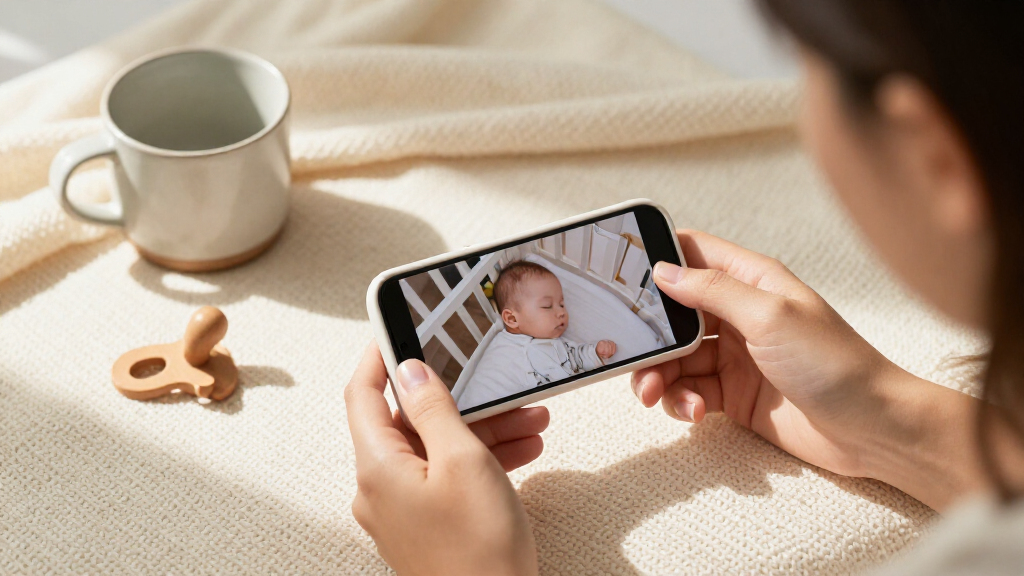

Baby monitors with video range from simple, private non-Wi-Fi systems to app-connected cameras, and the right choice depends on how you want to watch and where. My best overall pick is the Infant Optics DXR-8 PRO for its dedicated parent unit, 5-inch screen, noise reduction, and interchangeable lenses. The HelloBaby 6-inch Split Screen stands out for viewing two cameras at once, while the TP-Link Tapo C100 suits families who prefer a phone-based camera. The main tradeoffs are screen size versus portability, direct monitor connection versus app access, and one-camera simplicity versus multi-room coverage. Read on for how all 15 options compare and which makes the most sense for your setup.

Turn the school run and nap time into listening time
- Thousands of audiobooks, podcasts and originals
- Listen on your phone, tablet or Echo — also offline
- Cancel anytime
Complete the kit


Key Takeaways
- The Infant Optics DXR-8 PRO leads the roundup for buyers who want a dedicated parent screen plus adjustable viewing options; its larger, more flexible setup is less compact than basic monitors.
- The HelloBaby 6-inch Split Screen is the clearest multi-camera pick for watching two rooms together, while its larger screen and parent unit suit buyers who value visibility over a small, travel-friendly setup.
- Non-Wi-Fi monitors dominate this list, giving families a direct camera-to-parent-unit option without relying on a phone app; the tradeoff is that viewing is tied to the included monitor.
- The Tapo C100 is the phone-first outlier: it offers 1080p video through a security-camera approach, but it does not replace a dedicated baby-monitor parent unit.
- HelloBaby and VTech offer several similar-looking choices, so screen size, number of cameras, split-screen viewing, and control features are more useful differentiators than brand name alone.
| HelloBaby 4.3-Inch Video Baby Monitor with Remote Pan-Tilt-Zoom |  | Best for Long Battery Life | Screen: 4.3-inch IPS | Wireless technology: 2.4 GHz FHSS | Range: Approximately 1,000 feet | VIEW LATEST PRICE | See Our Full Breakdown |
| ANMEATE Video Baby Monitor with Digital Camera |  | Best Compact Budget-Style Pick | Screen: 2.4-inch color display | Zoom: 2x digital | Wireless range: Up to 960 feet | VIEW LATEST PRICE | See Our Full Breakdown |
| Infant Optics DXR-8 PRO 5-Inch HD Video Baby Monitor with Active Noise Reduction and Interchangeable Lenses | 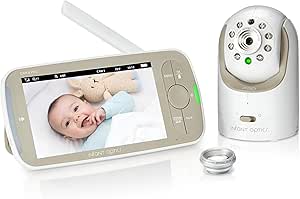 | Best for Clearer Viewing and Sound Filtering | Screen: 5 inches | Video resolution: 720p | Connectivity: 2nd Gen FHSS; no Wi-Fi | VIEW LATEST PRICE | See Our Full Breakdown |
| VTimes Non-WiFi Baby Monitor with Camera and 2.4-Inch Screen | 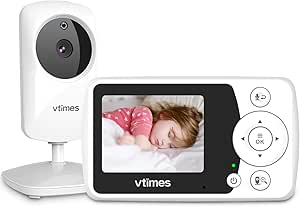 | Best Simple Non-Wi-Fi Pick | Screen: 2.4 inches | Video resolution: 480p | Connectivity: Encrypted 2.4 GHz FHSS; non-Wi-Fi | VIEW LATEST PRICE | See Our Full Breakdown |
| TP-Link Tapo C100 1080p Indoor Security Camera |  | Best for App-Based Monitoring | Resolution: 1080p | Night vision: Up to 30 feet | Detection: Motion, person, and baby crying | VIEW LATEST PRICE | See Our Full Breakdown |
| HelloBaby HB6550 No-WiFi Baby Monitor with Two Cameras and 5-Inch Screen |  | Best for Expandable Two-Room Monitoring | Model: HB6550 | Included cameras: 2 | Maximum cameras: 4 | VIEW LATEST PRICE | See Our Full Breakdown |
| HelloBaby 6-inch Split Screen Baby Monitor with 2 Cameras and 30-Hour Battery | 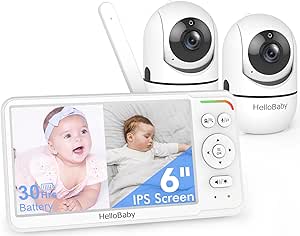 | Best for Watching Two Rooms at Once | Display: 6-inch IPS split-screen | Included cameras: 2 | Connection: 2.4 GHz FHSS; no Wi-Fi | VIEW LATEST PRICE | See Our Full Breakdown |
| GoodBaby 5-Inch No-WiFi Baby Monitor with Camera and Audio |  | Best for Simple Single-Camera Monitoring | Model: SM663 | Display: 5-inch IPS LCD | Video resolution: 480p | VIEW LATEST PRICE | See Our Full Breakdown |
| HelloBaby HB6550 No-WiFi Baby Monitor with Camera and 5-Inch Screen |  | Best Expandable Single-Camera Starter | Display: 5-inch color screen | Included cameras: 1 | Maximum cameras: 4 | VIEW LATEST PRICE | See Our Full Breakdown |
| AnKeKe ABM570 Baby Monitor with Camera and Audio |  | Best for Zoom and Screen Detail | Model: ABM570 | Display: 5-inch 720p IPS LCD | Connection: 2.4 GHz FHSS; no Wi-Fi | VIEW LATEST PRICE | See Our Full Breakdown |
| HelloBaby HB2438 3.2-Inch No-WiFi Video Baby Monitor |  | Best for Simple, Feature-Rich Monitoring | Screen: 3.2 inches | Connection: Encrypted 2.4 GHz FHSS; no Wi-Fi or app required | Zoom: 2× | VIEW LATEST PRICE | See Our Full Breakdown |
| HelloBaby HB6560 6-Inch No-WiFi Video Baby Monitor | 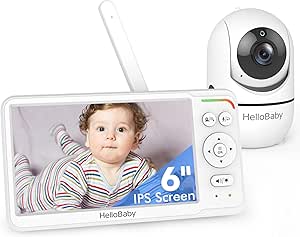 | Best for Large-Screen Room Coverage | Display: 6-inch IPS screen | Connection: 2.4 GHz FHSS; no Wi-Fi | Camera movement: 355° pan and 120° tilt | VIEW LATEST PRICE | See Our Full Breakdown |
| HelloBaby HB6550Plus 6-Inch No-WiFi Video Baby Monitor with Camera |  | Best for Long Battery Life | Display: 6-inch IPS screen | Connection: 2.4 GHz FHSS; no Wi-Fi required | Camera movement: 355° pan and 120° tilt | VIEW LATEST PRICE | See Our Full Breakdown |
| VTech VM924 Video Baby Monitor with 5-Inch Screen, Remote Pan-Tilt-Zoom, Night Vision, and Two-Way Audio |  | Best for Remote Camera Control | Screen: 5-inch LCD | Connection: Encrypted FHSS; no Wi-Fi or app required | Camera movement and zoom: Remote pan and tilt; up to 2× zoom | VIEW LATEST PRICE | See Our Full Breakdown |
| VTech VM819 Video Baby Monitor with Night Vision and Two-Way Talk |  | Best Compact VTech Pick | Screen: 2.8 inches | Video resolution: 480p | Connection: 2.4 GHz FHSS; no Wi-Fi required | VIEW LATEST PRICE | See Our Full Breakdown |
| baby monitors with video | Connection | Camera movement | Battery life | Night vision |
|---|---|---|---|---|
| HelloBaby 4.3-Inch Video Baby | — | 350° pan; 120° tilt | Up to 30 hours in ECO mode; up to 16 hours in non-ECO mode | Automatic infrared |
| ANMEATE Video Baby Monitor wit | — | 360° pan; 60° tilt | — | Automatic infrared; range up to 15 feet |
| Infant Optics DXR-8 PRO 5-Inch | — | — | — | Yes |
| VTimes Non-WiFi Baby Monitor w | — | — | — | Automatic infrared |
| TP-Link Tapo C100 1080p Indoor | — | — | — | Up to 30 feet |
| HelloBaby HB6550 No-WiFi Baby | 2.4 GHz FHSS; no Wi-Fi required | 355° pan, 120° tilt, remote zoom | Up to 30 hours in ECO mode | — |
| HelloBaby 6-inch Split Screen | 2.4 GHz FHSS; no Wi-Fi | 355° pan and 120° tilt | 16–30 hours; up to 30 hours in VOX/ECO mode | Infrared |
| GoodBaby 5-Inch No-WiFi Baby M | 2.4 GHz FHSS; no Wi-Fi | — | Up to 30 hours in VOX mode; up to 10 hours with screen on | — |
| HelloBaby HB6550 No-WiFi Baby | 2.4 GHz FHSS with digital encryption; no Wi-Fi | 355° horizontal pan and 120° vertical tilt | Up to 30 hours | — |
| AnKeKe ABM570 Baby Monitor wit | 2.4 GHz FHSS; no Wi-Fi | 355° pan and 95° tilt | — | — |
| HelloBaby HB2438 3.2-Inch No-W | Encrypted 2.4 GHz FHSS; no Wi-Fi or app required | — | — | Automatic infrared |
| HelloBaby HB6560 6-Inch No-WiF | 2.4 GHz FHSS; no Wi-Fi | 355° pan and 120° tilt | 16–30 hours | — |
| HelloBaby HB6550Plus 6-Inch No | 2.4 GHz FHSS; no Wi-Fi required | 355° pan and 120° tilt | 18–33 hours | Invisible infrared |
| VTech VM924 Video Baby Monitor | Encrypted FHSS; no Wi-Fi or app required | — | Up to 17 hours video or 31 hours audio-only | — |
| VTech VM819 Video Baby Monitor | 2.4 GHz FHSS; no Wi-Fi required | — | — | — |
More Details on Our Top Picks
HelloBaby 4.3-Inch Video Baby Monitor with Remote Pan-Tilt-Zoom
For a dedicated, screen-based monitor, this HelloBaby stands out for its unusually long stated runtime: up to 30 hours in ECO mode. That suits overnight use and reduces how often I’d need to recharge the parent unit. Its 350° pan and 120° tilt help cover more of a room remotely than the fixed-view Tapo C100, while the 4.3-inch screen gives a more direct viewing setup than the smaller ANMEATE display. It also works without Wi-Fi, with night vision, two-way talk, and temperature monitoring. The tradeoff is that battery life drops to up to 16 hours outside ECO mode, and this is an indoor-only system. I’d choose it for flexible nursery coverage, not for app-based viewing or outdoor use.
Pros:- Operates without Wi-Fi or an app
- Remote pan and tilt help adjust the nursery view
- Up to 30 hours of battery life in ECO mode
- Includes night vision, two-way talk, and temperature monitoring
Cons:- Battery life is listed as up to 16 hours in non-ECO mode
- Designed for indoor use
- No video resolution is specified in the supplied product data
Best for: Parents who want a dedicated monitor with remote camera movement and long ECO-mode battery life for overnight nursery checks.
Not ideal for: Families who need outdoor monitoring, app-based viewing, or the clearest listed video resolution.
- Screen:4.3-inch IPS
- Wireless technology:2.4 GHz FHSS
- Range:Approximately 1,000 feet
- Camera movement:350° pan; 120° tilt
- Battery:3,500 mAh
- Battery life:Up to 30 hours in ECO mode; up to 16 hours in non-ECO mode
- Night vision:Automatic infrared
- Additional features:Sound-activated screen, two-way talk, 8 lullabies, temperature monitoring, feeding alarms
Our verdict“Choose this HelloBaby if long ECO-mode runtime and remote room coverage matter more than app access or a specified HD resolution.”
ANMEATE Video Baby Monitor with Digital Camera
The ANMEATE is a straightforward choice for parents who want a small dedicated screen and basic nursery coverage without relying on Wi-Fi. Its 2.4-inch display is notably more compact than the 4.3-inch HelloBaby screen, which may suit a bedside table or travel bag, but it gives less room to inspect the image. Remote 360° pan and 60° tilt and support for up to four cameras add flexibility as monitoring needs change. Two-way talk, temperature monitoring, and four lullabies cover common check-in needs. The tradeoff is the listed up to 8-hour ECO-mode battery life, shorter than the HelloBaby’s stated runtime, plus infrared night vision rated to 15 feet. I’d pick this for a simpler, smaller setup rather than extended battery operation or a large viewing screen.
Pros:- Remote 360-degree pan and 60-degree tilt
- Supports expansion to up to four cameras
- Includes two-way talk, temperature monitoring, and four lullabies
- Automatic infrared night vision
Cons:- The 2.4-inch screen is smaller than the HelloBaby 4.3-inch display
- Battery life is listed as up to 8 hours in ECO mode
- Night vision range is listed as up to 15 feet
Best for: Parents who want a compact dedicated monitor with camera movement and the option to add cameras for additional rooms.
Not ideal for: Caregivers who prefer a larger screen, need longer listed battery runtime, or want night vision beyond the stated 15-foot range.
- Screen:2.4-inch color display
- Zoom:2x digital
- Wireless range:Up to 960 feet
- Camera movement:360° pan; 60° tilt
- Night vision:Automatic infrared; range up to 15 feet
- Battery:950 mAh; up to 8 hours in ECO mode
- Camera expansion:Up to 4 cameras
- Additional features:Two-way talk, 4 lullabies, temperature monitoring
Our verdict“Pick the ANMEATE for a compact monitor with camera expansion, but choose the larger-screen HelloBaby if viewing comfort and longer stated runtime matter more.”
Infant Optics DXR-8 PRO 5-Inch HD Video Baby Monitor with Active Noise Reduction and Interchangeable Lenses
The DXR-8 PRO is the strongest fit here for parents who want more image detail and a larger dedicated display without adding Wi-Fi or cloud access. Its 5-inch screen and 720p video offer a clearer-viewing proposition than the VTimes monitor’s listed 480p resolution. The private FHSS connection keeps the system centered on its included monitor, while Active Noise Reduction can help separate nursery sounds from steady background noise such as a fan. Standard and optical zoom lenses are included, and remote pan, tilt, and digital zoom make it easier to adjust the view. Compared with the HelloBaby, this model emphasizes video and sound tools over a stated long battery runtime or extras such as feeding alarms. The wide-angle lens costs extra, and app viewing is not part of the setup.
Pros:- 5-inch display with 720p video
- Private FHSS connection requires no Wi-Fi, app, or cloud service
- Active Noise Reduction can filter steady appliance noise
- Includes standard and optical zoom lenses, with remote camera controls
Cons:- Wide-angle lens is sold separately
- Viewing depends on the included monitor rather than a Wi-Fi app
- Supplied product data does not state battery runtime
Best for: Parents who prioritize a larger 720p monitor, reduced background noise, and a private connection that does not use Wi-Fi or cloud services.
Not ideal for: Families who want smartphone viewing, an included wide-angle lens, or a long stated battery runtime.
- Screen:5 inches
- Video resolution:720p
- Connectivity:2nd Gen FHSS; no Wi-Fi
- Camera controls:Remote pan, tilt, and digital zoom
- Noise reduction:Active Noise Reduction
- Included lenses:Standard lens and optical zoom lens
- Battery:Rechargeable, user-replaceable lithium-ion
- Night vision:Yes
Our verdict“Choose the DXR-8 PRO if a 720p dedicated-screen view and noise filtering outweigh app access and the extra cost of a separate wide-angle lens.”
VTimes Non-WiFi Baby Monitor with Camera and 2.4-Inch Screen
VTimes keeps the setup focused: a 2.4-inch screen, a direct 2.4 GHz FHSS connection, and no Wi-Fi or app pairing. That makes it a simpler alternative to the Tapo C100, which relies on connected-camera features such as notifications and voice-assistant viewing. VTimes adds sound-activated ECO mode, so the screen wakes when it detects sound, alongside automatic night vision and two-way audio. Its flexible free-standing, wall, or bracket mounting gives caregivers several ways to place the camera. The key compromise is image detail: the listed 480p resolution is lower than the Infant Optics DXR-8 PRO’s 720p. I’d favor VTimes for a basic, private monitor and straightforward placement, but not for a large display or sharper video.
Pros:- Encrypted 2.4 GHz FHSS connection without Wi-Fi or an app
- Sound-activated ECO mode wakes the screen when sound is detected
- Automatic infrared night vision and two-way audio
- Supports free-standing, wall, or bracket mounting
Cons:- 480p video is lower resolution than the Infant Optics DXR-8 PRO’s 720p
- The 2.4-inch screen is small
- Designed for indoor use
Best for: Parents who want a basic indoor video monitor with a direct non-Wi-Fi connection and sound-triggered screen wake.
Not ideal for: Caregivers who want sharper-than-480p video, a larger screen, or notifications and viewing through a smart-home app.
- Screen:2.4 inches
- Video resolution:480p
- Connectivity:Encrypted 2.4 GHz FHSS; non-Wi-Fi
- Zoom:2x optical
- Audio:Two-way audio
- Night vision:Automatic infrared
- ECO mode:Screen wakes when sound is detected
- Mounting:Free-standing, wall, or bracket
Our verdict“Choose VTimes for a simple non-Wi-Fi setup with flexible mounting, but choose the Infant Optics if image detail is the priority.”
TP-Link Tapo C100 1080p Indoor Security Camera
Unlike the dedicated-screen monitors in this roundup, the Tapo C100 is a Wi-Fi security camera adapted for nursery viewing. Its 1080p video and night vision up to 30 feet give it the sharpest stated resolution among these five products, and alerts for motion, people, and baby crying can bring attention to activity when the live feed is not open. It also supports Alexa and Google Assistant viewing, plus local microSD recording or Tapo Care cloud storage. That connected approach contrasts with the Infant Optics DXR-8 PRO’s private FHSS setup: Tapo offers app-oriented access, while the Infant Optics keeps viewing on its dedicated monitor. The tradeoffs are a required corded power connection, a separately purchased microSD card for local recording, and no dedicated parent screen listed. I’d choose it for phone-based checks, not a self-contained monitor kit.
Pros:- 1080p video with night vision up to 30 feet
- Detection alerts for motion, people, and baby crying
- Two-way audio with a built-in siren
- Supports microSD recording and Alexa or Google Assistant viewing
Cons:- Requires a corded power connection
- microSD card is not included
- Does not list a dedicated parent monitor screen
Best for: Caregivers who want to check nursery video through a compatible smart device or voice assistant and receive activity alerts.
Not ideal for: Parents seeking a dedicated handheld screen, a non-Wi-Fi connection, or a monitor that works independently of a corded power supply.
- Resolution:1080p
- Night vision:Up to 30 feet
- Detection:Motion, person, and baby crying
- Audio:Two-way audio with built-in siren
- Storage:microSD up to 512 GB (not included) or Tapo Care cloud storage
- Compatibility:Amazon Alexa, Google Assistant, RTSP/ONVIF
- Power:Corded electric
- Use:Indoor; wall mount
Our verdict“Choose the Tapo C100 if app access, high listed resolution, and activity alerts suit your household better than a dedicated non-Wi-Fi monitor.”
HelloBaby HB6550 No-WiFi Baby Monitor with Two Cameras and 5-Inch Screen
This HB6550 suits families who want to monitor more than one room without relying on a phone or home Wi-Fi. Its two included cameras and 5-inch IPS screen provide a practical setup from the start, while remote pan, tilt, and zoom let you adjust each camera’s view from the parent unit. Unlike the HelloBaby 6-inch Split Screen, though, it displays only one camera at a time, so checking both rooms means switching views rather than watching them together. The private FHSS connection and up to four-camera support make it more adaptable than the single-camera GoodBaby SM663. ECO mode can extend battery life to 30 hours, but that figure is tied to power-saving use, and the advertised 1,000-foot range comes from outdoor testing. I’d choose it for flexible coverage, not simultaneous room views.
Pros:- Includes two remotely controlled cameras and supports up to four total.
- 5-inch IPS display paired with remote 355° pan, 120° tilt, and zoom.
- Private 2.4 GHz FHSS connection works without Wi-Fi or an app.
- VOX ECO mode can provide up to 30 hours of battery life.
Cons:- Shows one camera at a time rather than split-screen views.
- The stated 1,000-foot range is an outdoor figure, with antenna extension recommended.
- The system is not water resistant.
Best for: Families monitoring two rooms now who may add cameras later and prefer a dedicated, Wi-Fi-free parent unit.
Not ideal for: Caregivers who want to view two rooms side by side or need a monitor rated for outdoor or wet conditions.
- Model:HB6550
- Included cameras:2
- Maximum cameras:4
- Parent display:5-inch IPS
- Connection:2.4 GHz FHSS; no Wi-Fi required
- Camera movement:355° pan, 120° tilt, remote zoom
- Battery life:Up to 30 hours in ECO mode
- Other features:VOX sound detection, two-way audio, infrared night vision, temperature alerts
Our verdict“Choose this HB6550 if you want two cameras, room to expand, and a private monitor connection; choose the 6-inch HelloBaby split-screen model if seeing both rooms at once matters more.”
HelloBaby 6-inch Split Screen Baby Monitor with 2 Cameras and 30-Hour Battery
The standout here is not simply the large screen; it is the ability to see two camera feeds side by side. That makes this HelloBaby a better fit than the HB6550 when you need to keep both a nursery and another room in view without switching feeds. Its 6-inch IPS display, remote pan and tilt, and non-Wi-Fi FHSS link make it a straightforward dedicated-monitor setup. The tradeoff is flexibility: it supports only two cameras, while the HB6550 can expand to four, and there is no smartphone viewing when you leave home. Battery life is listed at up to 30 hours in VOX/ECO mode, but the included 9V battery is a detail to factor into long-term upkeep. I’d favor it for simultaneous monitoring, not for a growing multi-camera setup.
Pros:- True split-screen display shows two camera feeds simultaneously.
- Large 6-inch IPS screen makes both views easier to monitor.
- Private 2.4 GHz FHSS connection does not depend on Wi-Fi.
- VOX/ECO mode supports battery life of up to 30 hours.
Cons:- Limited to the two included cameras, unlike the expandable HB6550.
- No Wi-Fi or smartphone app for remote viewing away from the parent unit.
- Uses an included 9V battery that may need replacement with extended use.
Best for: Parents and caregivers who need both a nursery and a second room visible at the same time on one dedicated screen.
Not ideal for: Households likely to need more than two cameras or caregivers who want to check the video feed remotely on a phone.
- Display:6-inch IPS split-screen
- Included cameras:2
- Connection:2.4 GHz FHSS; no Wi-Fi
- Camera movement:355° pan and 120° tilt
- Battery life:16–30 hours; up to 30 hours in VOX/ECO mode
- Listed range:Up to 1,000 feet
- Night vision:Infrared
- Additional features:Cry detection, dual view, time display
Our verdict“Pick this model over the HB6550 if simultaneous two-room viewing is your priority and two cameras are enough for your household.”
GoodBaby 5-Inch No-WiFi Baby Monitor with Camera and Audio
For a family that needs one camera and a dedicated screen, the GoodBaby SM663 keeps the setup focused: a 5-inch display, remote camera movement, two-way audio, and a private FHSS connection without Wi-Fi. It also adds a feeding timer and eight lullabies, giving it more routine-focused extras than the simpler HelloBaby HB6550 single-camera configuration. The video is listed at 480p, so buyers who place a premium on image detail may prefer the AnKeKe ABM570, which specifies a 720p display. Battery expectations also depend on how you use it: the claimed 30 hours applies to VOX mode, while screen-on operation is listed at 10 hours. With one camera included and no stated expansion capacity, this is less suited to monitoring multiple rooms than either two-camera HelloBaby option.
Pros:- Private 2.4 GHz FHSS connection works without Wi-Fi.
- Remote 355° pan, 120° tilt, and 2× zoom help adjust the nursery view.
- Includes two-way audio, eight lullabies, and a feeding timer.
- VOX mode can extend listed battery life to 30 hours.
Cons:- 480p video resolution is lower than the 720p display specified for the AnKeKe ABM570.
- Listed battery life is 10 hours with the screen on.
- Includes one camera, with no multi-camera support specified.
Best for: Caregivers who want one Wi-Fi-free camera, a dedicated parent screen, and useful feeding and audio features.
Not ideal for: Families who want simultaneous multi-room coverage, sharper listed video resolution, or long screen-on battery use.
- Model:SM663
- Display:5-inch IPS LCD
- Video resolution:480p
- Included cameras:1
- Connection:2.4 GHz FHSS; no Wi-Fi
- Camera movement and zoom:355° pan, 120° tilt, 2× zoom
- Battery life:Up to 30 hours in VOX mode; up to 10 hours with screen on
- Other features:Infrared night vision, room temperature sensor, two-way audio, feeding timer, 8 lullabies
Our verdict“Choose the GoodBaby for one-room monitoring and feeding reminders, but look to a two-camera HelloBaby model if you need to watch multiple rooms.”
HelloBaby HB6550 No-WiFi Baby Monitor with Camera and 5-Inch Screen
This HB6550 is the simpler entry point into HelloBaby’s expandable system: it includes one camera, a 5-inch color screen, and a private 2.4 GHz FHSS link, then leaves room to add up to four cameras. Compared with the two-camera HB6550 version, it asks the buyer to add coverage separately; compared with the GoodBaby SM663, it offers specified support for a larger multi-camera setup. Remote pan, tilt, and 2× digital zoom help you reposition the view from the parent unit, while infrared night vision and two-way audio cover basic day-and-night checks. It does not connect to Wi-Fi, so viewing stays with the dedicated monitor rather than a phone app. Its 30-hour battery claim is useful context, though actual runtime can vary with display use. This is a practical pick if expansion matters more than having a second camera included.
Pros:- Supports up to four cameras for later expansion.
- Remote 355° pan, 120° tilt, and 2× digital zoom.
- Private, digitally encrypted 2.4 GHz FHSS connection needs no Wi-Fi.
- Includes infrared night vision, two-way audio, and temperature alerts.
Cons:- Only one camera is included, unlike the two-camera HB6550 version.
- No Wi-Fi or app-based remote viewing.
- Not water resistant.
Best for: Families starting with one nursery camera who want the option to add cameras without switching to a Wi-Fi system.
Not ideal for: Buyers who need two rooms covered immediately, want app-based remote viewing, or need water resistance.
- Display:5-inch color screen
- Included cameras:1
- Maximum cameras:4
- Connection:2.4 GHz FHSS with digital encryption; no Wi-Fi
- Camera movement:355° horizontal pan and 120° vertical tilt
- Zoom:2× digital
- Battery life:Up to 30 hours
- Other features:Infrared night vision, two-way audio, temperature alerts, lullabies, audio-only power-saving mode
Our verdict“Choose this version if you want to start with one camera and expand later; the two-camera HB6550 is a better fit when you need coverage in two rooms right away.”
AnKeKe ABM570 Baby Monitor with Camera and Audio
The AnKeKe ABM570 is the strongest fit here for caregivers who want more camera detail and closer framing from a single nursery camera. Its 5-inch 720p IPS display and up-to-4× zoom give it a clearer stated display specification and greater zoom reach than the GoodBaby SM663, which lists 480p video and 2× zoom. The camera still offers broad 355° pan, though its 95° tilt is narrower than the 120° tilt listed for the HelloBaby HB6550 models. A Wi-Fi-free FHSS connection, VOX alerts, two-way talk, temperature alerts, feeding reminders, and lullabies round out the dedicated monitor setup. The claimed 1,000-foot range applies to open areas, and 100 hours is standby time, not continuous screen use. I’d select it for viewing flexibility, while buyers prioritizing two-room coverage should look at a dual-camera HelloBaby instead.
Pros:- 5-inch 720p IPS display offers a higher stated resolution than the GoodBaby SM663.
- Up to 4× camera zoom supports closer viewing than the 2× zoom listed for the GoodBaby.
- Private 2.4 GHz FHSS connection works without Wi-Fi or cloud access.
- Includes VOX alerts, two-way audio, temperature alerts, feeding reminders, and eight lullabies.
Cons:- Includes one camera, with no multi-camera capacity specified.
- Camera tilt is 95°, less than the 120° listed for the HelloBaby HB6550 models.
- The 100-hour figure is standby time, and the 1,000-foot range applies to open areas.
Best for: Caregivers who want a single-camera monitor with a 720p display specification, stronger zoom, and feeding reminders.
Not ideal for: Families who need two cameras or split-screen viewing, or buyers expecting 100 hours of active video monitoring.
- Model:ABM570
- Display:5-inch 720p IPS LCD
- Connection:2.4 GHz FHSS; no Wi-Fi
- Signal range:Up to 1,000 feet in open areas
- Camera movement:355° pan and 95° tilt
- Zoom:Up to 4×
- Battery:3500 mAh; up to 100 hours standby
- Other features:Infrared night vision, VOX alerts, two-way audio, temperature alerts, feeding reminders, 8 lullabies
Our verdict“Choose the AnKeKe for its 720p display specification and 4× zoom in a single-camera setup; choose a split-screen HelloBaby if monitoring two rooms matters more.”
HelloBaby HB2438 3.2-Inch No-WiFi Video Baby Monitor
The HelloBaby HB2438 is the compact choice here for parents who want more than a basic video feed without adding Wi-Fi or an app. Its encrypted 2.4 GHz FHSS connection keeps setup direct, while two-way talk, cry detection, temperature monitoring, and feeding reminders cover several everyday nursery tasks. The 3.2-inch screen is much smaller than the HelloBaby HB6560 and HB6550Plus 6-inch displays, so it suits a bedside glance better than detailed viewing across a room. 2× zoom and automatic night vision help make that small screen more useful, and ECO/VOX mode can extend the parent unit’s stated battery life. The tradeoff is practical: the power adapter is not included, and this model lacks the remote camera movement offered by the larger HelloBaby options.
Pros:- Encrypted FHSS connection works without Wi-Fi or an app
- Feeding reminders and temperature monitoring add useful nursery prompts
- Automatic infrared night vision and 2× zoom support low-light viewing
- ECO/VOX mode helps the parent unit reach its stated battery life
Cons:- The 3.2-inch screen is substantially smaller than the 6-inch HelloBaby HB6560 and HB6550Plus displays
- Power adapter is not included with the USB charging cable
- Camera has no remote pan-and-tilt control
Best for: Parents who want a straightforward, app-free monitor with feeding reminders and nursery alerts, and who prefer a compact parent unit.
Not ideal for: Caregivers who want a large display, remote pan-and-tilt camera control, or an included power adapter.
- Screen:3.2 inches
- Connection:Encrypted 2.4 GHz FHSS; no Wi-Fi or app required
- Zoom:2×
- Battery:1,250 mAh; approximately 14 hours in ECO/VOX mode
- Night vision:Automatic infrared
- Audio:Two-way talk, cry detection, and 8 lullabies
- Additional features:Temperature monitoring, feeding reminders, and ECO/VOX mode
- Power and mounting:USB charging cable included; power adapter not included; wall or desktop mounting
Our verdict“Choose the HB2438 if you want a compact, no-Wi-Fi monitor with useful reminders and can live with its small screen and separately sourced adapter.”
HelloBaby HB6560 6-Inch No-WiFi Video Baby Monitor
The HelloBaby HB6560 is the clearest fit for parents who prioritize a large parent-unit display and the ability to scan a nursery remotely. Its 6-inch IPS screen is easier to view than the compact HB2438 or VTech VM819 screens, while remote 355° pan and 120° tilt help bring more of the room into view without repositioning the camera by hand. The direct 2.4 GHz FHSS connection avoids Wi-Fi, apps, and accounts; two-way audio, temperature alerts, and sound-level LEDs add useful cues when the screen is not in view. It can support up to two cameras with split-screen viewing, though that is a modest expansion limit compared with larger multi-camera systems elsewhere in the roundup. Check compatibility before buying a second camera: the stated support is limited to HB6560 and HB6560-2 models.
Pros:- Large 6-inch IPS display is easier to view than the smaller HB2438 and VM819 screens
- Remote 355° pan and 120° tilt help scan a wide area from the parent unit
- Encrypted FHSS connection works without Wi-Fi, an app, or an account
- Includes two-way audio, temperature alerts, and sound-level LED indicators
Cons:- Camera expansion is limited to two cameras
- Compatibility is specified only for HB6560 and HB6560-2
- Not water resistant
Best for: Parents who want a large, easy-to-view screen, remote camera movement, and the option to monitor two compatible camera feeds.
Not ideal for: Families seeking broad compatibility with other HelloBaby models or a system designed to grow beyond two cameras.
- Display:6-inch IPS screen
- Connection:2.4 GHz FHSS; no Wi-Fi
- Camera movement:355° pan and 120° tilt
- Battery life:16–30 hours
- Camera capacity:Up to 2 cameras with split-screen viewing
- Audio:Two-way audio
- Additional features:Infrared night vision, temperature alerts, 8 lullabies, feeding timer, VOX/ECO mode, and sound-level LEDs
- Compatibility:HelloBaby HB6560 and HB6560-2
Our verdict“Pick the HB6560 if a large screen and remote room scanning matter more than wider camera compatibility or multi-camera capacity.”
HelloBaby HB6550Plus 6-Inch No-WiFi Video Baby Monitor with Camera
Among the large-screen, no-Wi-Fi choices, the HelloBaby HB6550Plus stands out for a stated 18–33 hours of battery life and a portable parent unit. That makes it a stronger match than the HB2438 for caregivers who want a bigger view, and its 6-inch IPS screen is on par in size with the HB6560. Both offer remote pan and tilt, but the HB6550Plus adds audio-only power-saving mode and flexible tabletop, wall, or ceiling camera mounting. It connects directly through 2.4 GHz FHSS and includes two-way audio, temperature alerts, lullabies, and a feeding timer. The main limits are a plug-in camera and capacity for only two cameras. Compared with VTech’s VM924, it offers a larger screen, while the VTech provides a stated video battery life of up to 17 hours and a range of up to 1,000 feet.
Pros:- Stated 18–33-hour battery life supports extended use between charges
- 6-inch IPS display and remote pan-and-tilt camera provide broad, convenient viewing
- Works without Wi-Fi or an app using 2.4 GHz FHSS
- Audio-only power-saving mode, temperature alerts, and feeding timer add practical monitoring options
Cons:- Camera requires a plug-in power source
- Supports up to two cameras, limiting expansion
- The product data does not specify a wireless range
Best for: Families who want a large-screen, no-Wi-Fi monitor with long stated parent-unit battery life and flexible camera mounting.
Not ideal for: Households that need a battery-powered camera or plan to expand beyond two camera feeds.
- Display:6-inch IPS screen
- Connection:2.4 GHz FHSS; no Wi-Fi required
- Camera movement:355° pan and 120° tilt
- Battery life:18–33 hours
- Night vision:Invisible infrared
- Camera capacity:Up to 2 cameras
- Audio and alerts:Two-way audio, room-temperature alert, sound-level LED, and audio-only power-saving mode
- Mounting and power:Tabletop, wall, or ceiling mounting; camera uses 5V AC power
Our verdict“Choose the HB6550Plus if you want a large display and long stated parent-unit battery life, and have a suitable outlet for the camera.”
VTech VM924 Video Baby Monitor with 5-Inch Screen, Remote Pan-Tilt-Zoom, Night Vision, and Two-Way Audio
The VTech VM924 offers a useful middle ground between compact monitors like the VM819 and the 6-inch HelloBaby HB6560: its 5-inch screen is roomy without being the largest in this group. Remote pan, tilt, and 2× zoom let caregivers adjust the camera from the parent unit, while the encrypted FHSS connection avoids Wi-Fi, cloud storage, and app setup. Its stated battery life—up to 17 hours of video or 31 hours in audio-only mode—makes it a flexible option for moving around the home. The HB6550Plus has a larger screen and a longer stated battery-life range, while the VM924 lists a wireless range of up to 1,000 feet. One data caveat: its pan-and-tilt figures differ between the product description and item details, so I would not treat the exact movement limits as settled.
Pros:- Remote pan, tilt, and 2× zoom allow camera adjustments from the parent unit
- Encrypted FHSS connection works without Wi-Fi, an app, or cloud storage
- Up to 17 hours of video or 31 hours of audio-only battery life
- Includes infrared night vision, temperature sensing, two-way talk, and soothing sounds
Cons:- 5-inch display is smaller than the 6-inch HB6560 and HB6550Plus screens
- Published pan-and-tilt specifications differ between product details
- Not water resistant
Best for: Parents who want remote camera adjustment, a mid-size screen, and a direct connection without app or cloud dependence.
Not ideal for: Buyers who need a 6-inch display or want completely consistent published camera-movement specifications.
- Screen:5-inch LCD
- Connection:Encrypted FHSS; no Wi-Fi or app required
- Camera movement and zoom:Remote pan and tilt; up to 2× zoom
- Parent-unit battery:2,600 mAh rechargeable
- Battery life:Up to 17 hours video or 31 hours audio-only
- Range:Up to 1,000 feet
- Night vision and audio:Automatic infrared, two-way talk, 5 lullabies, and 4 ambient sounds
- Other features:Temperature sensor, sound-activated screen, and wall-mount bracket
Our verdict“The VM924 suits parents who want remote camera control and strong audio-only battery life without stepping up to a 6-inch monitor.”
VTech VM819 Video Baby Monitor with Night Vision and Two-Way Talk
The VTech VM819 is the small-screen alternative for parents who value a straightforward direct connection and long stated video runtime over a larger viewing area. Its 2.8-inch screen is the smallest among these five, so it is less suited to checking fine visual details than the VM924 or either 6-inch HelloBaby model. Still, infrared night vision, 2× digital zoom, and a sound-activated screen give caregivers several ways to check on a sleeping baby without keeping the display lit continuously. The encrypted 2.4 GHz FHSS connection needs no Wi-Fi, internet, or app, and the unit includes two-way talk, soothing sounds, and temperature sensing. Its stated 19-hour video battery life exceeds the VM924’s video figure, but the VM819 lacks remote pan-and-tilt camera control and lists 480p resolution.
Pros:- Encrypted direct connection works without Wi-Fi, internet, or an app
- Stated video battery life reaches up to 19 hours
- Sound-activated screen can reduce unnecessary display use
- Includes infrared night vision, 2× digital zoom, two-way talk, and temperature sensing
Cons:- 2.8-inch screen is smaller than the VM924 and 6-inch HelloBaby displays
- 480p video resolution and digital zoom offer less visual detail than a larger, higher-resolution view
- Camera does not offer remote pan-and-tilt control
Best for: Caregivers who want a compact, app-free parent unit with long stated video battery life and basic two-way communication.
Not ideal for: Parents who want a large screen, remote camera movement, or higher listed video resolution.
- Screen:2.8 inches
- Video resolution:480p
- Connection:2.4 GHz FHSS; no Wi-Fi required
- Zoom and night vision:2× digital zoom and infrared night vision
- Range:Up to 1,000 feet
- Battery:2,600 mAh; up to 19 hours video or 29 hours audio-only
- Audio:Two-way talk, two lullabies, white noise, and trickling-stream sound
- Additional details:Temperature sensor, sound-activated alerts, tabletop mount, and 4.92 × 1.3 × 2.87-inch dimensions
Our verdict“Pick the VM819 if a compact parent unit and long stated video runtime matter more than a large screen or remotely movable camera.”
How We Picked
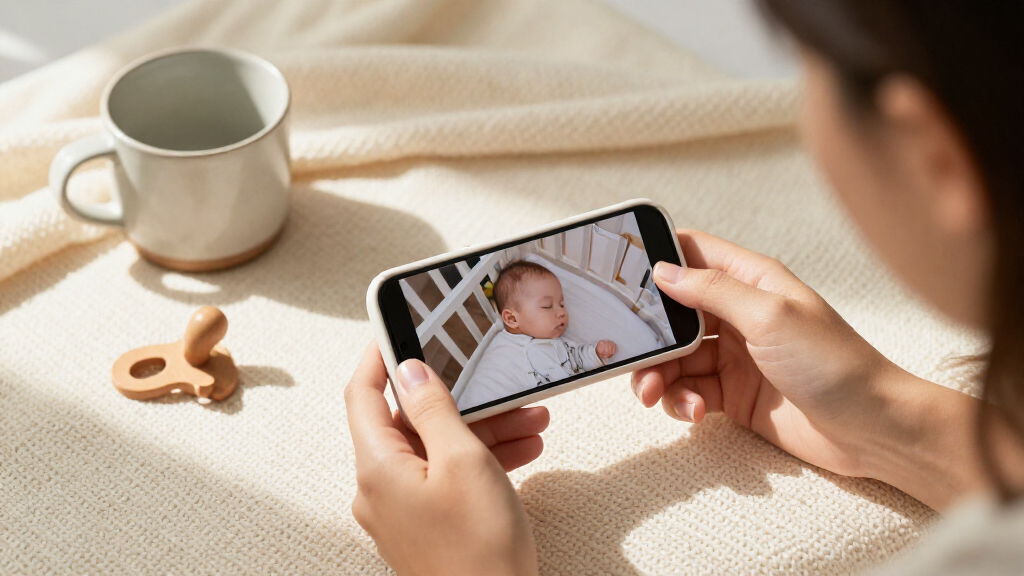
I compared these video monitors by how they fit real monitoring routines, rather than treating the longest feature list as an automatic win. The main criteria were the viewing experience, camera movement and zoom, connection style, screen size, two-camera support, and practical details such as portability and audio features. I also looked at whether a model relies on a dedicated parent unit or a phone, since that changes how quickly and comfortably caregivers can check the crib.
The ranking favors useful video monitoring with clear tradeoffs. The Infant Optics DXR-8 PRO ranks first for its balance of a dedicated screen, noise reduction, and lens flexibility. The HelloBaby split-screen model follows for households that need simultaneous views, while simpler and smaller monitors rank higher for straightforward or space-conscious use. The Tapo C100 fills a different role as a phone-connected indoor camera, so its video resolution does not outweigh the lack of a dedicated monitor in a roundup centered on baby-monitor use.
| baby monitors with video | Night vision |
|---|---|
| HelloBaby 4.3-Inch Video Baby | Automatic infrared |
| ANMEATE Video Baby Monitor wit | Automatic infrared; range up to 15 feet |
| Infant Optics DXR-8 PRO 5-Inch | Yes |
| VTimes Non-WiFi Baby Monitor w | Automatic infrared |
| TP-Link Tapo C100 1080p Indoor | Up to 30 feet |
| HelloBaby HB6550 No-WiFi Baby | — |
| HelloBaby 6-inch Split Screen | Infrared |
| GoodBaby 5-Inch No-WiFi Baby M | — |
| HelloBaby HB6550 No-WiFi Baby | — |
| AnKeKe ABM570 Baby Monitor wit | — |
| HelloBaby HB2438 3.2-Inch No-W | Automatic infrared |
| HelloBaby HB6560 6-Inch No-WiF | — |
| HelloBaby HB6550Plus 6-Inch No | Invisible infrared |
| VTech VM924 Video Baby Monitor | — |
| VTech VM819 Video Baby Monitor | — |
Factors to Consider When Choosing Baby Monitors With Video
Before choosing, decide how you will actually check the video during naps and overnight. Room layout, caregiver habits, and the number of sleep spaces often matter more than a headline screen size or resolution. These factors can help narrow the field before comparing individual models.
Choose a connection style that fits your household
A dedicated non-Wi-Fi monitor sends video to its included parent unit, which can be simpler when you want a separate screen rather than opening an app. A phone-based camera can make remote access more convenient, but it depends on the camera’s app setup and your household’s network and phone habits. Do not assume that every video monitor can be checked from outside the home; direct monitor systems and app-connected cameras serve different purposes. Think about who needs access, whether more than one caregiver will check in, and whether you want video available when your phone is in use for something else. The common mistake is choosing based on the word “wireless” without checking what the camera connects to. Match the connection to your daily routine first.
Match screen size to viewing distance
A larger parent-unit screen can make it easier to see a child from across a room, but it also takes up more space in a bag or on a bedside table. Smaller screens can be convenient to carry, though fine details may be harder to make out at a glance. Consider where the parent unit will sit overnight and whether you often watch from another room. Camera placement, lighting, and viewing angle also affect how useful a screen feels; a larger display cannot fix a camera pointed away from the crib. If you plan to move the monitor between rooms, balance screen visibility against portability. Choose for your usual viewing distance, not just the largest number on a product page.
Decide whether camera movement and lens options matter
Remote pan, tilt, and zoom can help adjust the view from the parent unit without entering the room, particularly when a camera needs to cover a wider area. A fixed camera may be enough when the crib stays in one position and the frame is easy to set once. Interchangeable lenses add another way to tailor the field of view, but they are most useful when you have a clear reason to change how much of the room appears. More camera controls can also mean more setup choices and a system that is less basic to operate. Avoid paying for movement features if you expect to set one stable angle and leave it there. Prioritize them when room layout or changing camera placement makes a single fixed view limiting.
Plan for one room or multiple camera views
Families monitoring more than one sleep space should check how the parent unit handles multiple cameras, not just whether extra cameras can be added. Switching between feeds and viewing them simultaneously are different experiences; split-screen is useful when you need to watch two rooms at once. A single-camera system can be less cluttered and simpler if there is only one crib to monitor. Before buying, check whether the package includes the number of cameras you need and whether the screen can show them in the way you prefer. A common buying mistake is treating “supports multiple cameras” as equivalent to simultaneous viewing. Choose based on whether you need a quick switch or two live views side by side.
Treat battery and portability as routine questions
A parent unit that moves with you around the home is only helpful if it suits the way you carry and recharge it. Think about whether it will stay on a table, travel between floors, or go into a bag when you leave home. Published battery claims describe a particular usage context, so screen activity and monitoring habits can affect how closely they match your routine. Larger displays and frequent viewing may make a unit feel less convenient to carry than a compact model. Check charging arrangements and whether you have a reliable place to recharge between monitoring periods. For a mostly stationary bedside setup, screen clarity may matter more than portability; for caregivers moving around, handling and battery deserve more weight.
Separate video monitoring from health or safety claims
A camera shows a view of the room; it does not by itself measure a child’s health or replace attentive care. Features such as night vision, audio alerts, and two-way talk can support routine check-ins, but they do not guarantee that every sound or situation will be detected. Read product details carefully to distinguish camera functions from any separate monitoring technology. Consider whether you need a clear night view, a way to speak through the unit, or simply a dependable image and sound feed. Extra functions can add complexity without helping if they do not match your needs. Pick the capabilities you will use, and keep expectations grounded in what a video monitor can actually show.
Frequently Asked Questions
Should I choose a non-Wi-Fi monitor or a camera that uses my phone?
Choose a non-Wi-Fi system if you want a dedicated parent unit and a direct camera-to-screen setup that does not depend on checking an app. A phone-based camera may fit better if app access is central to how your caregivers monitor the room. The tradeoff is that a phone-based option makes your viewing experience depend on the phone and the camera’s app setup, while a dedicated unit is tied to its included screen. Also check whether remote viewing away from home is a stated feature rather than assuming every connected camera offers it. Decide who needs access and what device they will actually use before choosing.
Is a larger screen worth choosing over a smaller parent unit?
A larger screen is useful if you regularly watch from across a room or want a more visible image at a glance. It can be less convenient if you carry the parent unit around the house or pack it for trips. A small screen can suit close-range viewing and simpler setups, but it may feel limiting when you need to inspect a wider camera view. Screen size is only one part of the picture: camera placement and the angle on the crib also shape what you can see. Pick the size that fits your usual viewing distance and where the unit will live.
Do I need split-screen viewing if I have two cameras?
Not necessarily. Some systems let you switch between camera feeds, while split-screen models show two views at the same time. Switching can be enough when you only need occasional checks of separate rooms. Simultaneous viewing is more useful when you want both spaces visible without changing feeds. Check the exact viewing mode and included camera count before buying, since support for multiple cameras does not automatically mean side-by-side video. Your choice depends on whether you need two views available together or simply want one system to cover more than one room.
Can an indoor security camera replace a dedicated baby monitor?
An indoor camera such as the Tapo C100 can provide video through a phone-based setup, which may suit caregivers who prefer app viewing. It is not the same arrangement as a dedicated baby monitor with its own parent unit, so think about whether you want to rely on a phone for routine checks. Review the app functions and connection requirements rather than assuming security-camera features map directly to baby-monitor use. Dedicated monitor systems are a better fit for buyers who want a separate screen ready at hand. A phone-connected camera makes more sense when app access is the priority and its setup matches your household.
What should I check before buying a monitor for two rooms?
Start by confirming how many cameras come in the box and whether the monitor can support the number of feeds you need. Then check whether it offers split-screen viewing or requires you to switch cameras manually. Consider how far apart the rooms are and where you will keep the parent unit, since that affects daily convenience. If you plan to add cameras later, verify compatibility with the exact monitor model rather than relying on a general brand match. This shortlist includes both multi-camera bundles and single-camera options, so match the included setup to your actual rooms.
Conclusion
For the best overall balance, choose the Infant Optics DXR-8 PRO if you want a dedicated parent unit with noise reduction and interchangeable lenses. For two rooms, the HelloBaby 6-inch Split Screen is the clearest fit because it shows two camera views together. Buyers seeking a straightforward value-oriented setup can compare the basic non-Wi-Fi HelloBaby, VTech, and ANMEATE options by screen size and included controls; the VTech VM819 is a reasonable beginner pick for someone who wants a simpler monitor with night vision and two-way talk. If you prefer phone-based viewing, consider the Tapo C100, while recognizing that it serves a different role from a dedicated baby monitor. For a smaller, simpler parent unit, the HelloBaby HB2438 stands out; for a larger display, compare the 6-inch HelloBaby models. Choose by connection style and room coverage first, then narrow down by screen and camera features.