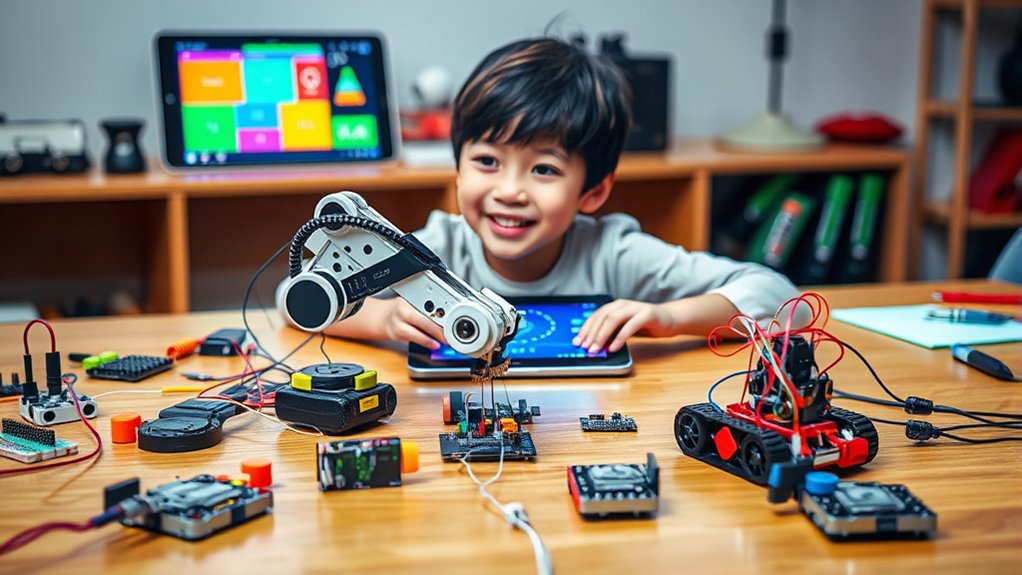

Robot coding kits provide an engaging way to learn programming and robotics, making complex concepts accessible for kids and teens. The best kits balance ease of use with expandability, helping beginners get started while offering advanced features for growing skills. The Makeblock mBot STEM stands out as the overall top pick for its user-friendly design and versatile coding options, while the ELEGOO Conqueror Robot Tank offers a more advanced build for hobbyists. Readers face the tradeoff between simplicity and expandability, as some kits prioritize straightforward setup, others offer complex features. Continue reading for a detailed comparison to find the ideal robot coding kit for your needs.
Complete the kit


Key Takeaways
- The top kits excel in balancing ease of assembly with coding versatility, appealing to both beginners and more experienced users.
- Expandable kits with multiple building modes tend to offer better long-term value for growing skills.
- Budget options often sacrifice advanced features but still provide a solid foundation in coding and robotics.
- Compatibility with popular programming environments like Scratch and Arduino significantly enhances learning potential.
- Build quality and included accessories vary widely, impacting durability and engagement over time.
| Makeblock mBot STEM Coding Robot for Kids Ages 8-12 |  | Best Overall for Beginners | Brand: Makeblock | Age Range: 8 years and up | Number of Items: 1 | VIEW ON AMAZON | See Our Full Breakdown |
| ELEGOO Conqueror Robot Tank Kit with UNO R3, Compatible with Arduino |  | Best for Advanced STEM Enthusiasts | Brand: ELEGOO | Age Range: 10 years and up | Included Components: UNO R3 Conqueror Robot Tank Kit | VIEW ON AMAZON | See Our Full Breakdown |
| Sillbird STEM Robot Building Kit with Remote Control for Boys 8-13 |  | Best for Creative Multi-Model Play | Number of Pieces: 488 | Build Options: Robot, Dinosaur, Car, Tank, Others | Control Modes: App (Bluetooth), Remote | VIEW ON AMAZON | See Our Full Breakdown |
| Teach Tech Mech-5 STEM Coding Robot Building Kit for Kids Ages 10+ |  | Best for Mechanical Engineering Focus | Brand: Teach Tech | Age Range: 10+ | Subject: STEM | VIEW ON AMAZON | See Our Full Breakdown |
| Makeblock mBot Arduino Robot Kit with Scratch Coding Box for Kids Ages 8-12 |  | Best for Progressive Coding Skills | Brand: Makeblock | Age Range: 8 years and up | Included Components: Coding Box, Electronic Components, Building Components | VIEW ON AMAZON | See Our Full Breakdown |
| Ozobot Evo Coding Robot Kit for Kids & Teachers |  | Best for Early Learners and Classroom Use | Includes: 1 Evo robot, 5 dual-tip Color Code Markers | Suitable Age: 5-11 years | Skill Levels: 5 levels from beginner to master | VIEW ON AMAZON | See Our Full Breakdown |
| Apitor STEM Coding Robot Toy 6-in-1 Building Kit for Boys 8-12 |  | Best Versatile Building and Coding Kit | Number of Models: 6 | Blocks: 480 | Control Module: 1 | VIEW ON AMAZON | See Our Full Breakdown |
| Makeblock mBot Ranger 3-in-1 Coding Robot Building Kit for Kids Ages 10+ |  | Best for Advanced Building and Programming | Included Components: 180 encoder motor, wheels, sensors, Bluetooth | Mainboard: Me Auriga | Power Source: 6pcs AA or lithium batteries (not included) | VIEW ON AMAZON | See Our Full Breakdown |
| Learning Resources Botley 2.0 The Coding Robot Activity Set |  | Best Screen-Free Basic Coding for Young Kids | Number of Pieces: 78 | Includes: robot, remote, coding cards, obstacle pieces | Suitable for: Kids ages 5 and up | VIEW ON AMAZON | See Our Full Breakdown |
| ACEBOTT Robotics Kit for Kids Ages 8-16, Smart Robot Car Kit Compatible with Arduino & Scratch, STEM Coding Robot with App Control |  | Best for Versatile Coding and Electronics Exploration | Controller: ESP32 | Supported Languages: Scratch, Arduino, Python | Compatibility: iOS, Android | VIEW ON AMAZON | See Our Full Breakdown |
| Sphero Indi Student Kit Screenless Coding Robot for Ages 4+ |  | Best for Early Learners and Introductory Coding | Age Range: 4 years and up | Included Components: 1 robot, 20 color tiles, challenge cards, charging cable | Supports: Screenless and app-based programming | VIEW ON AMAZON | See Our Full Breakdown |
| Thames & Kosmos My Robotic Pet: Coding Chameleon STEM Building & Experiment Kit |  | Best for Unplugged, Hands-On Coding and Engineering Exploration | Length: 15 inches | Sensors: Color sensor, infrared sensor | Play Modes: Coding, wild, pet | VIEW ON AMAZON | See Our Full Breakdown |
| Sphero Mini Activity Kit |  | Best for Creative STEM Play and Basic Coding | Robot Size: Ping pong ball-sized | Includes: Mini robot, bumper, pins, cones, activity cards, construction set | Connectivity: Micro USB | VIEW ON AMAZON | See Our Full Breakdown |
| ELEGOO UNO R3 Smart Robot Car Kit V4 with Camera, Compatible with Arduino |  | Best for Intermediate and Advanced Robotics Projects | Brand: ELEGOO | Age Range: 12+ years | Set Name: V4 Smart Robot Car Kit | VIEW ON AMAZON | See Our Full Breakdown |
| ACEBOTT 4-in-1 Smart Robot Arm with Tank Car for Kids & Teens |  | Best for Versatile, Multi-Configuration Robotics | Number of Builds: 4-in-1 | Includes: Robotic arm, tank car, base robot, tank track | Controller: ESP32 | VIEW ON AMAZON | See Our Full Breakdown |
More Details on Our Top Picks
Makeblock mBot STEM Coding Robot for Kids Ages 8-12
This mBot kit stands out as the best overall choice for newcomers who want a versatile, easy-to-assemble robot that teaches foundational coding and electronics. Unlike the more advanced ELEGOO Conqueror, which offers complex sensor integrations and programming modes, the mBot focuses on simplicity with rich tutorials and modular expandability. Its quick setup and LEGO compatibility make it ideal for young learners, though it does require extra batteries and some advanced features may need additional parts. This kit balances accessibility with expanding potential, making it perfect for families or educators starting their robotics journey.
Pros:- Easy to assemble with clear instructions, suitable for beginners
- Supports extensive customization with add-on modules and LEGO compatibility
- Rich tutorials and programming resources foster learning
Cons:- Batteries for remote and robot are not included, adding extra cost
- Some advanced features may require additional parts or software
Best for: Children aged 8-12 new to coding and robotics, seeking a straightforward, educational introduction
Not ideal for: Older kids or hobbyists seeking advanced features or complex programming options, as it may feel limited in scope
- Brand:Makeblock
- Age Range:8 years and up
- Number of Items:1
- Included Components:Robot Kit
- Model Number:90053
- Customer Reviews:4.6/5
Our verdict“This kit makes the most sense for young beginners and educators wanting a reliable, expandable introduction to robotics.”
ELEGOO Conqueror Robot Tank Kit with UNO R3, Compatible with Arduino
Compared with the Makeblock mBot, the ELEGOO Conqueror Kit offers more sophisticated features like FPV driving, obstacle avoidance, and Arduino compatibility, making it ideal for older or more technically inclined users. While the Conqueror provides a richer set of sensors and modes, it demands a higher level of assembly and programming skill, which can be daunting for younger children or beginners. Its versatility suits STEM students and hobbyists eager for hands-on experience with Arduino coding and complex robotics projects, but it’s less accessible for absolute novices. This kit demands patience but rewards with a deeper understanding of robotics engineering.
Pros:- Multiple interactive modes including FPV, obstacle avoidance, and line tracking
- Supports both block coding and Arduino IDE, offering learning flexibility
- Comprehensive components for complex projects
Cons:- Requires technical skill to assemble and program effectively
- May be too complex for very young children without supervision
Best for: Older students or hobbyists with some coding experience looking for complex, customizable projects
Not ideal for: Younger children or beginners who prefer straightforward, plug-and-play kits that don’t require extensive setup
- Brand:ELEGOO
- Age Range:10 years and up
- Included Components:UNO R3 Conqueror Robot Tank Kit
- Model Number:EL-KIT-021
- Customer Reviews:4.5/5
Our verdict“This kit is best suited for serious STEM learners ready for intricate building and coding challenges.”
Sillbird STEM Robot Building Kit with Remote Control for Boys 8-13
This Sillbird kit offers a versatile 5-in-1 building experience, letting kids create robots, dinosaurs, cars, and tanks, which makes it a strong choice for those who love variety and hands-on creativity. Unlike the simpler Makeblock mBot, this kit emphasizes imaginative play alongside STEM learning, with dual control modes via app and remote. However, its assembly can be challenging for younger children, and battery life might limit extended use. It excels at fostering creativity and problem-solving, but its complexity and need for a Bluetooth device may not suit all younger kids or casual users.
Pros:- Encourages STEM learning and creativity across multiple models
- Dual control modes (app and remote) offer versatile play
- Up to 40 minutes of battery life for extended activity
Cons:- Assembly can be challenging for younger kids
- Requires a Bluetooth device for app control, which may limit usability
Best for: Kids aged 8-13 who enjoy multi-model building and hands-on STEM activities with flexible control options
Not ideal for: Younger children or those seeking a simple, quick-to-build robot, due to assembly difficulty and control setup
- Number of Pieces:488
- Build Options:Robot, Dinosaur, Car, Tank, Others
- Control Modes:App (Bluetooth), Remote
- Battery Life:Up to 40 minutes
- Recommended Age:8-13
Our verdict“This kit is ideal for creative kids who enjoy building different models and experimenting with remote controls.”
Teach Tech Mech-5 STEM Coding Robot Building Kit for Kids Ages 10+
The Mech-5 kit emphasizes mechanical engineering with simple snap-on coding buttons that promote understanding of actions like throwing, lifting, and drawing. Compared with the more comprehensive Makeblock mBot or Sillbird kits, it offers a more specialized experience centered on mechanical actions, with no batteries required—powered by water, wind, or sun. While it provides excellent hands-on learning, it demands several hours for assembly and is limited to children aged 10 and above. Its focus on mechanical functions makes it less suited for those looking to delve into programming but perfect for young engineers interested in physical mechanisms.
Pros:- Encourages hands-on mechanical engineering and coding learning
- Multiple actions like throwing, lifting, and drawing for engaging activities
- No batteries needed, powered by water, wind, or sun
Cons:- Assembly can be time-consuming and requires patience
- Limited to mechanical actions with no electronic control or programming
Best for: Children aged 10+ interested in mechanical engineering and hands-on building without electronics or programming complexity
Not ideal for: Younger children or those seeking programmable robots with sensors and coding features
- Brand:Teach Tech
- Age Range:10+
- Subject:STEM
- Set Name:Mech-5
- Number of Items:1
- Included Components:Assembly Parts, Instructions
Our verdict“This kit is best suited for aspiring young engineers focused on mechanical design and manual building skills.”
Makeblock mBot Arduino Robot Kit with Scratch Coding Box for Kids Ages 8-12
Compared to the simpler Makeblock mBot STEM kit, the mBot Arduino Kit offers a deeper dive into programming, supporting both Scratch and Arduino coding, making it suitable for kids ready to advance beyond basic commands. Its straightforward assembly and comprehensive resources make it appealing for parents and educators seeking a structured learning path. However, it requires additional batteries and accessories for full functionality, which can add to the overall cost. This kit fits children aged 8-12 with some coding experience or those eager to transition from block coding to real Arduino projects, but it might be overwhelming for absolute beginners.
Pros:- Easy to assemble within 15 minutes with clear instructions
- Supports both block-based Scratch and Arduino programming
- Includes multiple projects to enhance problem-solving skills
Cons:- Requires additional batteries and accessories for full setup
- Some users may find the programming interface complex for absolute beginners
Best for: Kids aged 8-12 with some coding background aiming to develop more advanced programming skills
Not ideal for: Complete beginners or younger children who need super simple, instant-play robots
- Brand:Makeblock
- Age Range:8 years and up
- Included Components:Coding Box, Electronic Components, Building Components
- Mainboard:mCore
- Motors:2
- Sensors:Line-follower sensor
Our verdict“This kit suits children ready to build on basic skills and explore more complex coding with a structured, expandable platform.”
Ozobot Evo Coding Robot Kit for Kids & Teachers
This kit excels in introducing children aged 5-11 to coding through a tactile, screen-free approach, making it ideal for young beginners and educators. Unlike the Sphero Indi, which relies heavily on screen-based play, the Ozobot Evo emphasizes physical activity and hands-on learning with color markers and extensive lessons. Its durability and simple interface make it accessible for classroom environments, but it depends on access to compatible devices for online components. Overall, this kit offers a rich educational experience without overwhelming young users, though it may feel limiting for those seeking advanced programming options.
Pros:- Suitable for a wide age range with multiple skill levels
- Includes over 700 lessons covering STEAM and CS topics
- Durable, classroom-ready design
- Easy for beginners to use with included guides
Cons:- Requires access to compatible devices for online coding
- More suited for educational settings than casual home play
Best for: Parents and teachers seeking a durable, educational robot that promotes foundational coding skills in children aged 5-11.
Not ideal for: Older kids or those wanting complex coding features, as the Evo is more about introductory learning than advanced programming.
- Includes:1 Evo robot, 5 dual-tip Color Code Markers
- Suitable Age:5-11 years
- Skill Levels:5 levels from beginner to master
- Educational Content:Over 700 lessons
- Materials:Durable robot, hard shell zip case
Our verdict“This kit makes the most sense for educators and parents wanting a versatile, beginner-friendly introduction to coding for young children.”
Apitor STEM Coding Robot Toy 6-in-1 Building Kit for Boys 8-12
This 6-in-1 kit stands out for offering multiple models, fostering both creativity and technical skills in children aged 7-12. Compared with the Makeblock mBot Ranger, which supports advanced sensor integration and complex programming, the Apitor is more approachable for younger users but offers fewer customization options for advanced builders. Its extensive set of colorful blocks and simple app control make it engaging for early STEM exploration, yet the assembly can be challenging for younger children without adult help. Overall, this kit balances building, coding, and fun, though it’s less suited for those seeking long-term complexity.
Pros:- Encourages STEM learning through hands-on building and coding
- Versatile 6-in-1 models for varied play
- Includes an intuitive app for easy programming
- Colorful, engaging design
Cons:- Requires 3 AA batteries not included
- Assembly may be challenging for younger children
Best for: Parents of children ages 7-12 wanting a flexible, engaging building and coding experience without requiring advanced electronics knowledge.
Not ideal for: Kids under 8 or those seeking highly technical, programmable robots with sensor integration, as the complexity might be limiting.
- Number of Models:6
- Blocks:480
- Control Module:1
- LED Lights:2 multicolor
- App Control Modes:4
- Batteries:3 AA (not included)
Our verdict“This kit makes sense for parents who want a multi-model, interactive robotics experience that balances building and coding for middle-grade kids.”
Makeblock mBot Ranger 3-in-1 Coding Robot Building Kit for Kids Ages 10+
The Makeblock mBot Ranger shines as a versatile platform for older children and teens interested in more complex robotics, offering three distinct configurations: tank, self-balancing bird, and racing car. Its support for Scratch and Arduino makes it more suitable for students ready to explore programming at a deeper level, compared to simpler kits like the Botley 2.0. While the assembly can be challenging for younger kids and requires additional batteries, its robust metal parts and sensor array make it ideal for outdoor and indoor experimentation. This kit is less accessible for complete beginners but provides room to grow into advanced coding and electronics, making it a better fit for serious hobbyists and older learners.
Pros:- Supports multiple robot configurations for diverse projects
- Encourages STEM learning with Scratch and Arduino compatibility
- Durable metal parts suitable for outdoor use
- Includes sensors and modules for advanced programming
Cons:- Batteries are not included, requiring extra purchase
- Assembly may be complex for younger children without adult help
- Programming interface can be overwhelming for beginners
Best for: Parents and educators seeking a durable, multi-configurable robot that supports complex coding and sensor integration for ages 10 and up.
Not ideal for: Children under 10 or beginners who prefer straightforward, plug-and-play kits, as the assembly and programming are more involved.
- Included Components:180 encoder motor, wheels, sensors, Bluetooth
- Mainboard:Me Auriga
- Power Source:6pcs AA or lithium batteries (not included)
Our verdict“This kit is best suited for older children and teens ready for more complex robotics and programming with room for advanced exploration.”
Learning Resources Botley 2.0 The Coding Robot Activity Set
Designed for children as young as 5, Botley 2.0 emphasizes active, screen-free learning with remote-controlled commands and obstacle challenges. Unlike the Sphero Mini, which relies on app-based play, Botley encourages physical problem-solving and planning through tangible coding cards and challenges. Though it offers fewer programming complexities and limited customization, its hands-on approach makes it ideal for introducing basic logic and sequencing. Batteries are needed but not included, and the setup can be a bit intricate for the youngest users. Overall, it offers a playful, accessible entry point into coding fundamentals, though more advanced learners may quickly outgrow it.
Pros:- Encourages active learning and problem-solving
- Hands-on, screen-free coding experience
- Includes a variety of accessories and challenges
- Expandable with multiple challenge sets
Cons:- Requires batteries not included
- Setup may be complex for very young children
- Limited to basic coding concepts
Best for: Parents and educators seeking a simple, active, and screen-free coding experience for early elementary children.
Not ideal for: Older kids or those wanting more sophisticated, programmable robots, as Botley is geared toward basic concepts only.
- Number of Pieces:78
- Includes:robot, remote, coding cards, obstacle pieces
- Suitable for:Kids ages 5 and up
Our verdict“This kit suits parents and teachers who want a straightforward, engaging way to introduce basic coding and logical thinking to young children.”
ACEBOTT Robotics Kit for Kids Ages 8-16, Smart Robot Car Kit Compatible with Arduino & Scratch, STEM Coding Robot with App Control
This comprehensive kit appeals to a broad age range, supporting children from 8 up to 16 interested in coding, electronics, and robotics. Its support for multiple programming languages—Scratch, Arduino, and Python—sets it apart from simpler options like Botley, making it suitable for those eager to develop more advanced skills. Compared to the Makeblock mBot Ranger, which supports complex sensor integration and multiple configurations, the ACEBOTT kit emphasizes flexibility and user-friendly app control, but it requires additional batteries and a compatible device. The step-by-step instructions lower the barrier for beginners, yet the assembly and programming complexity may challenge younger children or absolute novices.
Pros:- Supports multiple programming languages for all skill levels
- Mobile-friendly coding via app or remote
- Includes detailed tutorials and assembly instructions
- Compatible with iOS and Android devices
Cons:- Batteries not included, requiring extra purchase
- Assembly may be complex for inexperienced users
- Requires a compatible device for full functionality
Best for: Parents and students seeking a flexible, multi-language STEM kit that bridges beginner and intermediate robotics and electronics learning.
Not ideal for: Very young kids or complete beginners who prefer ready-to-run robots or minimal assembly, as the setup can be demanding.
- Controller:ESP32
- Supported Languages:Scratch, Arduino, Python
- Compatibility:iOS, Android
- Batteries:Not included
Our verdict“This kit is ideal for ambitious learners who want a versatile, expandable STEM experience with room to grow into more advanced coding and electronics.”
Sphero Indi Student Kit Screenless Coding Robot for Ages 4+
The Sphero Indi Student Kit stands out as an ideal introduction to coding for very young children, combining screenless activities with app-based options to suit different learning styles. Compared with the Sphero Mini Activity Kit, Indi is more tailored for preschoolers, emphasizing tactile play and foundational problem-solving while offering a durable, rechargeable design that can withstand classroom use. Its multi-component setup supports hands-on exploration, but younger children will need supervision, and the basic programming features may limit more advanced learners. Setup instructions can be tricky for some, which might slow down initial engagement. Overall, this pick makes the most sense for educators or parents seeking a safe, engaging, and age-appropriate coding experience for 4-6-year-olds.
Pros:- Interactive and engaging for early learners
- Includes multiple components for tactile, hands-on learning
- Durable, rechargeable design suitable for classroom use
Cons:- Requires supervision for younger children to prevent misuse
- Limited to very basic programming features, not suitable for advanced coding
Best for: Preschool educators, parents of children aged 4-6, and early childhood STEM programs
Not ideal for: Older children or those ready for more complex programming, as Indi’s features are quite basic and geared toward beginners
- Age Range:4 years and up
- Included Components:1 robot, 20 color tiles, challenge cards, charging cable
- Supports:Screenless and app-based programming
- Durability:Designed for classroom use
- Number of Packs:1
- Rank:#42,099 in Toys & Games
Our verdict“This kit is best for parents and educators seeking an age-appropriate, screenless coding introduction for very young children.”
Thames & Kosmos My Robotic Pet: Coding Chameleon STEM Building & Experiment Kit
The Thames & Kosmos Coding Chameleon excels at fostering unplugged STEM skills, with its build-and-program approach that emphasizes physical interaction. Unlike the Sphero Mini Activity Kit, which relies more on digital control, this kit offers a tactile experience through assembly and gesture-based programming, making it ideal for children who prefer manual exploration. Its multi-mode play—coding, wild mode, and pet mode—encourages creative experimentation. However, younger children (under 8) will need adult assistance, and the programming options are limited to action cards, which might restrict learning depth. Its complexity can be a barrier for very young children, but it shines as an intermediate STEM activity. This kit suits kids 8+ who enjoy hands-on building and unconnected coding experiences.
Pros:- Encourages unplugged, hands-on STEM learning
- Interactive features like color change and gesture response
- Includes a detailed manual for guided assembly
Cons:- Requires adult assistance for younger children
- Limited programming options to physical action cards
- May be complex for very young kids
Best for: Children aged 8 and above interested in hands-on, unplugged coding and engineering projects
Not ideal for: Children under 8 or those seeking screen-based coding or very simple activities
- Length:15 inches
- Sensors:Color sensor, infrared sensor
- Play Modes:Coding, wild, pet
- Recommended Age:8+ (with help), 12+ (independent)
Our verdict“This kit is perfect for kids who enjoy manual building and physical coding activities without screens, especially around age 8+.”
Sphero Mini Activity Kit
The Sphero Mini Activity Kit is an excellent choice for beginners, combining a small programmable robot with a variety of accessories for maze-building and obstacle courses. Compared with the ELEGOO UNO R3 Robot Car Kit, it offers a more playful, less technical entry point, focusing on creative control modes and basic coding for kids and absolute beginners. Its size makes it portable and easy to use, but it depends heavily on a compatible mobile device for full functionality, and its advanced programming capabilities are limited without extra apps. Battery life details are not specified, which could be a concern for extended play. This kit works best for children who are just starting with STEM and want to combine coding with creative play.
Pros:- Compact, portable size perfect for travel
- Multiple control modes and basic coding options
- Includes a variety of accessories and activity cards
Cons:- Requires a compatible mobile device for full features
- Limited advanced programming without extra apps
- Battery life isn’t specified, which could limit long-term use
Best for: Beginners, kids exploring coding for the first time, and families seeking portable STEM activities
Not ideal for: Advanced coders or those wanting complex programming without additional apps
- Robot Size:Ping pong ball-sized
- Includes:Mini robot, bumper, pins, cones, activity cards, construction set
- Connectivity:Micro USB
- Features:Gyroscope, accelerometer, customizable LEDs
- Control Modes:Multiple, via mobile app
- Rank:#42,099 in Toys & Games
Our verdict“This kit makes a strong choice for young beginners seeking a fun, portable introduction to coding and robotics.”
ELEGOO UNO R3 Smart Robot Car Kit V4 with Camera, Compatible with Arduino
The ELEGOO UNO R3 Robot Car Kit V4 is suited for serious robotics enthusiasts, offering extensive sensors, camera, and line-tracking capabilities. Compared with the ACEBOTT 4-in-1 Smart Robot Arm, it provides a more comprehensive platform for programming and exploring autonomous vehicle functions, making it ideal for educational settings that focus on coding and sensor integration. Its advanced features, like FPV video and obstacle avoidance, come with a higher learning curve, requiring some technical knowledge, especially for programming. The price reflects this complexity, and younger children will find it too sophisticated. Nonetheless, it’s a powerful tool for those ready to dive deep into robotics. This kit suits teens and older enthusiasts wanting to build and program complex robot cars with real-world applications.
Pros:- Includes advanced sensors and modules for complex projects
- Features FPV camera, line tracking, obstacle avoidance
- Guided tutorials make learning accessible
Cons:- Requires some prior programming knowledge
- Can be overwhelming for complete beginners
- Higher price point due to extensive features
Best for: Teens, university students, or dedicated hobbyists interested in advanced robotics and coding projects
Not ideal for: Young children or beginners without prior coding experience, due to its complexity
- Brand:ELEGOO
- Age Range:12+ years
- Set Name:V4 Smart Robot Car Kit
- Battery:2000 mAh rechargeable lithium-ion
- Controller:ELEGOO UNO R3
- Camera:ESP32-WROVER Wi-Fi
Our verdict“This kit is best for experienced teens or adults seeking a comprehensive platform for autonomous vehicle coding and robotics.”
ACEBOTT 4-in-1 Smart Robot Arm with Tank Car for Kids & Teens
The ACEBOTT 4-in-1 Smart Robot Kit stands out by offering four distinct build options, including a robotic arm, tank car, base robot, and tank track expansion. Compared with the Sphero Indi, which is limited to basic programming for very young children, ACEBOTT targets a broader age range (8-16) with a focus on mechanical assembly and coding via Arduino and Scratch. Its modular design fosters creativity and problem-solving, but the complexity of assembly and programming can challenge younger users, especially under age 12. The detailed tutorials and remote control add versatility but require some prior knowledge. Overall, this kit makes sense for older kids eager to explore multiple types of robots and mechanics in one package.
Pros:- Versatile 4-in-1 design enables multiple robot configurations
- Includes a programmable robotic arm with 5 DOF
- Compatible with Arduino and Scratch for coding
Cons:- Requires assembly and some programming knowledge
- May be complex for children under 12
- Limited details on motor power and battery duration
Best for: Children and teens aged 8-16 interested in multi-robot building, mechanics, and coding with flexibility
Not ideal for: Children under 8 or those needing a straightforward, single-robot starter kit
- Number of Builds:4-in-1
- Includes:Robotic arm, tank car, base robot, tank track
- Controller:ESP32
- Compatibility:Arduino, Scratch
- Control:App and IR remote
- Tutorials:16 guided, HD videos
Our verdict“This kit is ideal for older children and teens ready to build, program, and explore various robot types in one comprehensive set.”
How We Picked
These robot coding kits were evaluated based on their overall performance, ease of use, build quality, and value for money. We prioritized kits that cater to a broad age range, offer diverse coding options, and include comprehensive instructions. Kits with expandable features or multiple build modes scored higher, as they support long-term learning. We also considered user feedback on durability and the clarity of the included educational content, ensuring each product offers a meaningful learning experience at its price point. The ranking reflects a balance between beginner friendliness and advanced capabilities, helping buyers find the best fit for their skill level and goals.Factors to Consider When Choosing Robot Coding Kits
When choosing a robot coding kit, it’s important to consider several key factors that influence both immediate enjoyment and long-term learning. First, assess the skill level of the user—kits designed for beginners often feature simplified programming interfaces, while more advanced kits include Arduino or Python support. Compatibility with popular coding languages can greatly expand learning possibilities. Durability and quality of components matter to keep the experience fun and frustration-free. Lastly, think about expandability: kits with multiple modes or upgrade options provide more value as skills develop, avoiding the need to purchase new sets too soon.Skill Level and Ease of Use
Choosing a kit aligned with the user’s experience ensures they can build confidence and learn effectively. Beginners benefit from kits with clear instructions, visual programming options like Scratch, and simple assembly. More experienced users might prefer kits with Arduino compatibility or advanced sensors. Avoid overly complex kits for new users, as they can lead to frustration and disengagement. Conversely, experienced coders should look for options that challenge and expand their capabilities.Programming Compatibility
The programming environment determines how easily users can learn and experiment. Kits supporting block-based coding like Scratch are best for beginners, providing visual feedback and easy drag-and-drop interfaces. For more advanced learners, compatibility with Arduino, Python, or C++ unlocks deeper customization and complex projects. Be aware that some kits claim versatility but have limited software support, which can hamper growth. Ensuring compatibility with widely used platforms enhances the kit’s educational value.Build Quality and Durability
Robust construction reduces frustration due to broken parts or fragile components. Look for kits with high-quality plastics, metal parts, and secure connections. Cheaply made kits may fall apart quickly, especially with active play or repeated assembly. Investing in well-built kits saves money over time and keeps the learning experience smooth. Consider also whether spare parts or replacements are readily available, which can extend the kit’s lifespan.Expandability and Versatility
A kit that can be upgraded or reconfigured offers better long-term value. Multiple building modes, sensor options, or programmable accessories allow learners to explore different aspects of robotics. This flexibility prevents the need to buy a new kit as skills advance. However, more expandable kits tend to be more complex and may require prior knowledge. Balance the desire for future growth with current skill level to choose appropriately.Price and Value
While budget options provide accessible entry points, they often lack advanced features or durability. Mid-range kits typically balance cost and capabilities, making them suitable for most learners. Premium kits offer comprehensive features and high-quality materials but come at a higher price. Consider whether the extra investment aligns with your educational goals and the user’s interest level. Sometimes, a slightly more expensive kit delivers better engagement and long-term learning benefits.Frequently Asked Questions
Can a beginner use advanced kits with Arduino or Python?
Yes, beginners can use these kits, but they may face a steeper learning curve. Kits supporting Arduino or Python often include detailed tutorials and community support, which can help new users get started. However, it’s advisable to start with basic kits to build foundational skills first, then gradually move to more complex systems. Patience and supplementary learning resources can make the transition smoother, ensuring that beginners don’t get overwhelmed.
Are programmable sensors necessary for all robot kits?
Not necessarily. For beginners, basic movement and light sensors are often sufficient to learn core concepts. More advanced kits include a variety of sensors like ultrasonic, infrared, or gyroscopes, which enable more complex projects. The inclusion of sensors depends on the learner’s goals; if the focus is on programming fundamentals, sensors are optional. For those interested in robotics competitions or intricate automation, sensor-rich kits are better suited.
How important is sensor compatibility with coding platforms?
Sensor compatibility significantly enhances hands-on learning, allowing users to experiment with real-world data and interactive behaviors. Compatibility with platforms like Scratch or Arduino ensures that sensor data can be integrated into projects easily. Kits lacking this feature may limit future project complexity, making it harder to explore advanced robotics. Investing in sensor-compatible kits provides more flexibility and educational depth.
Should I prioritize expandability over initial simplicity?
This depends on the learner’s age and goals. For absolute beginners, starting with a simple, straightforward kit helps build confidence and basic skills. As familiarity grows, choosing kits with expandability—additional modules, sensors, or reconfigurable builds—becomes advantageous, offering long-term engagement. Balancing current skill level with future growth potential ensures sustained interest and learning progression.
Is it worth paying more for a premium robot coding kit?
Investing in a premium kit can be worthwhile if you seek durability, advanced features, and extensive expandability. Higher-end kits often include better components, comprehensive instructions, and more versatile programming options, which support deeper learning. However, for casual or beginner use, more affordable options can still provide valuable experience. Consider your educational goals and budget before choosing a premium kit, as the added features should align with long-term interest and skill development.
Conclusion
For casual learners or parents seeking an easy start, the Makeblock mBot STEM offers a user-friendly and versatile platform. Those aiming for more advanced projects or hobbyist exploration might prefer the ELEGOO Conqueror Robot Tank or Makeblock mBot Ranger for their expandability. Budget-conscious buyers should consider options like the Sphero Indi or Learning Resources Botley for straightforward, engaging experiences. Finally, if long-term growth and complexity are priorities, investing in premium kits like the ACEBOTT 4-in-1 Robot Arm can pay off. Ultimately, choosing the right kit depends on the user’s age, skill level, and learning ambitions, ensuring a rewarding robotics journey.