Streaming devices have become essential for accessing your favorite shows and movies on demand, but choosing the right one can be overwhelming. The Amazon Fire TV Cube stands out as the best overall choice thanks to its powerful performance and voice controls. For those on a budget, the Amazon Fire TV Stick HD offers solid features at a lower price, while the Roku Ultra delivers premium picture quality and advanced streaming options. The main tradeoffs involve balancing price, performance, and ease of use—more expensive models often add features like better picture quality or more integrated controls. Keep reading for a detailed breakdown of the top options to find the perfect streaming device for your needs.

Turn the school run and nap time into listening time
- Thousands of audiobooks, podcasts and originals
- Listen on your phone, tablet or Echo — also offline
- Cancel anytime
Complete the kit


Key Takeaways
- High-end models like amazon.com/dp/B0F7Z4QZTT?tag=oneboredmommy.com-20&ascsubtag=dc-823977″ target=”_blank” rel=”nofollow sponsored noopener”>amazon.com/dp/B0DJGDC3BD?tag=oneboredmommy.com-20&ascsubtag=dc-823977″ target=”_blank” rel=”nofollow sponsored noopener”>amazon.com/dp/B09BKCDXZC?tag=oneboredmommy.com-20&ascsubtag=dc-823977″ target=”_blank” rel=”nofollow sponsored noopener”>Roku Ultra and Fire TV Cube offer the best performance and features, but come at a higher price point.
- Most budget-friendly options, such as Fire TV Stick HD, provide good value for casual streaming without advanced features.
- Many devices now support Wi-Fi 6E, ensuring faster, more reliable connections for 4K streaming.
- Voice control integration varies; Amazon devices tend to have more robust Alexa features, while Roku and Google TV focus on broader voice search compatibility.
- Picture quality support like Dolby Vision and HDR10+ is common among higher-tier models, but not all devices handle these formats equally.
| onn 4K Pro Streaming Device with Google TV and Gemini |  | Best Overall for High-Performance 4K Streaming | Storage: 32GB | RAM: 3GB | Video Quality: 4K Ultra HD | VIEW ON AMAZON | See Our Full Breakdown |
| Amazon Fire TV Cube with Alexa, 4K Ultra HD, Wi-Fi 6E, Hands-Free Streaming |  | Best for Smart Home Integration and Voice Control | Processor: Octa-core | Resolution: 4K Ultra HD | Wi-Fi: Wi-Fi 6E | VIEW ON AMAZON | See Our Full Breakdown |
| Roku Streaming Stick 4K with Voice Remote – HDR10+ & Dolby Vision |  | Best for Compact, Easy Streaming with Excellent Picture Quality | Resolution: 4K | HDR: Dolby Vision, HDR10+ | Remote: Voice Remote | VIEW ON AMAZON | See Our Full Breakdown |
| Amazon Fire TV Stick HD (Newest Model) with Alexa Voice Remote |  | Best Budget-Friendly Full HD Streaming | Resolution: Full HD | Wi-Fi: Wi-Fi 6 | Remote: Alexa Voice Remote | VIEW ON AMAZON | See Our Full Breakdown |
| Fire TV Stick 4K Max (2026 Model) Streaming Device with Alexa+ and Wi-Fi 6E Support |  | Best for Cutting-Edge Performance and Gaming | Size: 99mm x 30mm x 14mm | Weight: 43.5g | Processor: Quad-core 2.0GHz | VIEW ON AMAZON | See Our Full Breakdown |
| Roku Streaming Stick 4K with Voice Remote and Long-Range Wi-Fi (Renewed) | 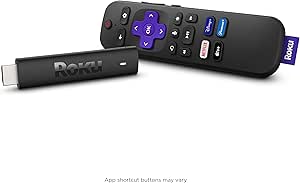 | Best Overall Streaming Device for Versatility and Ease of Use | Compatibility: TV with HDMI port | Resolution: 4K, HDR, Dolby Vision | Wi-Fi: Long-range Wi-Fi, up to 2x faster | VIEW ON AMAZON | See Our Full Breakdown |
| Roku Streaming Stick HD with Voice Remote |  | Best Compact HD Streaming Device for Simplicity and Portability | Streaming Quality: HD | Remote: Voice remote | Power Source: TV USB port | VIEW ON AMAZON | See Our Full Breakdown |
| Amazon Fire TV Stick 4K Plus (2026 Model) with Alexa Voice Remote and Wi-Fi 6 |  | Best Premium 4K Streaming Device with Advanced Connectivity | Streaming Resolution: 4K Ultra HD | HDR Support: Dolby Vision, HDR10+ | Audio: Dolby Atmos | VIEW ON AMAZON | See Our Full Breakdown |
| Roku Ultra Streaming Player – 4K, HDR10+, Dolby Vision, Dolby Atmos |  | Best High-End Streaming Player with Premium Features | Resolution: 4K | HDR: HDR10+, Dolby Vision | Audio: Dolby Atmos | VIEW ON AMAZON | See Our Full Breakdown |
| TiVo Stream 4K – Streaming Media Player with Android TV, 4K UHD, Dolby Vision HDR, Dolby Atmos |  | Best All-in-One Interface with Live TV and App Integration | Power Input: 5V/1.0A | Resolution: 4K UHD | HDR: Dolby Vision HDR | VIEW ON AMAZON | See Our Full Breakdown |
| Amazon Fire TV Stick 4K Select (Newest Model) |  | Best Overall for Versatile Streaming and Smart Home Integration | Resolution: 4K Ultra HD with HDR10+ | Design: Modern, user-friendly interface | Supported Apps: Prime Video, Netflix, YouTube, Disney+, Apple TV+, HBO Max, Hulu, Peacock, Paramount+ | VIEW ON AMAZON | See Our Full Breakdown |
| Roku Streaming Stick Plus with Voice Remote – 4K & HDR10+ |  | Best Compact Design with Reliable Streaming | Resolution: 4K | HDR: HDR10+ | Remote: Voice remote | VIEW ON AMAZON | See Our Full Breakdown |
| Google TV Streamer 4K with Voice Search Remote – 32 GB Storage, HDR, Dolby Vision, Dolby Atmos |  | Best for Cinematic Quality and Personalization | Storage: 32 GB | Resolution: 4K HDR | HDR: Yes | VIEW ON AMAZON | See Our Full Breakdown |
| streaming device | Resolution | Remote | HDR |
|---|---|---|---|
| onn 4K Pro Streaming Device wi | — | — | Dolby Vision |
| Amazon Fire TV Cube with Alexa | 4K Ultra HD | — | Supported (HDR, Dolby Vision) |
| Roku Streaming Stick 4K with V | 4K | Voice Remote | Dolby Vision, HDR10+ |
| Amazon Fire TV Stick HD | Full HD | Alexa Voice Remote | — |
| Fire TV Stick 4K Max | — | — | — |
| Roku Streaming Stick 4K with V | 4K, HDR, Dolby Vision | Voice remote included | — |
| Roku Streaming Stick HD with V | — | Voice remote | — |
| Amazon Fire TV Stick 4K Plus | — | Alexa Voice Remote with preset buttons | — |
| Roku Ultra Streaming Player | 4K | Rechargeable voice remote with backlit buttons | HDR10+, Dolby Vision |
| TiVo Stream 4K | 4K UHD | — | Dolby Vision HDR |
| Amazon Fire TV Stick 4K Select | 4K Ultra HD with HDR10+ | — | — |
| Roku Streaming Stick Plus with | 4K | Voice remote | HDR10+ |
| Google TV Streamer 4K with Voi | 4K HDR | Voice Search Remote | Yes |
More Details on Our Top Picks
onn 4K Pro Streaming Device with Google TV and Gemini
This model stands out for its combination of premium features and robust performance, making it an excellent choice for those who want a fully equipped streaming experience. Compared with the Fire TV Cube, it offers higher-quality visuals with Dolby Vision and immersive Dolby Atmos sound, thanks to its advanced hardware. The 3GB RAM ensures smooth multitasking, which is a step above many budget options. However, the absence of detailed remote features and a potentially higher price tag are tradeoffs for its high-end capabilities. This device is ideal for users who prioritize picture and sound quality and are willing to invest in a more capable streaming hub.
Pros:- Stunning 4K Ultra HD picture quality with Dolby Vision
- Immersive Dolby Atmos sound enhances viewing experience
- Powerful performance with 3GB RAM for smooth multitasking
- Reliable connectivity with WiFi 6 and Ethernet port
Cons:- No specific remote features detailed, which may affect usability
- Higher price point compared to basic streaming sticks
Best for: Home entertainment enthusiasts seeking a premium, high-performance streaming device with excellent visuals and audio
Not ideal for: Casual viewers on a tight budget or those who prefer a simple plug-and-play device without advanced features
- Storage:32GB
- RAM:3GB
- Video Quality:4K Ultra HD
- HDR:Dolby Vision
- Audio:Dolby Atmos
- Connectivity:WiFi 6, Ethernet port
Our verdict“This device is best suited for those who want top-tier picture and sound quality and are comfortable with a higher investment.”
Amazon Fire TV Cube with Alexa, 4K Ultra HD, Wi-Fi 6E, Hands-Free Streaming
The Fire TV Cube excels in integrating voice control and smart home features, making it ideal for tech-savvy users who want hands-free operation. Its octa-core processor provides fast performance, comparable to the Fire TV Stick 4K Max, but with more built-in smart home capabilities. The support for Wi-Fi 6E guarantees improved connectivity, especially in busy households. Nevertheless, subscription fees for certain streaming apps can add up, and full smart home integration requires compatible devices. This pick makes the most sense for those who want a central voice-controlled media hub that also manages smart devices seamlessly.
Pros:- Fast performance with octa-core processor
- Supports 4K Ultra HD with Dolby Vision and Atmos
- Hands-free Alexa voice control for convenience
- Wi-Fi 6E for faster, more reliable connections
Cons:- Subscription fees may be required for some streaming services
- Requires compatible smart home devices for full integration
Best for: Smart home owners seeking an all-in-one device with voice-activated streaming and home management
Not ideal for: Casual viewers who don’t need voice control or smart home features, as it may be more complex than necessary
- Processor:Octa-core
- Resolution:4K Ultra HD
- Wi-Fi:Wi-Fi 6E
- HDR:Supported (HDR, Dolby Vision)
- Audio:Dolby Atmos
- Voice Control:Hands-free Alexa
Our verdict“This device is perfect for users who want voice-controlled streaming combined with smart home capabilities in one package.”
Roku Streaming Stick 4K with Voice Remote – HDR10+ & Dolby Vision
The Roku Streaming Stick 4K delivers impressive 4K visuals with Dolby Vision and HDR10+, making it a great choice for viewers who prioritize picture quality in a small package. Its compact design allows it to stay hidden behind your TV, and the long-range Wi-Fi supports seamless streaming even from across the room. Compared to larger devices like the Fire TV Cube, it sacrifices some smart home integration but excels in simplicity and performance. The main limitation is its reliance on a stable Wi-Fi connection and a Roku-centric app ecosystem, which might restrict access to some services.
Pros:- Excellent 4K picture quality with Dolby Vision and HDR10+
- Compact design that keeps HDMI ports free
- Long-range Wi-Fi for reliable streaming
- Easy to set up and use
Cons:- Dependent on Wi-Fi stability for optimal performance
- Limited to Roku-supported apps and services
Best for: Casual viewers who want high-quality 4K streaming in a discreet, portable device
Not ideal for: Power users seeking extensive smart home controls or a broader app ecosystem outside Roku
- Resolution:4K
- HDR:Dolby Vision, HDR10+
- Remote:Voice Remote
- Connectivity:Long-range Wi-Fi
- Design:Compact
Our verdict“This device suits those who want a straightforward, high-quality 4K streaming experience in a small form factor.”
Amazon Fire TV Stick HD (Newest Model) with Alexa Voice Remote
The Fire TV Stick HD offers solid Full HD streaming at an attractive price point, making it ideal for budget-conscious users. Its portability and easy HDMI connection mean setup is quick, similar to the Roku Streaming Stick 4K. The Alexa Voice Remote simplifies navigation, and it supports a wide array of popular streaming apps. However, it lacks 4K support, which limits future-proofing for higher-resolution content. For those not yet ready to upgrade to 4K devices, this stick provides reliable performance with straightforward features, but it may fall behind as higher-resolution content becomes more common.
Pros:- Fast streaming with Full HD resolution
- Portable and easy to connect directly to HDMI
- Includes Alexa Voice Remote for simple control
- Supports a wide range of streaming apps
Cons:- Limited to HD, not suitable for 4K content
- Additional subscriptions may be needed for some services
Best for: Budget-conscious households or secondary TVs requiring reliable HD streaming
Not ideal for: Users seeking 4K or HDR content, as it only supports Full HD resolution
- Resolution:Full HD
- Wi-Fi:Wi-Fi 6
- Remote:Alexa Voice Remote
- Compatibility:HDMI port
- Power:USB-C cable
Our verdict“This device is a practical choice for users who want dependable HD streaming at an affordable price.”
Fire TV Stick 4K Max (2026 Model) Streaming Device with Alexa+ and Wi-Fi 6E Support
The Fire TV Stick 4K Max is designed for users who demand speed and future-ready features. Its quad-core 2.0GHz processor and Wi-Fi 6E support make app launches and navigation exceptionally quick, outperforming many older models like the Fire TV Stick HD. It supports 4K Ultra HD, Dolby Vision, HDR10+, and Dolby Atmos, providing vibrant visuals and immersive sound. Additional features like cloud gaming and ambient art display enhance its versatility. The main tradeoffs include the need for a compatible Ultra HD TV and additional subscriptions for some streaming services. This device makes a compelling choice for tech enthusiasts and gamers who want a fast, feature-rich device.
Pros:- Supports 4K Ultra HD with Dolby Vision and HDR10+
- Fast processor for quick app performance
- Wi-Fi 6E for reliable, high-speed connections
- Includes Alexa remote with IR control
Cons:- Requires compatible Ultra HD TV for 4K playback
- Additional subscriptions may be needed for some content
Best for: Tech-savvy users seeking ultra-fast streaming, gaming, and smart home features
Not ideal for: Casual viewers on a tight budget or those with older HD-only TVs
- Size:99mm x 30mm x 14mm
- Weight:43.5g
- Processor:Quad-core 2.0GHz
- Storage:16GB
- Wi-Fi:Wi-Fi 6E tri-band
- Video Formats:Dolby Vision, HDR10, HLG
Our verdict“This device appeals to users who want top-tier speed, gaming capabilities, and future-proof connectivity in one compact package.”
Roku Streaming Stick 4K with Voice Remote and Long-Range Wi-Fi (Renewed)
This renewed Roku Streaming Stick 4K stands out for its combination of 4K, HDR, and Dolby Vision support, providing vibrant, cinematic picture quality. It offers quick setup and a user-friendly interface, making it accessible for nearly all viewers. Its long-range Wi-Fi ensures smoother streaming, especially in larger rooms or homes with Wi-Fi obstacles, a step up from the basic HD streaming of the Roku Streaming Stick HD. However, being a renewed product introduces some uncertainty around warranty and potential connectivity issues. Compared to the Roku Ultra, it lacks some advanced features like Ethernet support but makes up for it with affordability and simplicity. Overall, this pick is ideal for viewers seeking reliable, high-quality streaming without extra complexity.
Pros:- Supports 4K, HDR, and Dolby Vision for vibrant picture quality
- Fast setup with a straightforward interface
- Long-range Wi-Fi for steady streaming in larger spaces
- Voice remote compatible with Siri, Alexa, and Google Assistant
Cons:- Renewed product may have limited or no warranty
- Some users might experience Wi-Fi connectivity issues depending on environment
Best for: Casual viewers and families who want high-quality 4K content with minimal fuss
Not ideal for: Power users or tech enthusiasts who require wired connections or advanced features like Ethernet or Dolby Atmos
- Compatibility:TV with HDMI port
- Resolution:4K, HDR, Dolby Vision
- Wi-Fi:Long-range Wi-Fi, up to 2x faster
- Remote:Voice remote included
- Content Access:Free, live, and premium TV channels
- Warranty:Limited (renewed product)
Our verdict“This device is best for those wanting an easy-to-use, high-quality 4K streaming experience in a versatile package.”
Roku Streaming Stick HD with Voice Remote
This Roku Streaming Stick HD offers a straightforward way to enjoy HD content, making it ideal for secondary TVs or travel. Its compact design ensures it doesn’t block HDMI ports, a common annoyance with bulkier devices like the Roku Ultra. The voice remote adds convenience for quick searches, but unlike the Roku Streaming Stick 4K, it’s limited to HD resolution, which may fall short on larger or newer 4K TVs. Powering from a TV USB port simplifies setup, but can be limiting if the port isn’t accessible or provides insufficient power. Compared to other basic streaming options, it emphasizes portability and simplicity, making it suitable for less demanding viewers.
Pros:- Compact and sleek design fits easily behind any TV
- Simple setup with TV USB power source
- Includes voice remote for easy control
- Blocks fewer HDMI ports
Cons:- Limited to HD streaming, no 4K support
- Requires a USB port for power, which may not be available on all TVs
Best for: Travelers and secondary TV users who prioritize ease of setup and portability
Not ideal for: Those seeking 4K picture quality or advanced features like HDR or Dolby Vision
- Streaming Quality:HD
- Remote:Voice remote
- Power Source:TV USB port
- Design:Compact, sleek
- Content Access:All major streaming apps
- Compatibility:HDTV with HDMI port
Our verdict“Best suited for viewers who want a portable, straightforward HD streaming device for secondary or travel use.”
Amazon Fire TV Stick 4K Plus (2026 Model) with Alexa Voice Remote and Wi-Fi 6
The Fire TV Stick 4K Plus shines for delivering a comprehensive 4K experience with Dolby Vision, HDR10+, and Dolby Atmos, offering a cinema-like quality for viewers with compatible TVs. Its support for Wi-Fi 6 means smoother streaming even when multiple devices are connected, a significant upgrade over older Wi-Fi standards. The Alexa Voice Remote simplifies navigation and smart home control, but subscription fees for certain content platforms can add up, and the device’s performance depends heavily on a fast internet connection. While it excels in performance, it may be overkill for casual viewers who don’t need the latest Wi-Fi technology or Dolby Atmos sound. This pick is ideal for tech-savvy users seeking top-tier quality and future-proof connectivity.
Pros:- Supports 4K Ultra HD with Dolby Vision and Dolby Atmos for cinematic quality
- Wi-Fi 6 ensures stable, fast streaming even on busy networks
- Includes Alexa Voice Remote for voice commands and smart home control
- Access to a broad range of streaming services, including free options
Cons:- Subscription fees may be required for some apps and content
- Requires a compatible TV and fast internet for full experience
Best for: Home entertainment enthusiasts with high-speed internet and 4K-compatible TVs
Not ideal for: Budget-conscious users or those with older TVs lacking HDMI 2.0 ports
- Streaming Resolution:4K Ultra HD
- HDR Support:Dolby Vision, HDR10+
- Audio:Dolby Atmos
- Wi-Fi:Wi-Fi 6
- Remote:Alexa Voice Remote with preset buttons
- Gaming:Cloud gaming with Xbox Game Pass
Our verdict“Ideal for users who want a high-performance, future-ready streaming device with excellent picture and sound quality.”
Roku Ultra Streaming Player – 4K, HDR10+, Dolby Vision, Dolby Atmos
The Roku Ultra offers a step above basic streaming devices, delivering ultra-fast performance with a 30% quicker interface. Its support for Dolby Vision, HDR10+, and Dolby Atmos ensures top-tier visuals and immersive sound. The rechargeable voice remote with backlit buttons makes control convenient, especially in dim environments, while Bluetooth headphone support adds versatility. It’s a more expensive option, and its remote can be complex for some users. Its wired Ethernet option and support for Bluetooth headphones make it ideal for home theaters, but might be overkill for casual streaming. Compared with the Fire TV Stick 4K Plus, it emphasizes premium audio and speed, at a higher price. This device is best for serious home theater setups or users who want the best picture and sound quality.
Pros:- Supports 4K, HDR10+, Dolby Vision for cinematic visuals
- Fast interface with 30% quicker performance
- Rechargeable remote with backlit buttons and voice control
- Supports Bluetooth headphones and wired Ethernet
Cons:- Remote can be overly complex for casual users
- Higher price point may limit accessibility for some
Best for: Home theater enthusiasts and power users seeking ultimate picture and sound quality
Not ideal for: Casual viewers or those on a strict budget who don’t need premium features
- Resolution:4K
- HDR:HDR10+, Dolby Vision
- Audio:Dolby Atmos
- Connectivity:Wi-Fi 6, Ethernet
- Remote:Rechargeable voice remote with backlit buttons
- Bluetooth:Headphone support
Our verdict“Perfect for users who prioritize premium picture quality, immersive audio, and advanced remote features in a dedicated home theater setup.”
TiVo Stream 4K – Streaming Media Player with Android TV, 4K UHD, Dolby Vision HDR, Dolby Atmos
The TiVo Stream 4K consolidates streaming apps and live TV into a single, intuitive interface, making it ideal for viewers who prefer a unified search experience. Its support for 4K UHD, Dolby Vision HDR, and Dolby Atmos ensures high-quality visuals and immersive sound. Google Assistant integration allows voice control and smart home compatibility, adding convenience. Compared with the Fire TV Stick 4K Plus, it emphasizes ease of browsing multiple content sources within one interface, though it relies heavily on a good internet connection and compatible apps. The device’s power consumption is higher, and some users may find the Android TV platform limiting if they prefer a different ecosystem. This device suits viewers who want a centralized, easy-to-navigate streaming experience, especially with live TV included.
Pros:- Centralized interface for all streaming apps and live TV
- Supports 4K UHD, Dolby Vision HDR, Dolby Atmos for quality visuals and sound
- Google Assistant for voice commands and smart home control
- Preloaded with popular streaming apps like Netflix, Disney+, Prime Video
Cons:- Requires a stable internet connection for smooth operation
- Limited app ecosystem compared to some other platforms
- Higher power consumption
Best for: Consumers seeking a unified interface for streaming and live TV, with voice control and smart home features
Not ideal for: Budget-conscious users or those who prefer a more open or customizable platform outside Android TV
- Power Input:5V/1.0A
- Resolution:4K UHD
- HDR:Dolby Vision HDR
- Audio:Dolby Atmos
- Platform:Android TV
- Voice Control:Google Assistant
Our verdict“This device is best for users who want a single, easy-to-manage interface that combines streaming and live TV with smart home integration.”
Amazon Fire TV Stick 4K Select (Newest Model)
The Fire TV Stick 4K Select stands out for delivering high-quality 4K Ultra HD streaming with HDR10+, comparable to the Roku Streaming Stick Plus but with the added advantage of integrated Alexa voice control and smart home features. Its modern, intuitive interface makes setup straightforward, and support for a wide range of apps ensures access to almost any service. However, gaming via Xbox Cloud Gaming requires a separate subscription and controller, which could be a hurdle for casual gamers. Internal storage is limited, so app downloads are constrained, and some premium features may need extra subscriptions. This pick makes the most sense for users seeking a comprehensive streaming device with smart home capabilities and easy voice control.
Pros:- Supports 4K Ultra HD with HDR10+ for crisp, vibrant visuals
- Simple setup with an easy-to-navigate interface
- Extensive app support including major streaming services
- Built-in Alexa for voice commands and smart device control
Cons:- Xbox gaming requires an extra subscription and compatible controller
- Limited internal storage can restrict app downloads
- Some premium features depend on additional subscriptions
Best for: Tech-savvy homeowners who want a powerful, all-in-one entertainment hub with voice control and smart home integration
Not ideal for: Casual viewers who mainly need basic streaming without the need for gaming or smart home features
- Resolution:4K Ultra HD with HDR10+
- Design:Modern, user-friendly interface
- Supported Apps:Prime Video, Netflix, YouTube, Disney+, Apple TV+, HBO Max, Hulu, Peacock, Paramount+
- Gaming:Stream Xbox games via cloud gaming with Xbox Game Pass
- Voice Assistant:Alexa
- Setup:Plug in and connect to Wi-Fi
Our verdict“This device is best for users who want a versatile, high-quality streaming experience combined with smart home features.”
Roku Streaming Stick Plus with Voice Remote – 4K & HDR10+
The Roku Streaming Stick Plus offers a straightforward, reliable 4K picture with HDR10+ support, making it a strong choice for those who prioritize simplicity and compatibility. Its compact form minimizes HDMI port blocking, and the included voice remote provides easy navigation. Compared to the Google TV Streamer, it lacks Dolby Vision and Atmos, which could impact cinematic quality, but it excels in ease of use and broad app support. The need for a TV with a USB port for power can be a limitation for some setups. This device is ideal for users who want a compact, plug-and-play streaming solution, especially for secondary TVs or travel use.
Pros:- Supports 4K and HDR10+ for vibrant visuals
- Compact size prevents blocking other HDMI ports
- Includes a voice remote for effortless control
- Powered directly from the TV’s USB port for minimal cables
Cons:- Requires a compatible TV with a USB port for power
- Limited to streaming apps available on Roku’s platform
- Lacks advanced features like Dolby Vision or Dolby Atmos
Best for: Home users looking for a simple, dependable 4K streaming device with easy remote control
Not ideal for: Audiophiles or cinephiles seeking Dolby Vision and Atmos for immersive experiences
- Resolution:4K
- HDR:HDR10+
- Remote:Voice remote
- Power Source:TV USB port
- Design:Compact, HDMI dongle
- Supported Apps:Roku platform apps
Our verdict“This device is perfect for those wanting a compact, reliable 4K streamer without extra bells and whistles.”
Google TV Streamer 4K with Voice Search Remote – 32 GB Storage, HDR, Dolby Vision, Dolby Atmos
The Google TV Streamer 4K stands out for delivering exceptional visual and audio quality with Dolby Vision and Atmos, surpassing many competitors like the Amazon Fire TV Stick 4K Select in cinematic features. Its 32 GB internal storage supports a wider range of apps, while personalized recommendations enhance viewing tailored to individual preferences. However, the need to purchase a separate HDMI cable adds an extra step, and internal storage remains limited for app downloads. It’s an excellent choice for viewers who prioritize immersive visuals and sound, and enjoy a personalized content experience. Less suitable for those who prefer a simple plug-and-play setup or have budget constraints due to accessory costs.
Pros:- Supports 4K HDR with Dolby Vision and Atmos for immersive viewing
- Includes a voice search remote for easy control
- Provides personalized content recommendations
- Access to live TV and over 800 free channels
Cons:- HDMI cable sold separately, adding extra cost
- Limited internal storage at 32 GB for apps
- Requires additional purchase for HDMI cable
Best for: Movie lovers and home theater enthusiasts seeking premium visual and audio quality with personalized content
Not ideal for: Casual streamers or budget-conscious users who want an all-in-one bundle without additional accessories
- Storage:32 GB
- Resolution:4K HDR
- HDR:Yes
- Dolby Vision:Yes
- Dolby Atmos:Yes
- Remote:Voice Search Remote
Our verdict“This device is ideal for users who want high-end cinematic quality combined with personalized, smart content features.”

How We Picked
Our evaluation of these streaming devices focused on performance, usability, build quality, and value. We prioritized devices that support 4K Ultra HD content, HDR, and Dolby Vision, as these are key for high-quality viewing. Ease of setup and user interface were also critical — a device might be powerful but ineffective if it’s complicated to use. We considered the longevity of software updates and compatibility with popular streaming apps. Cost was a factor, but we balanced it against features, ensuring each device offers real value for its price. The ranking reflects a combination of these factors, aiming to recommend options suitable for different kinds of users.
| streaming device | Remote |
|---|---|
| onn 4K Pro Streaming Device wi | — |
| Amazon Fire TV Cube with Alexa | — |
| Roku Streaming Stick 4K with V | Voice Remote |
| Amazon Fire TV Stick HD | Alexa Voice Remote |
| Fire TV Stick 4K Max | — |
| Roku Streaming Stick 4K with V | Voice remote included |
| Roku Streaming Stick HD with V | Voice remote |
| Amazon Fire TV Stick 4K Plus | Alexa Voice Remote with preset buttons |
| Roku Ultra Streaming Player | Rechargeable voice remote with backlit buttons |
| TiVo Stream 4K | — |
| Amazon Fire TV Stick 4K Select | — |
| Roku Streaming Stick Plus with | Voice remote |
| Google TV Streamer 4K with Voi | Voice Search Remote |
Factors to Consider When Choosing Streaming Devices
Choosing the right streaming device involves more than just comparing specs. Consider your home entertainment setup, your preferred content sources, and how much you’re willing to spend. The following factors help clarify what to look for when selecting the best streaming device for your needs.Performance and Content Support
Look for devices that support 4K Ultra HD, HDR, Dolby Vision, and Dolby Atmos if you want the best picture and sound quality. Not all devices handle these formats equally; higher-end models like Roku Ultra and Fire TV Cube excel here. Consider your TV’s capabilities; pairing a 4K HDR device with a 4K TV maximizes the viewing experience. For casual viewers, a less expensive model supporting HD might suffice, but future-proofing is worth considering if you plan to upgrade your TV soon.
Ease of Use and Interface
An intuitive user interface and quick setup can make or break your streaming experience. Devices with voice remote controls, such as Fire TV and Roku, add convenience, especially if you prefer voice commands over manual navigation. Some platforms integrate with smart home systems, offering seamless control across your devices. Avoid overly complicated menus or slow responsiveness, as these can frustrate even casual users.
Ecosystem Compatibility
Consider which voice assistants and app ecosystems you prefer. Amazon Fire TV devices integrate deeply with Alexa, offering smart home control and voice shopping. Google TV works well with Google Assistant and Android devices, while Roku provides broad streaming app support without a tied ecosystem. Compatibility can influence your overall experience, especially if you use other smart home devices or voice-controlled gadgets.
Connectivity and Future-Proofing
Wi-Fi 6 and Wi-Fi 6E support are increasingly common in newer devices, providing faster and more stable internet connections. This is especially important for 4K streaming, which demands higher bandwidth. Ethernet ports on some models add even more stability. Assess your home network’s capabilities and consider investing in a device that can keep pace with future streaming demands, avoiding the need for upgrades soon after purchase.
Price and Long-Term Value
Pricing varies widely, from budget-friendly sticks to premium players. More expensive models often include features like better picture quality, improved remote controls, and faster processors. However, if your main goal is casual viewing, a lower-cost device may deliver excellent value. Think about how much you’re willing to invest and whether the additional features justify the price for your viewing habits.
Frequently Asked Questions
Is it better to get a streaming device with a voice remote?
Yes, a voice remote can significantly enhance usability by allowing you to search for content, control playback, and even manage smart home devices hands-free. Devices with voice controls tend to be more convenient, especially if you frequently search for shows or use voice commands to control your TV setup. However, consider whether you prefer a dedicated remote or voice assistant integration, as some devices offer both for added flexibility.
Do I need a streaming device if I already have a smart TV?
Many smart TVs have built-in streaming apps, but a dedicated streaming device can still improve your experience. It often provides faster performance, a more user-friendly interface, and support for the latest formats like Dolby Vision and Atmos. Additionally, streaming devices typically receive faster updates and offer broader app support, making them a good upgrade if your smart TV’s software feels sluggish or limited.
What should I prioritize: picture quality or price?
Prioritizing picture quality makes sense if you have a 4K HDR-compatible TV and want the best viewing experience. Higher-end devices support formats like Dolby Vision and Dolby Atmos, which can elevate your content. However, if you’re on a tight budget or mainly stream casual content, a more affordable device that supports HD or standard 4K without premium formats can still be a good choice. Balance your expectations with your budget for the best value.
Are there any compatibility issues I should watch out for?
Compatibility issues are usually minimal but worth checking. Ensure the device supports the streaming services you use most, like Netflix, Hulu, or Disney+. Also, verify that your TV and home network are compatible with the device’s connectivity options, such as Wi-Fi 6E or Ethernet. Some devices may not support certain formats or apps, so reviewing the specifications beforehand can prevent frustration.
How often should I update my streaming device firmware?
Manufacturers typically release firmware updates regularly to improve performance, security, and app compatibility. Keeping your device updated ensures access to new features and fixes bugs that could hinder your experience. Most devices allow automatic updates or prompt you when an update is available. Regular updates are recommended, especially if you want to maximize your device’s longevity and functionality.
Conclusion
For those seeking the best overall experience, the Amazon Fire TV Cube offers robust performance and deep smart home integration. Budget-conscious viewers should consider the Fire TV Stick HD for reliable streaming at a lower price. If you want a premium setup with top-tier picture quality, the Roku Ultra or Google TV Streamer 4K are excellent choices. Beginners or less tech-savvy users might prefer devices with simple interfaces like Roku or Fire TV Stick models, while enthusiasts should look toward devices supporting Dolby Vision and Atmos for immersive viewing. Your ideal pick depends on your budget, setup, and content preferences, but this guide provides a clear starting point for every type of viewer.
Cold & flu season Picks
humidifiers
As an affiliate, we earn on qualifying purchases.