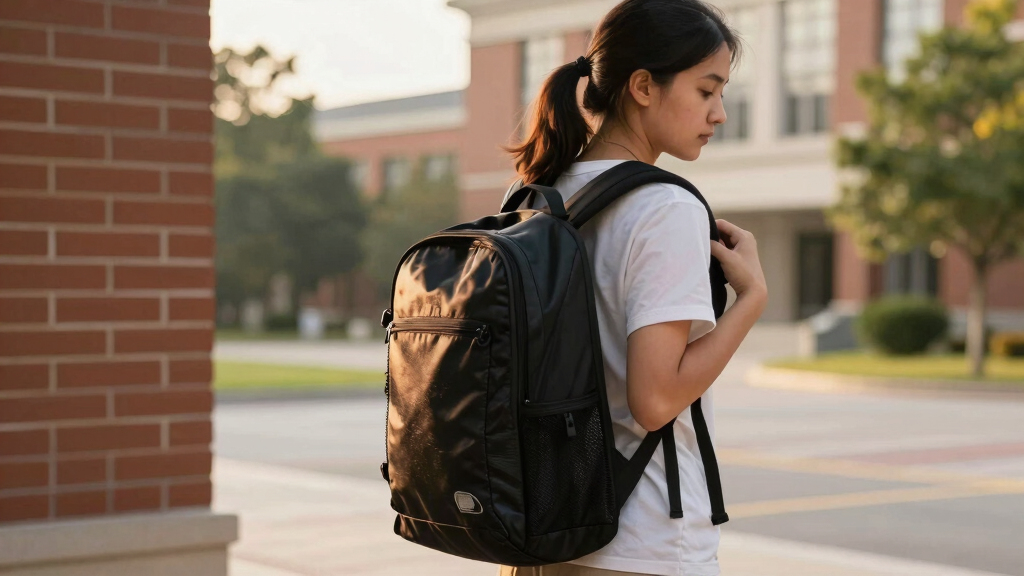

This guide helps students and parents choose the right ergonomic backpack that minimizes back and shoulder strain. It covers identifying key features, proper fit, and how to evaluate comfort. Designed for beginners, this process takes about 15-30 minutes to complete, ensuring the right backpack supports healthy posture during daily use.

Turn the school run and nap time into listening time
- Thousands of audiobooks, podcasts and originals
- Listen on your phone, tablet or Echo — also offline
- Cancel anytime

JanSport Laptop Backpack – Navy
- ✔ Compartments: 2
- ✔ Laptop Sleeve Size: 15 inches
- ✔ Strap Type: Adjustable

MATEIN Travel Laptop Backpack, Business Anti Theft Slim Sturdy Water Resistant College School Computer Bag for Men & Women, Grey
- ✔ Laptop Size Compatibility: up to 15.6 inches
- ✔ Dimensions: 18 x 12 x 7.8 inches
- ✔ Material: Water Resistant Polyester

JanSport Cool Backpack with 15-inch Laptop Sleeve, Black
- ✔ Capacity: 34 L
- ✔ Dimensions: 17.5 x 13 x 10 inches
- ✔ Fabric: 600 Denier Polyester/Synthetic Leather
Difficulty: Beginner | Time: 15-30 minutes
What You’ll Need
Tools & Materials:
- Measuring tape or ruler
- Access to a variety of backpacks for comparison
Knowledge:
- Basic understanding of ergonomic principles and posture awareness
Have a list of preferred backpack styles and budget range ready. Try to test the backpack in person for the best fit and comfort.
JanSport Laptop Backpack – Navy
<p>The <strong>JanSport Laptop Backpack</strong> stands out for its durable construction and ergonomic shoulder straps, making it a dependable choice for everyday school use. Compared to the other options, it offers fewer organizational compartments but excels in reliability and comfort. It’s ideal for students who prioritize straightforward design and longevity, though its limited color options and lack of water resistance might be drawbacks for some.</p>
Pros:
- Durable construction with high-quality materials
- Ergonomic shoulder straps for comfortable carrying
- Multiple compartments and pockets for organization
- Lifetime warranty from a trusted brand
Cons:
- Limited color options
- No water resistance
- Design may be too simple for some preferences
Best for: Students seeking a durable, straightforward backpack with ergonomic comfort for daily use.
Not ideal for: Those who need extensive organization or water-resistant features.
Bottom line: This pick is best for students who value durability and comfort over style or advanced features.
“This pick is best for students who value durability and comfort over style or advanced features.”
MATEIN Travel Laptop Backpack, Business Anti Theft Slim Sturdy Water Resistant College School Computer Bag for Men & Women, Grey
<p>Compared with the JanSport options, the <strong>MATEIN Travel Backpack</strong> offers significantly more storage capacity and travel-friendly features, including a luggage strap and anti-theft pocket. Its padded back panel and breathable straps make it comfortable for extended wear, though its larger size may feel bulky for students who prefer lightweight, minimalist packs. The water-resistant polyester adds practicality but zippers and seams could wear with heavy use over time.</p>
Pros:
- Ample storage with multiple compartments
- Designed for travel with luggage strap and airline-friendly size
- Comfortable for all-day use with padded back panel
- Made of water-resistant, durable materials
Cons:
- Bulky for minimalist preferences
- Zippers and seams may wear over time
Best for: Students who carry a lot of gear and travel frequently or attend classes across campus.
Not ideal for: Minimists or those needing a lighter, less bulky backpack.
Bottom line: This model is perfect for students with extensive gear and travel needs, though it sacrifices some portability and weight savings.
“This model is perfect for students with extensive gear and travel needs, though it sacrifices some portability and weight savings.”
JanSport Cool Backpack with 15-inch Laptop Sleeve, Black
<p>The <strong>JanSport Cool Backpack</strong> offers a blend of style, large capacity, and ergonomic features, making it versatile for students who need space and a sleek look. It includes two main compartments and a dedicated 15-inch laptop sleeve, with padded straps for comfort. Its spacious design is excellent for carrying books, supplies, and even outdoor gear, but it is heavier when fully loaded, and its synthetic leather may show wear over time, limiting long-term aesthetics.</p>
Pros:
- Large capacity with multiple compartments
- Padded back panel and ergonomic straps for comfort
- Durable fabric with premium details
Cons:
- Heavy when fully loaded
- Synthetic leather may wear over time
Best for: Students who want a stylish, roomy backpack with ergonomic support for daily loads.
Not ideal for: Students prioritizing ultra-lightweight packs or those concerned about synthetic materials wearing over time.
Bottom line: This backpack is ideal for style-conscious students who need ample space and ergonomic support, but it may be heavy for daily carrying when loaded.
“This backpack is ideal for style-conscious students who need ample space and ergonomic support, but it may be heavy for daily carrying when loaded.”
As an Amazon Associate we earn from qualifying purchases.
Before You Start
Ensure the student is present for fitting and testing. Avoid shopping during peak times to get a thorough look at each option. Confirm measurements of the student’s torso length and shoulder width beforehand for accurate fit assessment.
Step-by-Step Instructions
Step 1: Identify key ergonomic features
Look for backpacks with padded shoulder straps, adjustable straps, a padded back panel, and a waist or chest strap. These features help distribute weight evenly and reduce pressure on shoulders and back.
Tip: Prioritize backpacks with adjustable straps to customize fit as the student grows or changes posture.
Check: You can easily adjust straps to fit snugly without causing discomfort, and the backpack’s padding supports the back comfortably.
Step 2: Measure the student’s torso length
Use a measuring tape to measure from the top of the shoulder to the top of the hip bone (iliac crest). Record this measurement.
Tip: Compare the torso length to the backpack’s back panel length; it should align closely to avoid excess hanging or tightness.
Check: The backpack’s back panel matches or slightly exceeds the student’s torso length for proper support.
Step 3: Assess the fit on the student
Have the student wear the backpack with all straps adjusted. Check that the shoulder straps are snug but not tight, and the backpack sits centered on the back. The bottom of the backpack should rest in the curve of the lower back, not below the hips.
Tip: Ensure the weight is distributed evenly; the backpack should not sway side to side or hang low.
Check: The backpack feels stable, and the student can move comfortably without strain or uneven weight distribution.
Step 4: Test weight distribution and comfort
Pack the backpack with typical items the student carries, then have them walk and bend to simulate daily activity. Observe for any discomfort or imbalance.
Tip: Remove or replace items that cause uneven weight or discomfort during testing.
Check: The student reports minimal discomfort, and the backpack remains stable during movement.
Step 5: Evaluate durability and material quality
Inspect the backpack for sturdy stitching, strong zippers, and high-quality fabric. These features ensure longevity and sustained comfort.
Tip: Choose backpacks with water-resistant fabric for added protection and longer lifespan.
Check: The backpack shows no loose threads or weak spots and feels durable during inspection.
Common Mistakes to Avoid
- Choosing a backpack that is too large or too small — Measure the student’s torso length and compare it to the backpack’s back panel to ensure proper fit.
- Ignoring adjustable features — Select a backpack with adjustable straps to customize fit and distribute weight evenly.
- Not testing the backpack with actual load — Pack the backpack with typical items and check comfort and stability during movement.
- Overloading the backpack beyond recommended weight — Keep loaded weight under 10-15% of the student’s body weight to prevent strain.
Troubleshooting
Problem: Backpack feels uncomfortable or slips off shoulders
Solution: Adjust shoulder straps for a snug fit; consider adding a chest strap for stability.
Problem: Backpack hangs too low or unevenly
Solution: Check strap adjustments, ensure the backpack is centered, and pack lighter if necessary.
Problem: Strain or pain after use
Solution: Reduce the weight carried, verify correct fit, and consider a backpack with better padding or support features.
What Success Looks Like
The selected backpack fits snugly without causing discomfort, evenly distributes weight, and remains stable during movement. The student can carry typical loads without strain or slouching, and the backpack supports healthy posture.
Next Steps
Periodically re-measure and adjust straps as needed. Avoid overloading the backpack. Consider replacing the backpack annually or if the fit becomes uncomfortable. Maintain the backpack by cleaning and inspecting for wear.
Frequently Asked Questions
How do I determine the right backpack size for my child?
Measure the torso length from shoulder to hips and compare it to the backpack’s back panel length. The backpack should align with the student’s back, with the bottom ending at or just above the hips.
What weight limit should I follow for a student’s backpack?
Keep the load under 10-15% of the student’s body weight to prevent back and shoulder strain.
Are lightweight backpacks better for ergonomics?
Yes, lighter backpacks reduce overall load, decreasing the risk of discomfort while maintaining necessary support and durability.
Can a backpack with wheels be ergonomic?
Wheeled backpacks help reduce shoulder strain but should still be lightweight and properly fitted. Use them when the load is heavy or distances are long.
Cold & flu season Picks
humidifiers
As an affiliate, we earn on qualifying purchases.