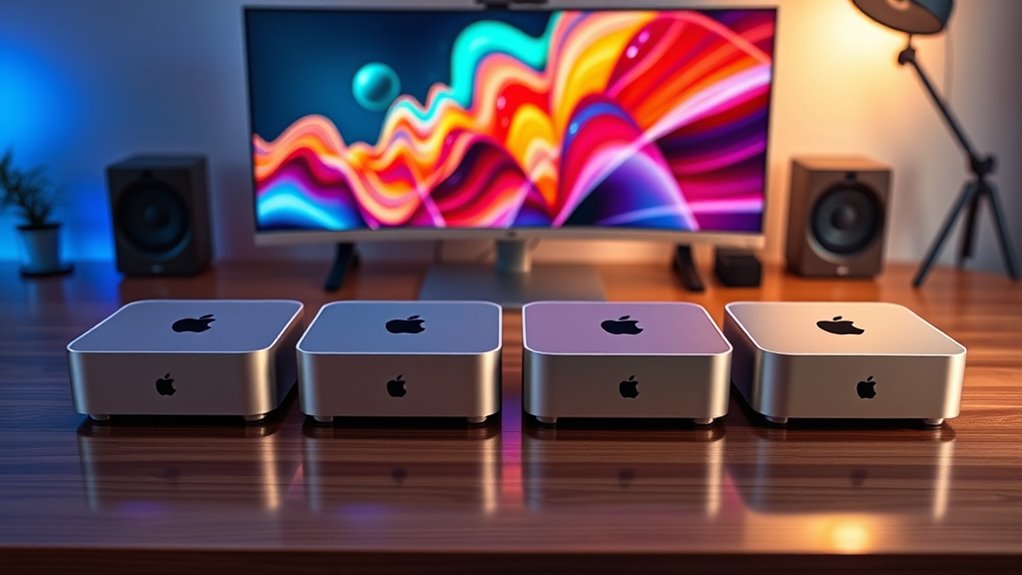

Choosing a Mac mini configuration for creative work means balancing the apps you run with memory, storage, and the connections your desk needs. I rank the M4 with 24GB memory and 1TB SSD as the most balanced Mac mini pick: it pairs current-generation performance with room for active projects. The M5 Pro Mac mini is the stronger fit for demanding, multi-display work, while the M5 Max Mac Studio suits creators whose workloads can use its higher memory ceiling and broader display support.

Turn the school run and nap time into listening time
- Thousands of audiobooks, podcasts and originals
- Listen on your phone, tablet or Echo — also offline
- Cancel anytime
The tradeoffs are practical. The older M1 model has less memory and storage for modern creative projects, and both newer Mac mini options have 512GB or unspecified internal storage that may call for an external drive. The Studio offers more headroom but takes up more space and can exceed what a typical photo, design, or video workflow needs. I compare them by creative workload fit, usable memory and storage, connectivity, and how much extra capacity each option brings.
Complete the kit


Key Takeaways
- The M4 Mac mini with 24GB memory and a 1TB SSD is my most balanced choice for creators who want a current chip and more internal project space.
- The M5 Pro Mac mini moves up the ranking for demanding workflows, with Thunderbolt 5, 2.5Gb Ethernet, support for three displays, and a stated 307GB/s memory bandwidth.
- The M4 Pro configuration has a 12-core CPU and 16-core GPU, but its 512GB SSD leaves less room for active media libraries than the M4 model’s 1TB drive.
- The M5 Max Mac Studio is aimed at heavy AI, 3D, and multi-display work; its memory capacity can reach 128GB and it supports up to five external displays.
- The renewed M1 with 8GB memory and 256GB SSD is best kept to lighter work, since both its memory and storage are more constrained than the newer configurations.
| Apple 2024 Mac mini Desktop Computer with M4 Pro Chip, 12-Core CPU, 16-Core GPU, 24GB Memory, 512GB SSD, and Gigabit Ethernet |  | Best Mac mini for GPU-heavy creative work | Chip: Apple M4 Pro | CPU: 12-core | GPU: 16-core | VIEW ON AMAZON | See Our Full Breakdown |
| Apple 2026 Mac mini Desktop Computer with M5 Pro Chip |  | Best for demanding, multi-display workflows | Chip: Apple M5 Pro | Form factor: 5 x 5 inch desktop | Memory bandwidth: 307GB/s | VIEW ON AMAZON | See Our Full Breakdown |
| Apple Mac mini (M4, 10-Core CPU, 10-Core GPU, 24GB RAM, 1TB SSD) |  | Best overall balance for creators | Chip: Apple M4 | CPU: 10-core | GPU: 10-core | VIEW ON AMAZON | See Our Full Breakdown |
| Apple Mac mini (2020) with M1 Chip, 8GB RAM, 256GB SSD, Silver (Renewed) |  | Best entry point for light creative work | Model: Mac mini (2020), renewed | Chip: Apple M1 | CPU: 8-core | VIEW ON AMAZON | See Our Full Breakdown |
| Apple 2026 Mac Studio Desktop Computer (M5 Max Chip) |  | Best premium workstation for heavy creative workloads | Chip: Apple M5 Max | Maximum memory: Up to 128GB unified memory | Maximum memory bandwidth: 614GB/s | VIEW ON AMAZON | See Our Full Breakdown |
| mac mini configurations for creator | Chip | CPU | GPU | Memory |
|---|---|---|---|---|
| Apple 2024 Mac mini Desktop Co | Apple M4 Pro | 12-core | 16-core | 24GB unified memory |
| Apple 2026 Mac mini Desktop Co | Apple M5 Pro | — | — | — |
| Apple Mac mini | Apple M4 | 10-core | 10-core | 24GB |
| Apple Mac mini | Apple M1 | 8-core | 8-core | 8GB unified memory |
| Apple 2026 Mac Studio Desktop | Apple M5 Max | — | — | — |
More Details on Our Top Picks
Apple 2024 Mac mini Desktop Computer with M4 Pro Chip, 12-Core CPU, 16-Core GPU, 24GB Memory, 512GB SSD, and Gigabit Ethernet
This M4 Pro configuration is the Mac mini I would shortlist for creators who regularly render, compile, or work with complex timelines and want a clear step up from the standard M4. Its 12-core CPU and 16-core GPU give it more processing and graphics capacity than the 10-core M4 configuration below, while both offer 24GB memory. That distinction matters when workloads place heavier demands on the processor and graphics, rather than on local project storage.
The compromise is the 512GB SSD. The M4 option doubles that listed capacity, giving it more room for active media without relying on an external drive. For large video libraries or graphics projects, I would plan on connected storage here. It keeps the Mac mini’s compact five-by-five-inch footprint and offers Thunderbolt, HDMI, Gigabit Ethernet, front USB-C, and a headphone jack. A monitor and input devices are not listed as included, so the complete setup requires more than the computer itself.
Pros:- M4 Pro with 12-core CPU and 16-core GPU
- 24GB unified memory
- Compact five-by-five-inch footprint
- Thunderbolt, HDMI, Gigabit Ethernet, and front USB-C
Cons:- 512GB SSD offers less internal room than the M4 model’s 1TB
- Monitor, keyboard, and mouse are not listed as included
Best for: Creators who want the M4 Pro’s stronger CPU and GPU configuration for demanding editing, rendering, or graphics work and already have external storage.
Not ideal for: People who want more built-in project space or mainly run lighter creative apps; the 1TB M4 is a better fit for more internal storage.
- Chip:Apple M4 Pro
- CPU:12-core
- GPU:16-core
- Memory:24GB unified memory
- Storage:512GB SSD
- Ethernet:Gigabit Ethernet
- Dimensions:5 x 5 x 2 inches
- Connectivity:Thunderbolt, HDMI, front USB-C, headphone jack
Our verdict“I recommend this M4 Pro Mac mini when processing and graphics headroom matter more than having a larger internal SSD.”
Apple 2026 Mac mini Desktop Computer with M5 Pro Chip
The M5 Pro is the forward-looking Mac mini choice in this group. Its supplied specifications point to a creator-focused mix of three Thunderbolt 5 ports, 2.5Gb Ethernet, and support for up to three external displays. That connectivity can simplify a studio desk with several monitors and fast peripherals. The stated 307GB/s memory bandwidth and Neural Accelerators in each GPU core also make this the standout Mac mini here for workloads that can benefit from high data throughput and on-device AI processing.
Compared with the M4 Pro, this model offers newer connectivity and describes up to 2x faster storage, but its listing does not state memory or SSD capacity. That makes it harder to judge how much space a creator gets for current work or how much memory is available for demanding apps. The M4’s 24GB memory and 1TB SSD are explicit, which makes that option easier to assess for a balanced setup. The M5 Pro remains my pick for users who value its listed ports, display support, and newer platform features; a display, keyboard, and mouse are not included in the supplied details.
Pros:- Three Thunderbolt 5 ports and 2.5Gb Ethernet
- Supports up to three external displays
- 307GB/s memory bandwidth and per-core Neural Accelerators
- Compact five-by-five-inch desktop
Cons:- The supplied configuration does not state memory or SSD capacity
- Display, keyboard, and mouse are not listed as included
- Internal components have limited upgradeability
Best for: Creators building a multi-display desk who want Thunderbolt 5, 2.5Gb Ethernet, and the M5 Pro’s stated bandwidth and AI features.
Not ideal for: Buyers who need confirmed memory and SSD capacities before choosing, or who want a clearly specified 1TB internal drive.
- Chip:Apple M5 Pro
- Form factor:5 x 5 inch desktop
- Memory bandwidth:307GB/s
- AI feature:Neural Accelerators in each GPU core
- Rear ports:3x Thunderbolt 5, HDMI, 2.5Gb Ethernet
- Front ports:2x USB-C, headphone jack
- External displays:Up to 3
- Wireless:Wi-Fi 7, Bluetooth 6
Our verdict“I would choose the M5 Pro for a connected, multi-display creative desk when its unlisted memory and storage capacities are confirmed for the intended workload.”
Apple Mac mini (M4, 10-Core CPU, 10-Core GPU, 24GB RAM, 1TB SSD)
This is my best overall pick because its listed configuration balances a modern chip with enough specified memory and storage to make the choice clear. The M4, 24GB memory, and 1TB SSD suit creators who keep several apps and active projects on one machine. Compared with the M4 Pro above, it has a 10-core CPU and 10-core GPU rather than 12 and 16 cores, but twice the listed SSD capacity. That makes it an appealing fit when project space and everyday creative responsiveness matter more than extra graphics capacity.
It also has front-facing USB-C, Thunderbolt, HDMI, Gigabit Ethernet, and a headphone jack, which helps keep common connections within reach on a small desk. The M5 Pro offers newer Thunderbolt 5 and support for up to three external displays, so creators setting up a more elaborate workstation may prefer that model after checking its configuration details. This M4’s 1TB internal SSD gives it a concrete advantage for local working files, though large video archives can still outgrow it. Like the other Mac minis, the supplied information does not include a display, keyboard, or mouse.
Pros:- 24GB memory paired with a 1TB SSD
- M4 chip with a 10-core CPU and 10-core GPU
- Front USB-C and headphone jack
- Compact five-by-five-inch design
Cons:- Less CPU and GPU capacity than the M4 Pro configuration
- No dedicated graphics option for heavy GPU workloads
- Monitor, keyboard, and mouse are sold separately
Best for: Photo editors, designers, and video creators seeking a well-specified Mac mini with 24GB memory and 1TB of internal storage.
Not ideal for: People whose workloads need the M4 Pro’s stronger listed CPU and GPU, or M5 Pro’s specified multi-display and Thunderbolt 5 features.
- Chip:Apple M4
- CPU:10-core
- GPU:10-core
- Memory:24GB
- Storage:1TB SSD
- Ports:Thunderbolt, HDMI, Gigabit Ethernet, front USB-C, headphone jack
- Color:Silver
- Dimensions:5 x 5 inches
Our verdict“I recommend the 24GB, 1TB M4 Mac mini to most creators who want a balanced, clearly specified desktop for everyday creative work.”
Apple Mac mini (2020) with M1 Chip, 8GB RAM, 256GB SSD, Silver (Renewed)
The renewed M1 Mac mini has a narrower role than the newer systems: it can suit lighter creative tasks, basic photo adjustments, simple design work, or a first desktop for learning creative software. Its 8-core CPU, 8-core GPU, and 16-core Neural Engine provide a capable foundation for everyday use, but the listed 8GB of unified memory is substantially below the 24GB in each specified M4 configuration. That gap matters if you keep large files open or run several demanding apps at once.
The 256GB SSD is another constraint for creators storing source footage, sample libraries, or working files locally. Against the newer M4, the M1 gives up both memory and storage capacity, while the M4 also has a newer chip and front-facing connections listed. This is a renewed 2020 model, so it makes most sense when the workload is modest and the existing setup is compatible. The product details do not list ports or included accessories, so I would check those specifics before planning it as the center of a studio desk.
Pros:- 8-core M1 CPU
- 8-core GPU and 16-core Neural Engine
- Compact desktop form
- Can handle everyday and lighter creative workflows
Cons:- 8GB memory is far below the 24GB in the listed M4 models
- 256GB SSD leaves limited room for project files
- Renewed 2020 model with ports and accessories not specified here
Best for: Beginners doing light creative work who want a compact renewed desktop and can keep files and app demands modest.
Not ideal for: Creators editing demanding video, handling large projects, or running several memory-hungry applications at once.
- Model:Mac mini (2020), renewed
- Chip:Apple M1
- CPU:8-core
- GPU:8-core
- Neural Engine:16-core
- Memory:8GB unified memory
- Storage:256GB SSD
- Condition:Renewed
Our verdict“I would choose this renewed M1 only for light creative tasks, since the M4 configuration provides substantially more listed memory and storage headroom.”
Apple 2026 Mac Studio Desktop Computer (M5 Max Chip)
The Mac Studio sits beyond the Mac mini configurations in both size and intended workload. Its M5 Max chip, up to 128GB unified memory, and up to 614GB/s memory bandwidth target work that can use substantial graphics, memory, or AI capacity. The Studio also supports up to five external displays, more than the M5 Pro Mac mini’s three, and includes four Thunderbolt 5 ports plus USB-A, HDMI, and an SDXC card slot. That built-in card reader and wider port selection can make a busy editing desk easier to wire.
Those advantages are relevant for advanced 3D work, large media projects, and demanding AI workflows, but they are more than many creators need. The M4 Mac mini is smaller and has a clearly specified 24GB memory and 1TB SSD, making it a more grounded choice for a general creative workstation. The Studio’s chassis measures 7.76 inches square and is 3.74 inches tall, so it is still compact relative to a tower but larger than the five-inch Mac minis. Its internal components are not user-upgradable, and its top-end capacity does not make sense if your applications cannot use it.
Pros:- M5 Max with up to 128GB unified memory
- Up to 614GB/s memory bandwidth
- Four Thunderbolt 5 ports and an SDXC card slot
- Supports up to five external displays
Cons:- Larger than the five-by-five-inch Mac mini models
- Internal components are not user-upgradable
- M5 Max capacity may exceed casual creative needs
Best for: Professional creators running heavy 3D, AI, or multi-display workflows who can make use of high memory capacity and extensive ports.
Not ideal for: Casual creators or anyone whose work fits comfortably on an M4 Mac mini; the larger chassis and higher capacity may bring little practical benefit.
- Chip:Apple M5 Max
- Maximum memory:Up to 128GB unified memory
- Maximum memory bandwidth:614GB/s
- Thunderbolt:4x Thunderbolt 5
- Other ports:2x USB-C, 2x USB-A, HDMI, SDXC card slot, headphone jack
- External displays:Up to 5
- Dimensions:7.76 x 7.76 x 3.74 inches
- Wireless:Wi-Fi 7, Bluetooth 6
Our verdict“I recommend the Mac Studio for creators with workloads that can use its memory, graphics, and display headroom, while most others can choose a Mac mini.”

How We Picked
I ranked these five systems around the jobs creators actually need a compact desktop to handle: editing photos and video, building design files, producing audio, running creative software alongside reference material, and connecting displays and fast storage. A newer chip can improve performance, but the right choice also depends on memory for concurrent apps, SSD capacity for current projects, and ports for the equipment already on a creator’s desk.
The order reflects creative headroom against practical fit. The M4 configuration leads because its 24GB memory and 1TB SSD make a balanced package from the supplied details. The M5 Pro follows for users who need newer connectivity and stronger stated performance features; the M4 Pro remains compelling for CPU- and GPU-heavy tasks but has half the listed SSD capacity of the M4. I place the Mac Studio below the Mac minis for this roundup because its capacity is exceptional but its size and power target heavier work. The M1 is last because its 8GB memory and 256GB storage impose the tightest limits. I do not assume unlisted configurations or accessories are included.
| mac mini configurations for creator | Chip |
|---|---|
| Apple 2024 Mac mini Desktop Co | Apple M4 Pro |
| Apple 2026 Mac mini Desktop Co | Apple M5 Pro |
| Apple Mac mini | Apple M4 |
| Apple Mac mini | Apple M1 |
| Apple 2026 Mac Studio Desktop | Apple M5 Max |
Factors to Consider When Choosing Mac Mini Configurations For Creators
I would start with the demands of your actual projects, then match memory, storage, and connectivity to them. The chip name alone does not tell you whether a configuration will feel roomy during a working day.Match processing capacity to your creative apps
For general design, photo editing, and less demanding video work, the M4 Mac mini combines a 10-core CPU and 10-core GPU with 24GB memory. The M4 Pro raises those listed core counts to 12 and 16, which makes it the clearer fit when rendering, complex effects, or graphics-heavy tasks are frequent. The M5 Pro adds stated Neural Accelerators and 307GB/s memory bandwidth, while the M5 Max Studio targets work that can use much higher memory capacity and graphics throughput. I would select the smallest tier that fits the workload you run regularly, rather than choosing the highest tier based on occasional demanding tasks.
Treat memory and storage as separate decisions
Memory helps a system keep apps and active documents available while you switch between them. The M4 and M4 Pro listings both specify 24GB, while the renewed M1 lists 8GB. The M5 Pro listing does not state its capacity, so check that configuration before matching it to a workload. Storage is where the M4 stands out: its listed 1TB SSD is twice the M4 Pro’s 512GB and four times the M1’s 256GB. Video creators and audio producers can fill internal drives quickly, so plan an external drive if your project library is larger than the included SSD.
Count displays and connections before you choose
A small computer still needs to connect to a monitor, drives, audio gear, and other accessories. The M4 and M4 Pro details list Thunderbolt, HDMI, Gigabit Ethernet, front USB-C, and a headphone jack. The M5 Pro adds three Thunderbolt 5 ports, 2.5Gb Ethernet, and support for up to three displays. The Studio includes four Thunderbolt 5 ports, USB-A, HDMI, and SDXC, with support for as many as five displays. Compare these connections with your existing setup; a card reader or extra display connection can reduce the number of adapters and hubs on the desk.
Budget for the complete workspace
The supplied listings do not say that a monitor, keyboard, or mouse comes with the Mac mini configurations, and the Studio details do not list those accessories either. If you are building a first creative desk, factor in the display and input devices alongside the computer. Also decide where large project files will live: the M4’s 1TB drive offers more internal room than the M4 Pro’s 512GB, while the M1’s 256GB is the most restrictive. A planned external drive can make a smaller internal SSD workable, but it adds another device and connection to manage.
Choose the Mac Studio only when the extra capacity has a job
The Studio is physically larger than the five-by-five-inch Mac minis, and its M5 Max platform has a much higher stated ceiling for memory, bandwidth, and displays. That capacity is meaningful for demanding 3D, AI, and multi-display setups. For lighter editing, graphic design, and general content creation, the M4 Mac mini’s stated 24GB memory and 1TB SSD may fit more naturally. I would move to the Studio when a specific app or workflow can use the extra capacity, rather than treating the premium workstation as the default creator choice.
Frequently Asked Questions
Which Mac mini configuration is the best starting point for most creators?
I would start with the M4 Mac mini listed with 24GB memory and a 1TB SSD. It has a current-generation chip and more specified internal storage than the 512GB M4 Pro option, while keeping the compact Mac mini form. Creators who regularly run more demanding graphics or rendering workloads can step up to the M4 Pro; the M5 Pro is another option for users prioritizing its newer ports and multi-display support.
Is the M4 Pro Mac mini worth choosing over the M4?
The M4 Pro is a better fit when the 12-core CPU and 16-core GPU matter to your work, such as frequent rendering or more demanding creative effects. The M4 has a 10-core CPU and GPU but lists a 1TB SSD, compared with 512GB on the M4 Pro. If your main constraint is project space or everyday app use, the M4 can be the more balanced configuration; if processing capacity is the priority, consider the M4 Pro.
Is the renewed M1 Mac mini suitable for creative work?
It can suit light creative work, learning, or basic editing, but its listed 8GB memory and 256GB SSD give less room for large projects and demanding multitasking than the newer M4 configurations. I would be cautious about choosing it as a primary machine for substantial video, 3D, or audio projects. The product information also does not specify its ports or included accessories, so confirm those details against your setup.
When should a creator choose the Mac Studio instead of a Mac mini?
The M5 Max Mac Studio makes sense when your workflow can use its much higher memory ceiling, up to 614GB/s memory bandwidth, or support for up to five external displays. Those features target heavy AI, 3D, and demanding multi-display work. For a typical photo, design, or moderate video workflow, the M4 Mac mini’s 24GB memory and 1TB SSD may provide a more suitable mix of capacity and compact size.
Do these Mac mini configurations include a monitor and keyboard?
The supplied descriptions do not list a monitor, keyboard, or mouse as included with the Mac mini models. I would plan to provide those separately unless the specific listing states otherwise. This matters especially for a first desktop setup: the computer’s compact footprint does not make it a complete workstation by itself.
Conclusion
For a broadly useful creator desktop, I recommend the M4 Mac mini with 24GB memory and a 1TB SSD. Choose the M4 Pro if rendering and graphics workloads need its higher listed core counts and you can work with 512GB internally. The M5 Pro fits creators building a connected, multi-display setup who value its Thunderbolt 5 ports and stated bandwidth, after confirming its memory and storage configuration. Choose the M5 Max Mac Studio when heavy AI, 3D, or display demands can use its greater capacity. The renewed M1 Mac mini is best reserved for lighter creative work with modest storage needs.
Halloween Picks

Haunted Hill Farm 2-Ft. Zombie Raccoon Halloween Animatronic

Gemmy Bluey Family Halloween Inflatable Scene, 5.5 ft Lighted Yard Decoration

MGparty 14.5 ft Halloween Inflatable Walk-In Pumpkin House with LED Lights
As an affiliate, we earn on qualifying purchases.