To secure your Wi-Fi baby monitor today, change its default password to a strong, unique one and update the device’s firmware regularly. Use WPA3 encryption on your Wi-Fi network, and consider creating a separate network just for the monitor. Disable remote access if you don’t need it, and choose a strong SSID that doesn’t reveal personal info. Regularly testing your setup helps keep your family’s privacy safe — learn more tips below.
Key Takeaways
- Change default passwords to strong, unique credentials and update them regularly.
- Enable WPA3 encryption on your Wi-Fi network for enhanced security.
- Disable remote access features when not needed to prevent unauthorized intrusion.
- Regularly update your baby monitor’s firmware to patch security vulnerabilities.
- Create a separate, secured Wi-Fi network exclusively for your baby monitor.

Tripod Baby Monitor Mount for HelloBaby HB65/HB40/HB6550/HB6560/HB6148/HB66/HB6339/HB6550 Pro, ANMEATE SM935E, Flexible Baby Camera Mount Attach Your Camera Wherever You Want
Compatible with hello baby monitor HB65/HB40/HB6550/HB6560/HB6148/ HB66/HB6339/HB6550 Pro, ANMEATE SM935E, and also fit other baby cameras with standard…
As an affiliate, we earn on qualifying purchases.
As an affiliate, we earn on qualifying purchases.
Why Securing Your Wi-Fi Baby Monitor Protects Your Family

Securing your Wi-Fi baby monitor is essential because it directly protects your family’s privacy and safety. Without proper security, privacy concerns arise as unauthorized individuals might access live video feeds or audio, risking your family’s safety and sensitive information. By enabling and properly configuring parental controls, you limit who can view or control the monitor, reducing the risk of intrusions. These controls help you restrict access, prevent strangers from viewing your baby’s room, and monitor device activity. Implementing security best practices measures in device configuration can further enhance your understanding of the monitor’s display quality. Additionally, understanding the network security settings ensures your Wi-Fi connection itself remains protected from external threats. A secure setup minimizes vulnerabilities that hackers could exploit, giving you peace of mind. Protecting your family starts with understanding that a well-secured monitor safeguards your privacy and keeps your loved ones safe from potential cyber threats. Regularly reviewing your privacy settings helps maintain ongoing protection as new features or updates are released. Moreover, staying informed about device firmware updates ensures you close security gaps as they are discovered.

ARENTI WiFi Baby Camera Monitor B2 Kit 2025 Upgraded, 5-inch Wireless Display, Smartphone App, Encrypted Connection, Lullaby, Super Night Vision, Auto Tracking, Temp Sensor, Support Local Storage
Easy Installation & Dual Usage – Enjoy plug-and-play convenience with two options to use. Use the LCD screen…
As an affiliate, we earn on qualifying purchases.
As an affiliate, we earn on qualifying purchases.
Change the Default Password on Your Baby Monitor
Start by locating the default password on your baby monitor and change it to a strong, unique one. Make sure your new password isn’t easy to guess and update it regularly to keep your device secure. Regularly reviewing and updating passwords helps protect your family from potential security threats. Incorporating timeless outdoor wisdom about device security can further enhance your protection, especially by understanding the importance of wave and wind security considerations to prevent unauthorized access. Being aware of outdoor environmental factors can also help you better safeguard your devices from physical and digital vulnerabilities. Additionally, understanding how natural elements influence device security can help you adapt your protection strategies to changing conditions, much like how male vs female nails can differ in strength and growth, emphasizing the need for tailored care.
Locate Default Passwords
Many baby monitors come with default passwords that are widely known or easy to guess, making them vulnerable to unauthorized access. To improve your password security, start by locating where these default passwords are stored. Check the user manual, product packaging, or manufacturer’s website for the default login credentials. Often, the default password is printed directly on the device or included in setup instructions. If you can’t find it, contact customer support or search online using your monitor’s model number. Knowing where to find these default passwords helps you identify if your device is still using factory settings. Once located, you’ll be ready to change the default password and strengthen your baby monitor’s security against potential intruders. Additionally, default password vulnerabilities highlight the importance of customizing login details to prevent unauthorized access. Being aware of security best practices can further help protect your device from threats. Regularly updating your passwords and enabling additional security features can provide an extra layer of protection for your baby monitor.
Create Strong New Passwords
Once you’ve located the default password, it’s important to replace it with a strong, unique one. A secure password should have high password complexity, combining uppercase and lowercase letters, numbers, and special characters. Avoid common words or phrases that are easy to guess. Use a password management tool to generate and store your new password safely, so you don’t forget it. Creating a complex password reduces the risk of unauthorized access to your baby monitor. Remember, an easy-to-guess password undermines your security efforts. Take the time to craft a strong password that’s difficult to crack, and store it securely. Regularly reviewing and updating your passwords is part of good password management, but the first step is creating a strong, unique one today. Additionally, understanding the underlying nanotech fabrication challenges can help you appreciate the importance of robust security in connected devices. It’s also beneficial to stay informed about the latest security practices for Wi-Fi-enabled devices to ensure your home remains protected.
Update Regularly
Regularly updating your baby monitor’s password is essential to maintaining security. Over time, default or simple passwords can become vulnerable, especially if encryption protocols are weak or outdated. By changing your password regularly, you reduce the risk of unauthorized access. Make sure your new password has high complexity—mix uppercase and lowercase letters, numbers, and symbols—to enhance protection. Avoid using easily guessable information like birth dates or common words. Consistently updating your password helps guarantee that even if someone discovers your old one, they won’t have access to your monitor. Incorporating smart home security best practices, such as enabling two-factor authentication if available, adds an extra layer of protection. Implementing security updates promptly ensures your device benefits from the latest protections against vulnerabilities. Regularly reviewing your device’s security settings and firmware updates can further prevent unauthorized access. Staying informed about potential security threats allows you to better anticipate and respond to emerging risks. Combining strong password practices with updates creates a layered security approach, making it considerably harder for intruders to compromise your baby’s privacy and safety. Additionally, consider periodically changing default passwords to further strengthen your device’s security.
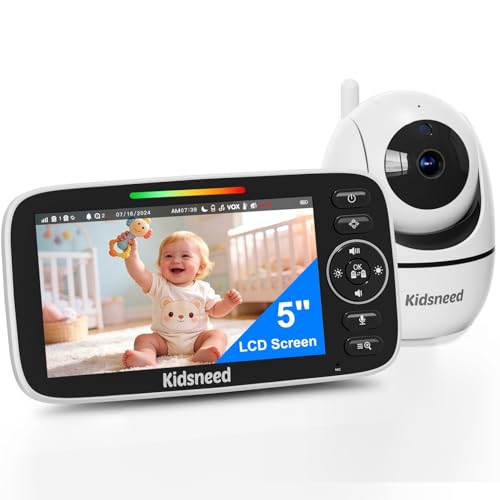
Kidsneed Baby Monitor with Camera and Audio – 5 inch 720P Video Baby Monitor, No WiFi, 48H Battery Life, Night Vision, Two Way Talk, Remote Pan Tilt Zoom, Thermal Monitor,1000 ft Range(530)
CALM AND CONNECT WITH YOUR LITTLE ONE – Discover a simple, hassle-free way to keep an eye on…
As an affiliate, we earn on qualifying purchases.
As an affiliate, we earn on qualifying purchases.
Use WPA3 Encryption for Better Security
Switching to WPA3 encryption can greatly enhance your baby monitor’s security by providing stronger protection against hacking. You should check if your device supports WPA3 and learn how to enable it in your network settings. Understanding the benefits and compatibility helps guarantee your monitor stays secure and up-to-date. Additionally, staying informed about AI security innovations can help you better protect your connected devices from emerging threats. Staying aware of network security protocols ensures you implement the most effective safeguards for your smart home. Incorporating encryption standards into your security practices further strengthens your device defenses and minimizes vulnerabilities. Recognizing the importance of regular firmware updates can also help patch security flaws and improve device resilience. Being aware of wireless security best practices ensures you take comprehensive steps to safeguard your network and connected devices.
Benefits of WPA3 Encryption
Implementing WPA3 encryption substantially enhances the security of your Wi-Fi baby monitor by providing stronger protection against hacking attempts. It offers advanced encryption algorithms that make it more difficult for hackers to access your video feed or personal data. WPA3 also reduces the impact of wireless interference, ensuring a more stable connection even in environments with many competing signals. Additionally, WPA3 improves device compatibility, allowing newer devices to connect securely without sacrificing performance. This means you can enjoy better security without compromising on the functionality of your monitor. Upgrading to WPA3 also aligns with modern security standards, offering a future-proof solution for your network security. Moreover, WPA3 incorporates individualized data encryption, which helps protect your data even if your network password is compromised. Overall, upgrading to WPA3 keeps your monitoring system safer, protecting your privacy and your child’s safety from cyber threats. The benefits are clear: stronger encryption, improved stability, and seamless device compatibility. Incorporating security best practices into your network setup further enhances your protection against cyber threats.
How to Enable WPA3
Enabling WPA3 encryption on your Wi-Fi network is a straightforward process that considerably boosts your baby monitor’s security. First, log into your router’s admin panel. Navigate to the wireless settings, then select the security mode, and choose WPA3. This upgrade enhances wireless encryption, making it harder for intruders to access your network. To maximize protection, confirm your password is complex—use a mix of letters, numbers, and symbols. Here’s a quick guide to key concepts:
| Security Mode | Wireless Encryption | Password Complexity |
|---|---|---|
| WPA3 | Advanced, stronger | High (long, varied chars) |
| WPA2 | Moderate | Moderate |
| WEP | Outdated | Simple |
Switching to WPA3 is a crucial step in securing your baby monitor.
Compatibility and Device Support
While upgrading to WPA3 offers enhanced security, it’s important to make certain your devices support this newer protocol. Device compatibility can be a challenge because not all baby monitors or routers support WPA3 yet. Before enabling it, check your device’s manufacturer support to ensure smooth operation. Some older devices may only support WPA2 or WPA, limiting your options. To avoid issues, consider the following:
- Verify your device’s compatibility in the user manual or manufacturer’s website
- Update your firmware to the latest version for better support
- Consider replacing outdated devices that lack WPA3 support
Ensuring your devices support WPA3 helps maximize security without sacrificing functionality, giving you peace of mind while monitoring your baby.

HelloBaby Baby Monitor 6" World First IPS Screen 30H Battery, Secure No WiFi, Pan Tilt Video Camera with Night Vision, VOX, 2-Way Talk, 1000ft, Portable Video Audio Monitor Ideal for Mom, Elderly, Pet
The World's First 6'' IPS Screen Baby Monitor with Camera and Audio HB6560 – Perfect for New Parents…
As an affiliate, we earn on qualifying purchases.
As an affiliate, we earn on qualifying purchases.
Update Your Baby Monitor’s Firmware Regularly
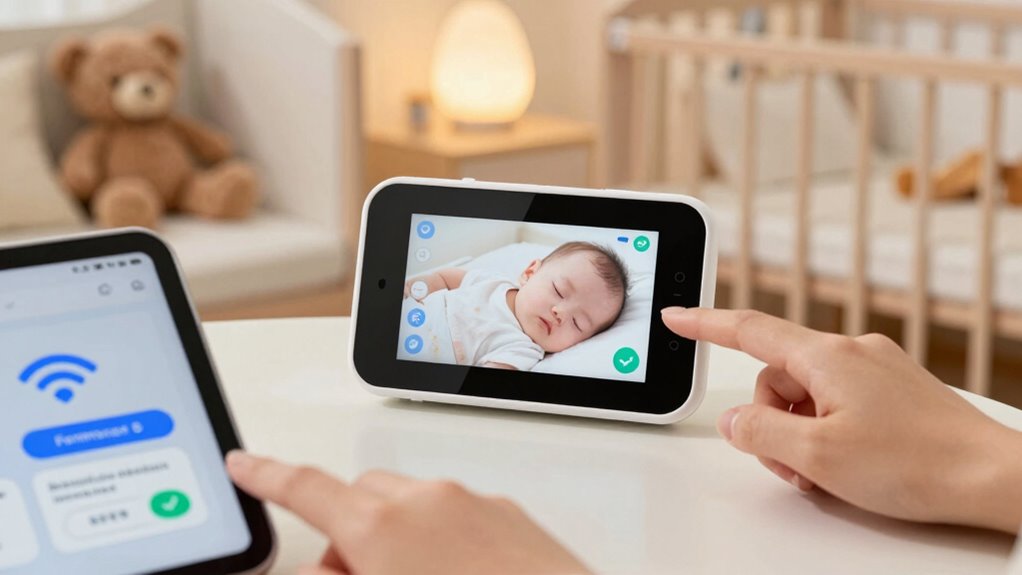
Regularly updating your baby monitor’s firmware is essential to keep it secure against new vulnerabilities. Firmware updates often include security patches that fix known bugs and close potential entry points for hackers. To stay current, check the manufacturer’s website or app regularly for updates. If you’re unsure how to update, look for video tutorials or consult the user manual for step-by-step instructions. Many updates can be completed quickly and automatically, reducing the risk of security breaches. Ignoring firmware updates leaves your device vulnerable to exploits. Make it a habit to verify and install updates promptly, ensuring your monitor remains protected against evolving threats. Staying proactive with firmware updates is a simple yet effective way to enhance your baby monitor’s security.
Disable Remote Access When Not Needed

Disabling remote access when you don’t need it is one of the simplest ways to protect your baby monitor from unauthorized intrusion. When remote access is enabled, anyone with the right credentials can connect to your device, risking privacy breaches. Turning it off limits access to your network, creating better device isolation and reducing vulnerabilities.
- Turn off remote access in your monitor’s settings when you’re not monitoring remotely
- Use local connection only for added security
- Regularly review and disable remote features if they’re unnecessary
Create a Dedicated Wi-Fi Network for Your Baby Monitor

Creating a dedicated Wi-Fi network for your baby monitor is one of the most effective ways to enhance its security. By isolating it from your main network, you reduce the risk of unauthorized access. This setup minimizes wireless interference from other devices, ensuring a clearer signal and better performance. Proper device placement is also vital; position the monitor away from other electronics to avoid signal disruptions. Use a separate network with a unique password and avoid sharing credentials. Here’s a quick comparison:
| Feature | Main Network | Dedicated Baby Monitor Network |
|---|---|---|
| Wireless interference | Higher risk | Lower risk |
| Device placement | Closer to other electronics | Optimized for signal clarity |
| Security level | Standard security | Enhanced security |
This approach keeps your monitor secure and functioning smoothly.
Choose a Strong, Unique SSID and Avoid Personal Info

To protect your baby monitor from unauthorized access, it’s essential to choose a strong, unique SSID (network name) that doesn’t reveal personal information. A generic, random name makes it harder for intruders to identify your device. Avoid using personal details like your family name or address in the SSID. Good password management starts with selecting a complex password for your Wi-Fi, which adds an extra layer of security. Additionally, consider network segmentation by creating a separate network for your baby monitor, isolating it from your main devices. This limits potential breaches and keeps your primary network safer. Remember, a strong, unique SSID combined with proper password management and network segmentation considerably enhances your Wi-Fi security.
Test and Monitor Your Baby Monitor’s Security Periodically

Regularly testing and monitoring your baby monitor’s security is essential to identify vulnerabilities before they can be exploited. Conduct frequent password audits to ensure your login credentials remain strong and unchanged. Schedule security checkups to verify that firmware updates are applied and that default settings haven’t been restored. Use these checkups to review device access logs and spot any suspicious activity. This proactive approach helps you catch potential threats early. Keep in mind, even if your device seems secure, periodic assessments guarantee it stays that way. By staying vigilant and consistently monitoring your baby monitor’s security, you reduce the risk of unauthorized access and protect your family’s privacy. Regular checks are your best defense against evolving security threats.
Frequently Asked Questions
Can I Use a VPN to Enhance My Baby Monitor’s Security?
Yes, you can use a VPN to enhance your baby monitor’s security. A VPN encrypts your data, making it harder for hackers to access your video feed. Additionally, you should set up network segmentation, isolating your baby monitor from other devices. This way, even if one device is compromised, your monitor stays protected. Combining VPN encryption and network segmentation markedly boosts your baby monitor’s security.
What Are Signs That My Baby Monitor Has Been Hacked?
If your baby monitor has been hacked, you’ll notice signs of unauthorized access or suspicious activity. For example, you might see unfamiliar camera angles, hear strange sounds, or get unexpected alerts. The feed could glitch or freeze unexpectedly. Your device may also disconnect frequently or show unknown users. If you observe any of these signs, it’s vital to change your passwords, update firmware, and review your security settings to protect your baby’s privacy.
How Do I Reset My Baby Monitor to Factory Settings?
To perform a factory reset on your baby monitor, locate the reset button, often found on the back or bottom. Press and hold it for about 10-15 seconds using a paperclip or pin until the monitor powers off and restarts. This restores your device to its original state, making it easier to follow the monitor setup process from scratch. Be sure to consult your user manual for specific reset instructions for your model.
Is It Safe to Connect My Baby Monitor to a Public Wi-Fi?
Connecting your baby monitor to public Wi-Fi isn’t safe because of Public Wi-Fi risks like hacking and unauthorized access. To protect your device, avoid using public networks or set up a Secure connection method, such as a Virtual Private Network (VPN). This encrypts your data, making it harder for intruders to access your monitor. Always prioritize a secure, private Wi-Fi connection to keep your baby’s safety and privacy intact.
What Should I Do if I Forget My Baby Monitor’s Password?
If you forget your baby monitor’s password, don’t panic. Start by looking for a password recovery option in the app or on the device’s website; this often involves verifying your email or answering security questions. If that doesn’t work, try username retrieval features to regain access. Resetting the device to factory settings might be necessary, but make certain you have your username and recovery info ready to set it up securely again.
Conclusion
Securing your Wi-Fi baby monitor might seem like just another task, but it’s about protecting your family’s peace of mind. While the world’s digital threats grow bolder, your vigilance keeps your little one safe and secure. Don’t let convenience compromise their safety—take action today. Because in the end, safeguarding their innocence is worth every effort, reminding you that love and security go hand in hand in today’s connected world.